UNIT RATES
This section in the Enterprise Project Structure displays the rules for aggregating estimate rates into work types (1). The directory is populated when unit rates from LS/LSR line items in the COE are linked to work types in the RBS. Linking is unavailable in this interface and is described later.
The unit rate directory contains the following attributes: unit rate code, "Work type", "PV ID", "Include amount of volume", and "Directory".
In the unit rate window, you can designate a primary (leading) rate among the estimate rates linked to a work type. If a primary rate is specified, generating the PDC adds the physical quantity from each estimate line item using that rate to the "Quantity" attribute of the linked work type. Conversion factors from the unit of measure mapping directory are applied.
To designate a primary (leading) rate, select the "Include amount of volume" checkbox. Checkboxes in this column are selected automatically for rows added to the unit rate list.
The directory is created and stored at the "Project" level. You can export it (2), edit it in Excel, and import it back (3). To delete a rule, select its checkbox and click "Delete" (4).
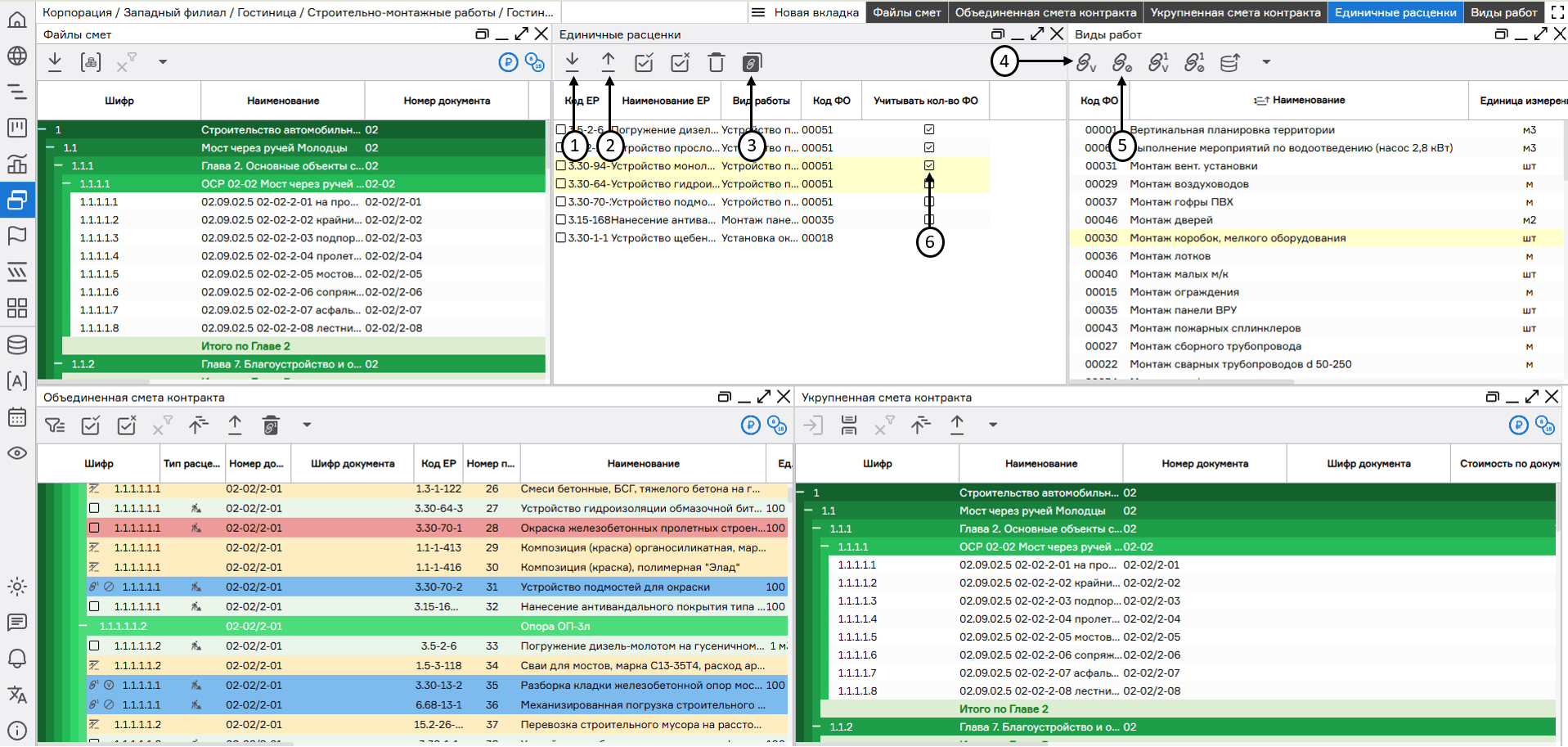 Enterprise Project Structure Interface. Unit Rate Directory
You can apply linking rules from another project. To do this, click "Copy rules" (1). The "Copy the rules for assigning unit prices from the project" window displays only projects that have their own unit rate directory (2) in the hierarchical structure. Select a project row and click "Copy" to add the selected project's rules to the current directory.
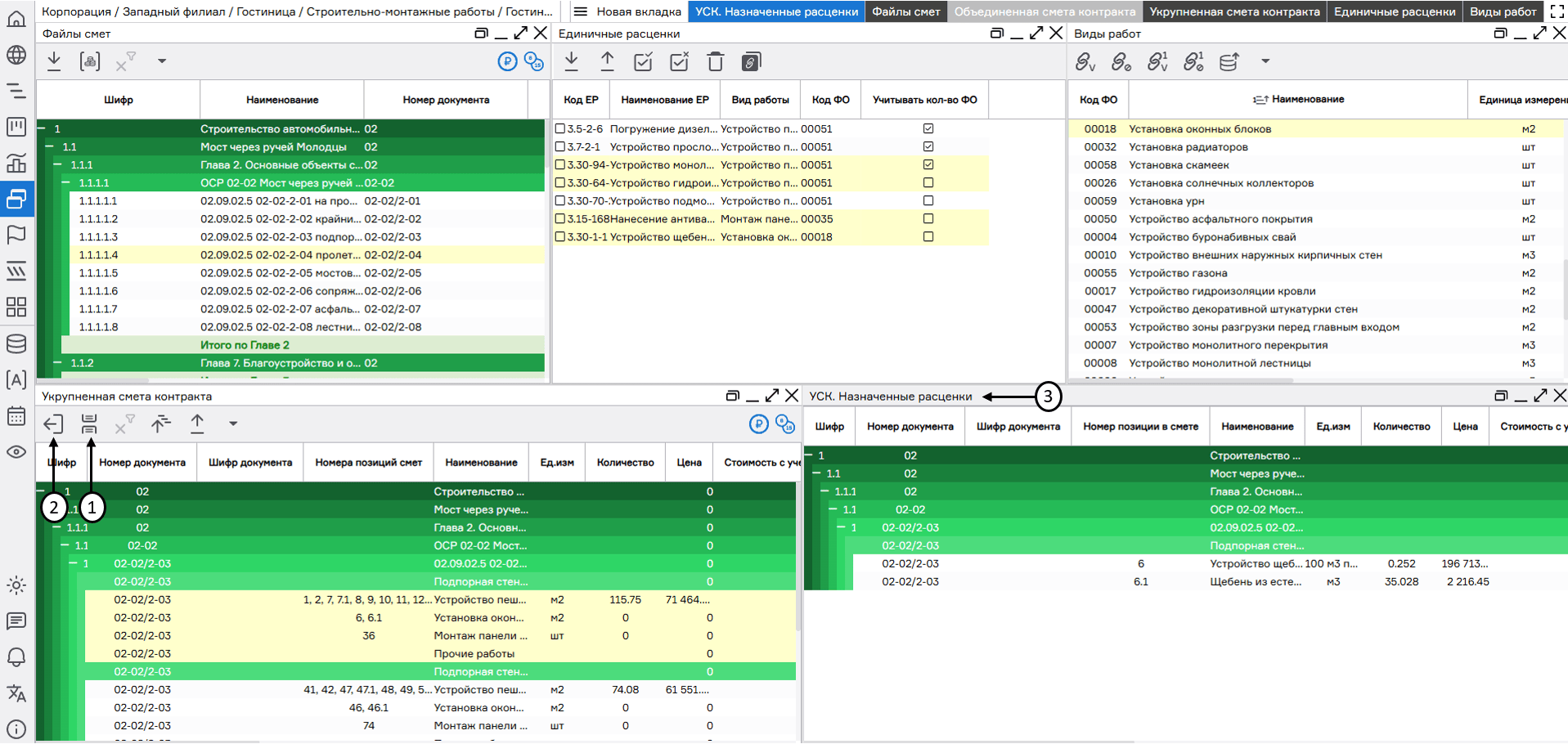 Copying the Unit Rate Directory from Another Project