INVITING A USER TO A SPACE
PLAN-R users have different types of access. By default, the space owner is assigned the "Moderator" role, with a set of permissions that allows them to assign user access rights to the Enterprise Project Structure tree.
To add a new user to the space, open the "Users" tab (1) and click "Invite" (2). In the window that opens, enter the user's login (3) and click "Invite" (4).
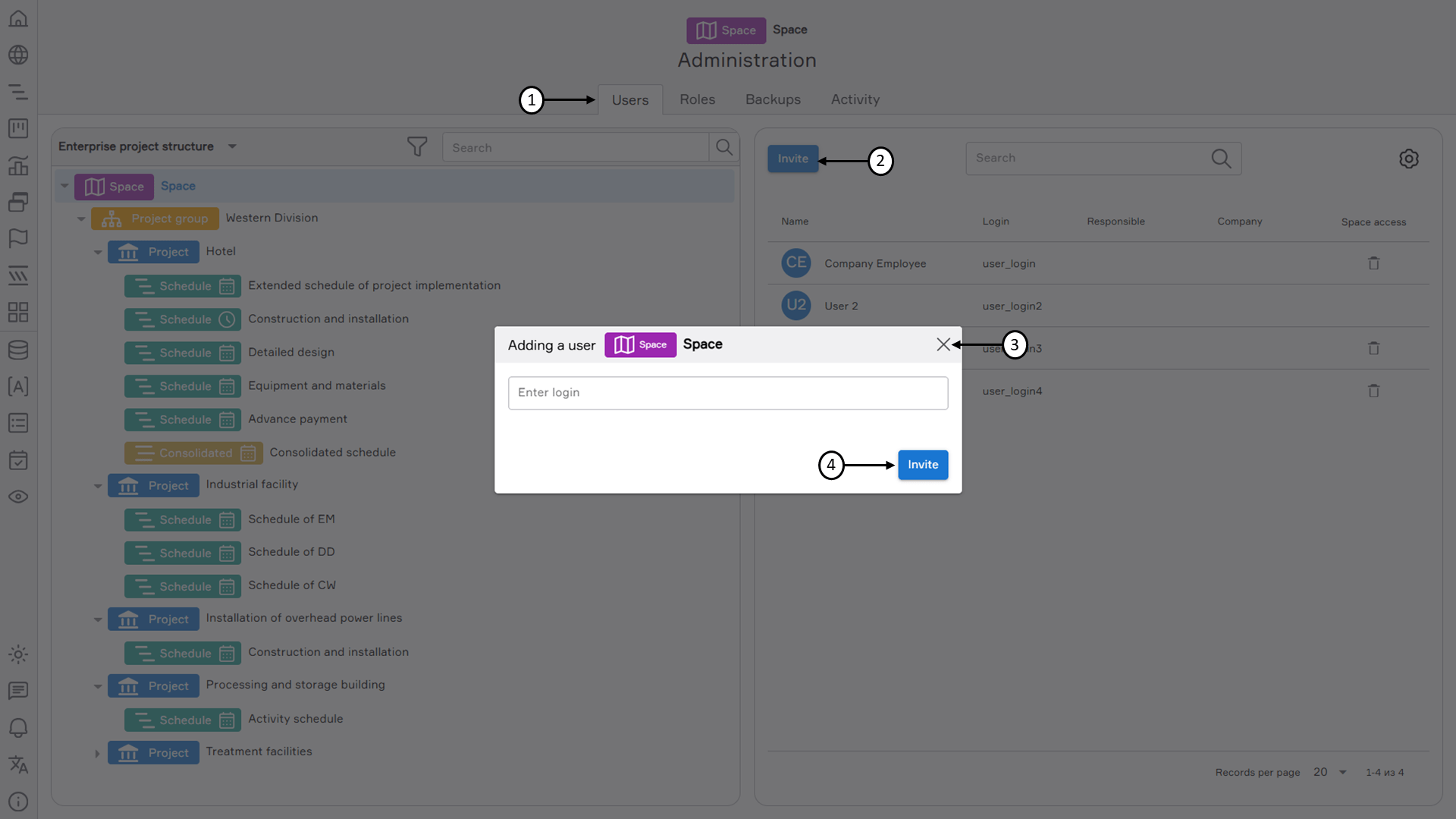 Inviting a User to a Space
The invited user will appear in the list of users already added to the space. To remove a selected user's access to the space, click the trash can button (1).
To configure which columns appear in the list, click the gear button (2). In the window that opens, select the checkboxes next to the required column names (3), or click "Select all" / "Clear all" (4) to select or clear all checkboxes at once. Click "Save" (5) to apply the table display settings. To sort the list, left-click any column header (6).
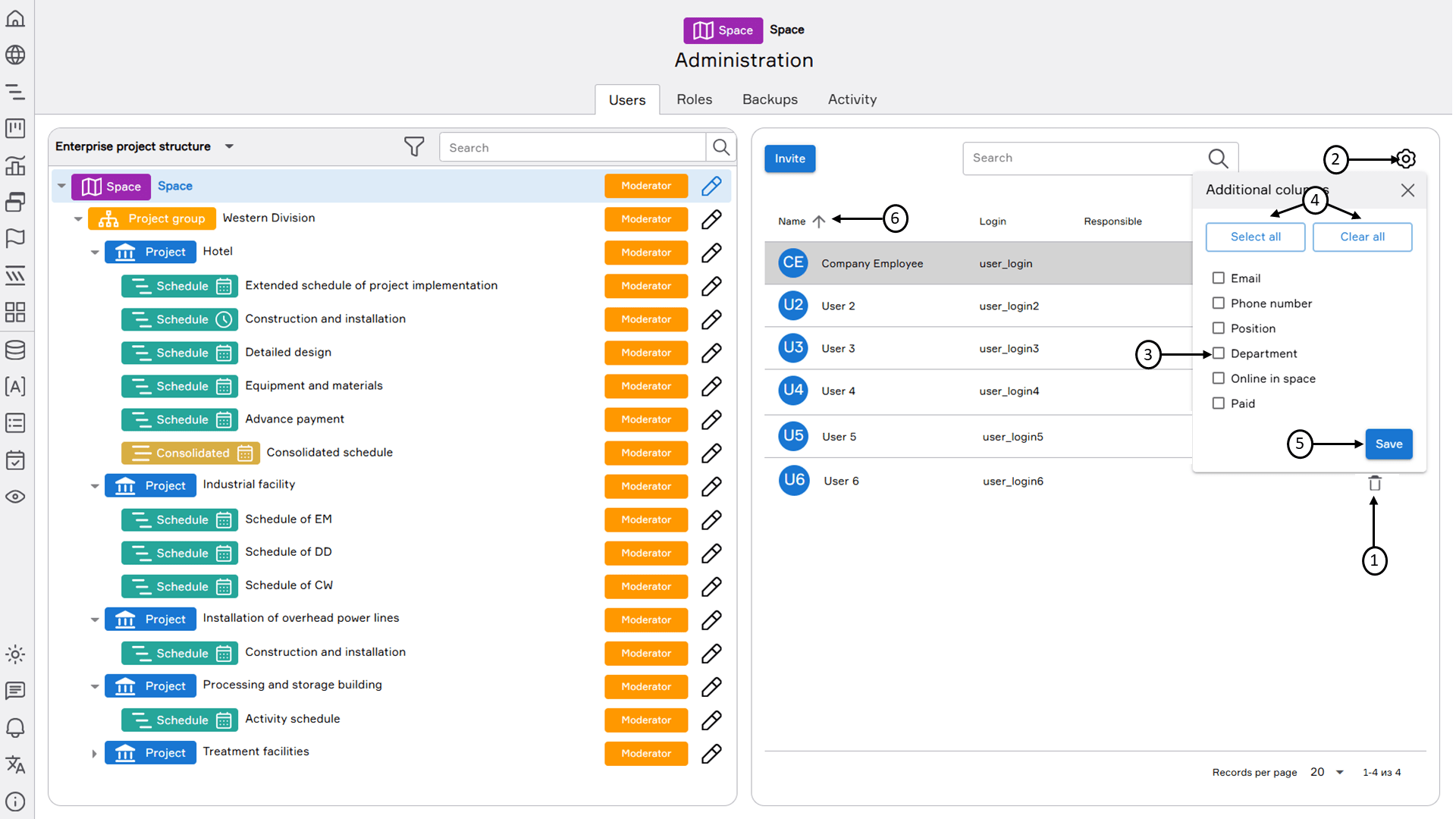 Removing a User from a Space