ENTERPRISE PROJECT STRUCTURE ATTRIBUTES
PLAN-R allows you to create Enterprise Project Structure attributes (1). These attributes help you find structure elements by a specified characteristic. To view attribute values, open the "Node card" tab (2) in "Enterprise Project Structure" (3). The values you can enter depend on the attribute's data type. For example, a Number attribute accepts only numeric values. Press Enter to save the entered value.
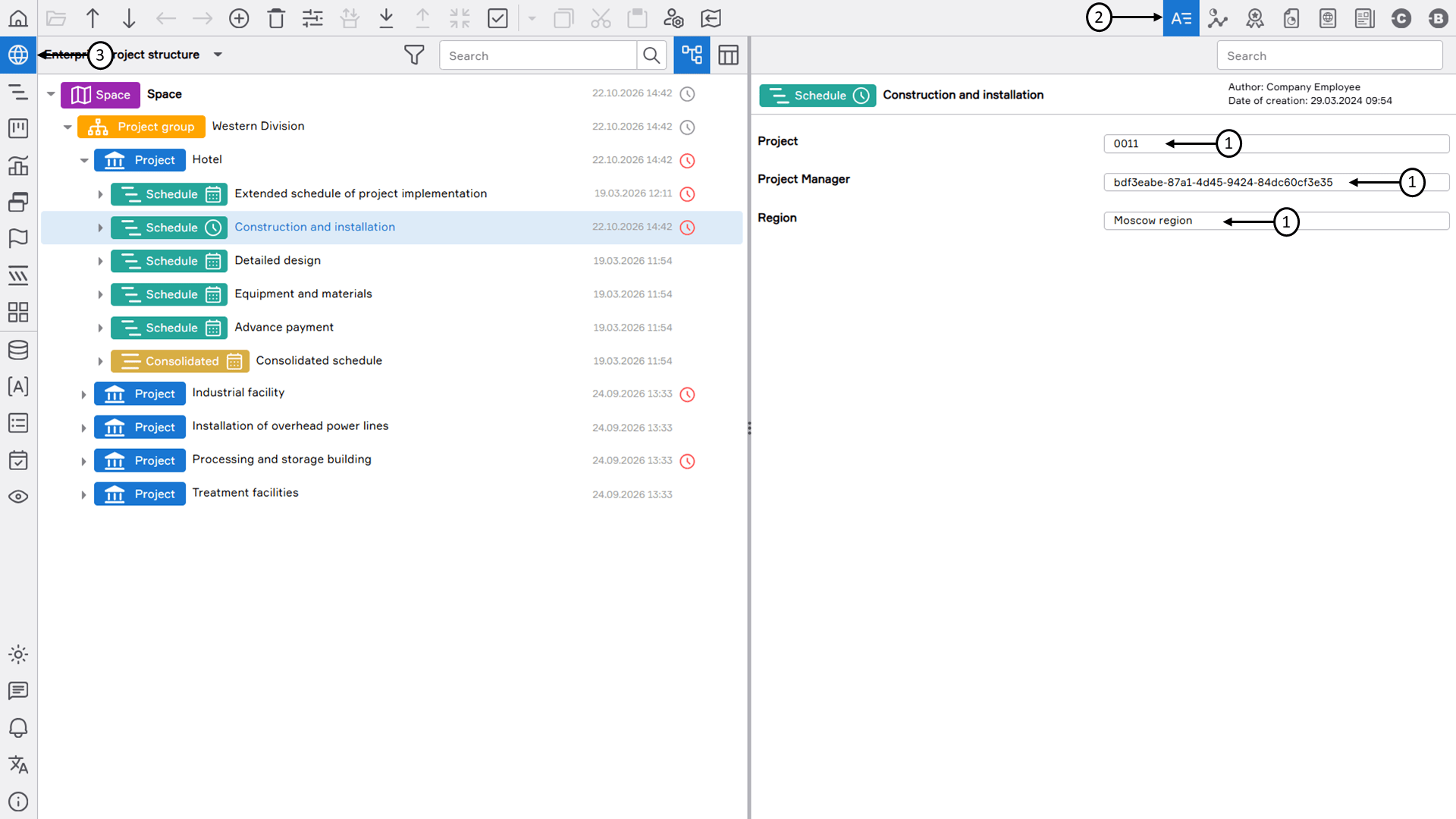 Enterprise Project Structure Attributes
Structure attributes can be custom attributes (1), with the String, Number, Date, or Boolean data type, or list attributes (2).
To create an attribute, open "Attributes" (3), select the "EPS attributes" tab (4), choose the attribute type (1), (2), and click "Add" (5). For a custom attribute, specify its name, data type, and the structure elements on which it should be displayed. For a List attribute, specify its name, a General directory, and an attribute from that directory. You can also search for attributes by name in this section (6).
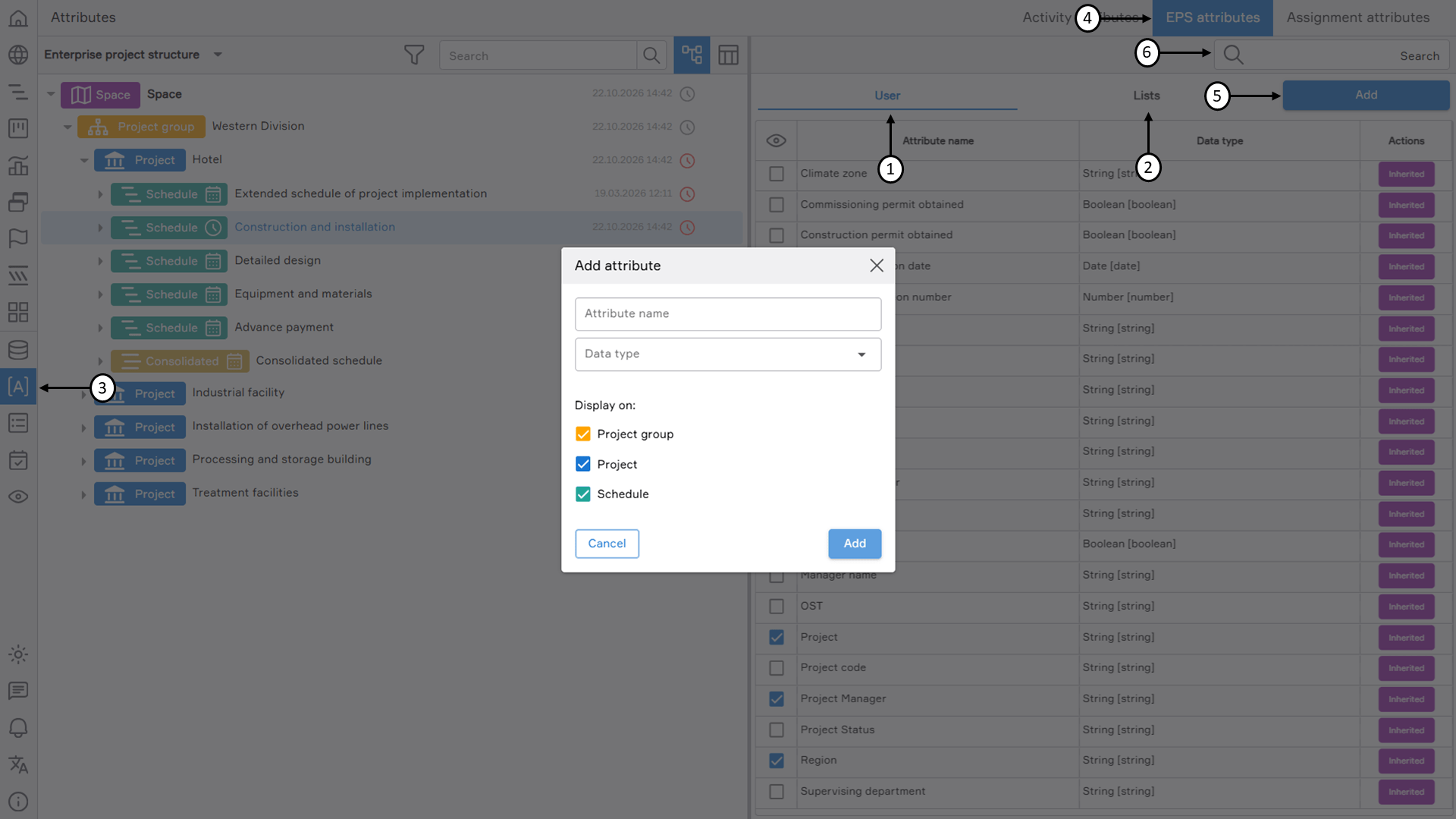 Configuring an Enterprise Project Structure Attribute
To add the created attributes to the structure table, open "Enterprise Project Structure" (1), switch to the table view (2), and select "Configure structure table view" (3). Add the structure attributes (4) to the table to filter and sort by their values. For more information about working with the structure table, see Enterprise Project Structure Views.
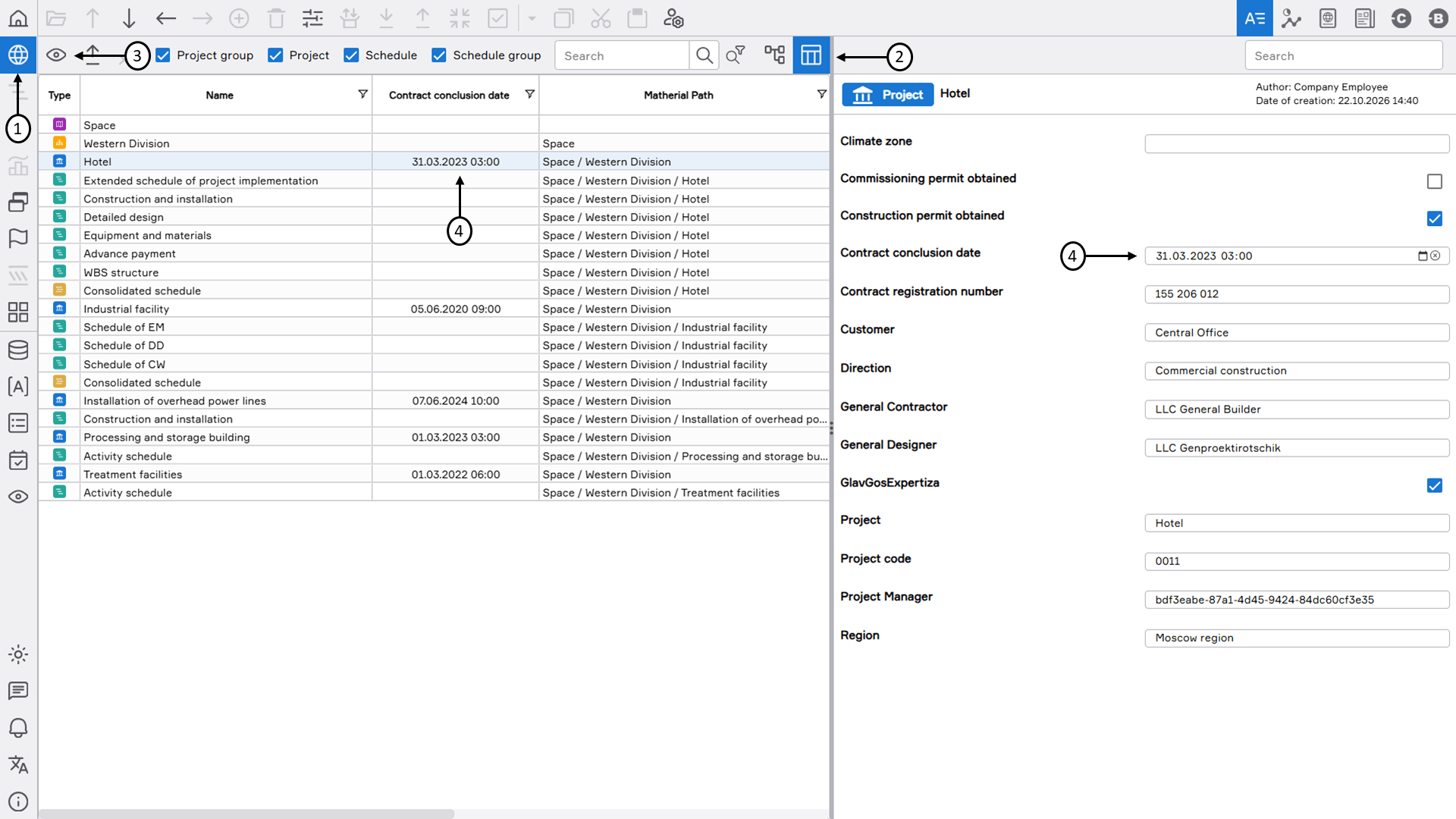 Enterprise Project Structure Attributes in Table View