VIEWING USER ACTIVITY
The activity view allows you to analyze user actions in PLAN-R and the data they have changed.
To view user activity, click "Administration" (1) in the enterprise settings panel.
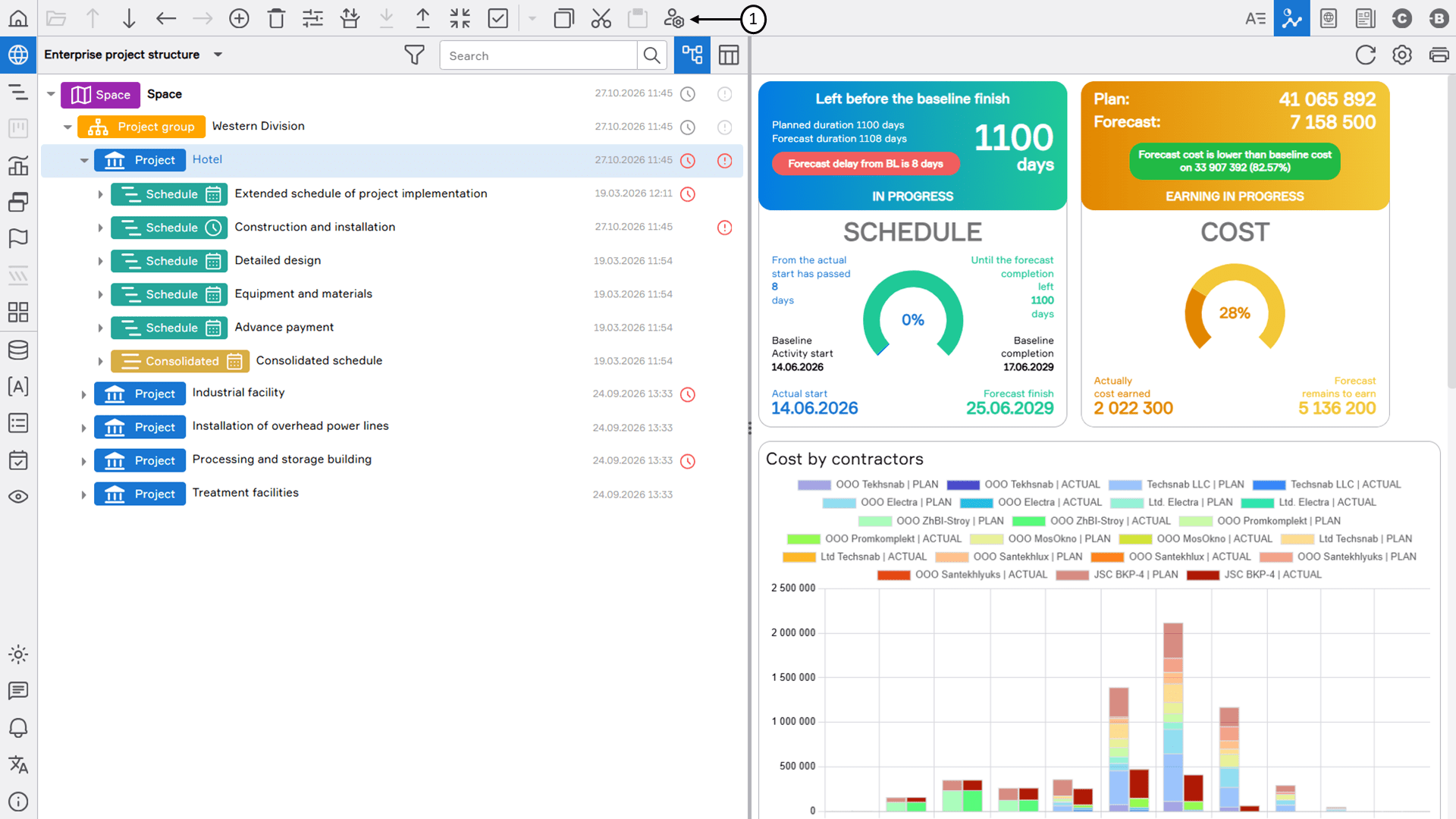 Space Administration
In the "Administration" window that opens, select the "Activity" tab (1).
The "Users" area (2) displays the activity of users (3) who have access to the space. Click "Details" (4) to display the "User activity" area (5) with a detailed breakdown of the selected user's actions.
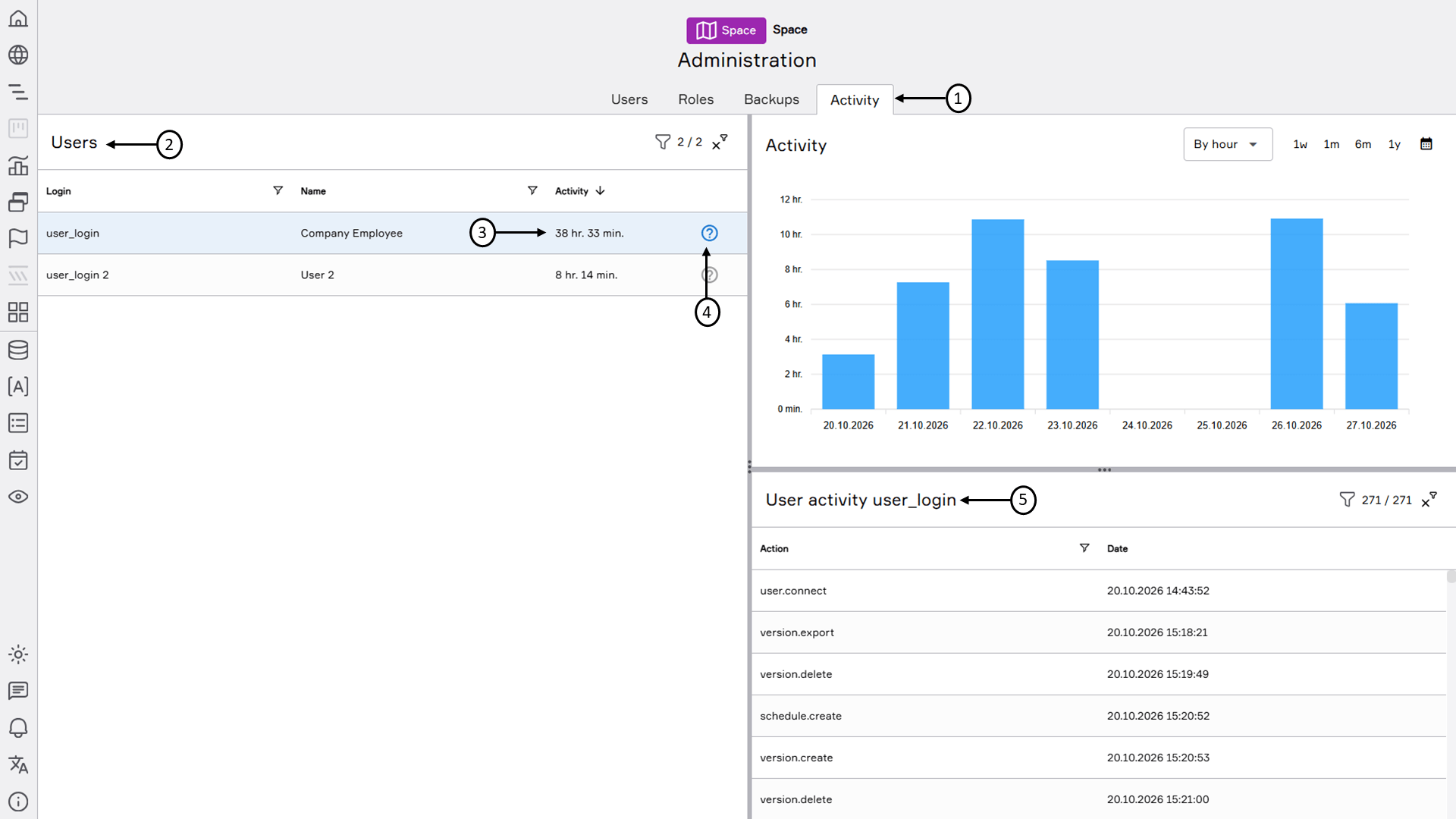 Space User Activity
The "Activity" area (1) displays user activity across the entire space.
To configure the activity chart, select a display option from the drop-down list (2):
- "By quantity" (3) — displays the chart by the number of active users;
- "By hour" (4) — displays the chart by the number of hours users have spent in the space.
To view user activity on a specific date (5), left-click the corresponding chart bar (6).
To change the period displayed in the chart, select an interval using the button panel (7).
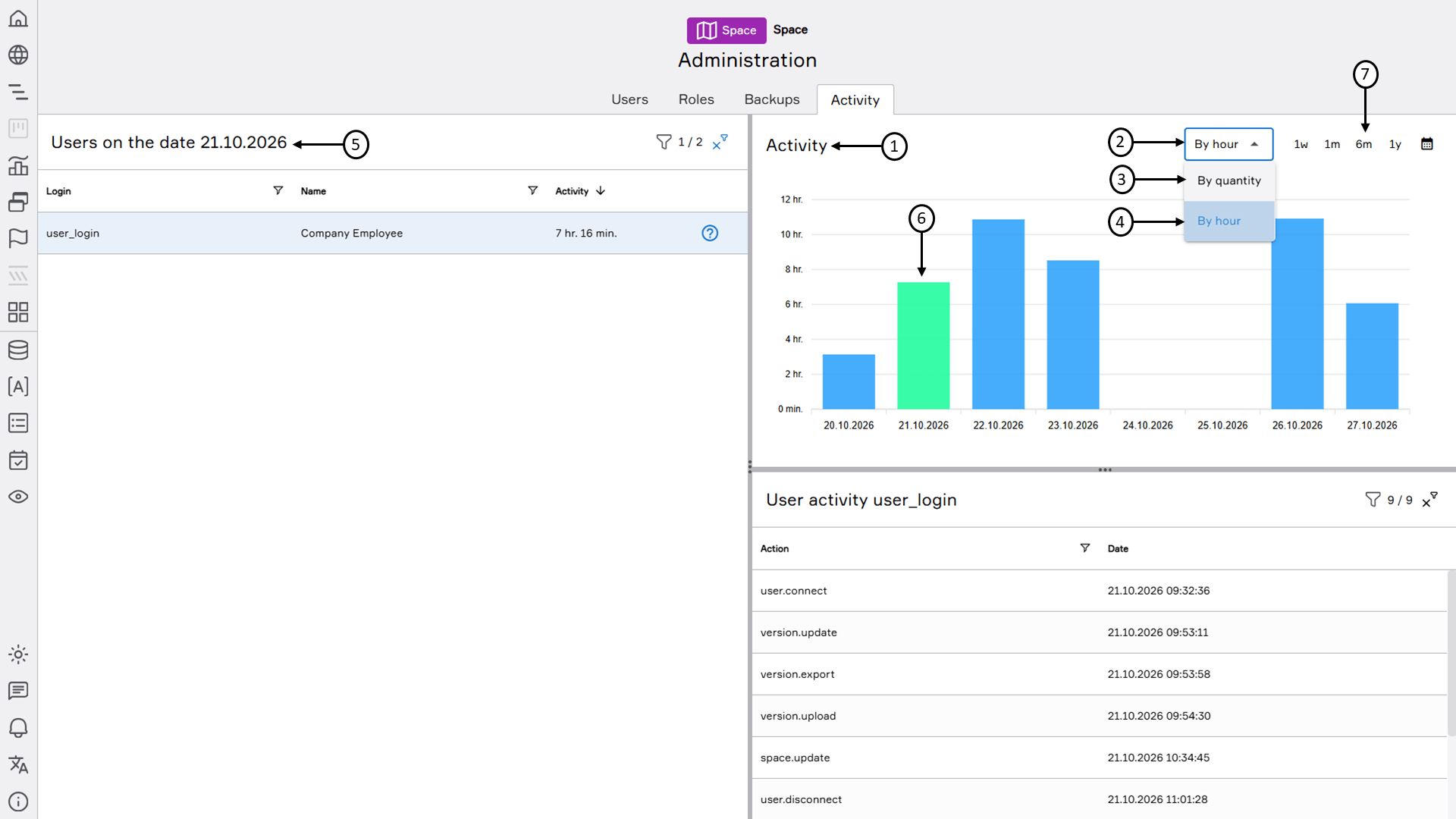 Space User Activity on a Specific Date