GENERAL INFORMATION
Click "Details" to open the "Space management" page with the "General" tab selected. This tab displays the following information: space ID (1), name (2), space owner (3), and space type (free/paid) (4).
Select the "Allow test data uploads" checkbox (5) to allow users in the space to upload test data. Clear the checkbox to disable this feature.
Click "Save" (6) to save all changes.
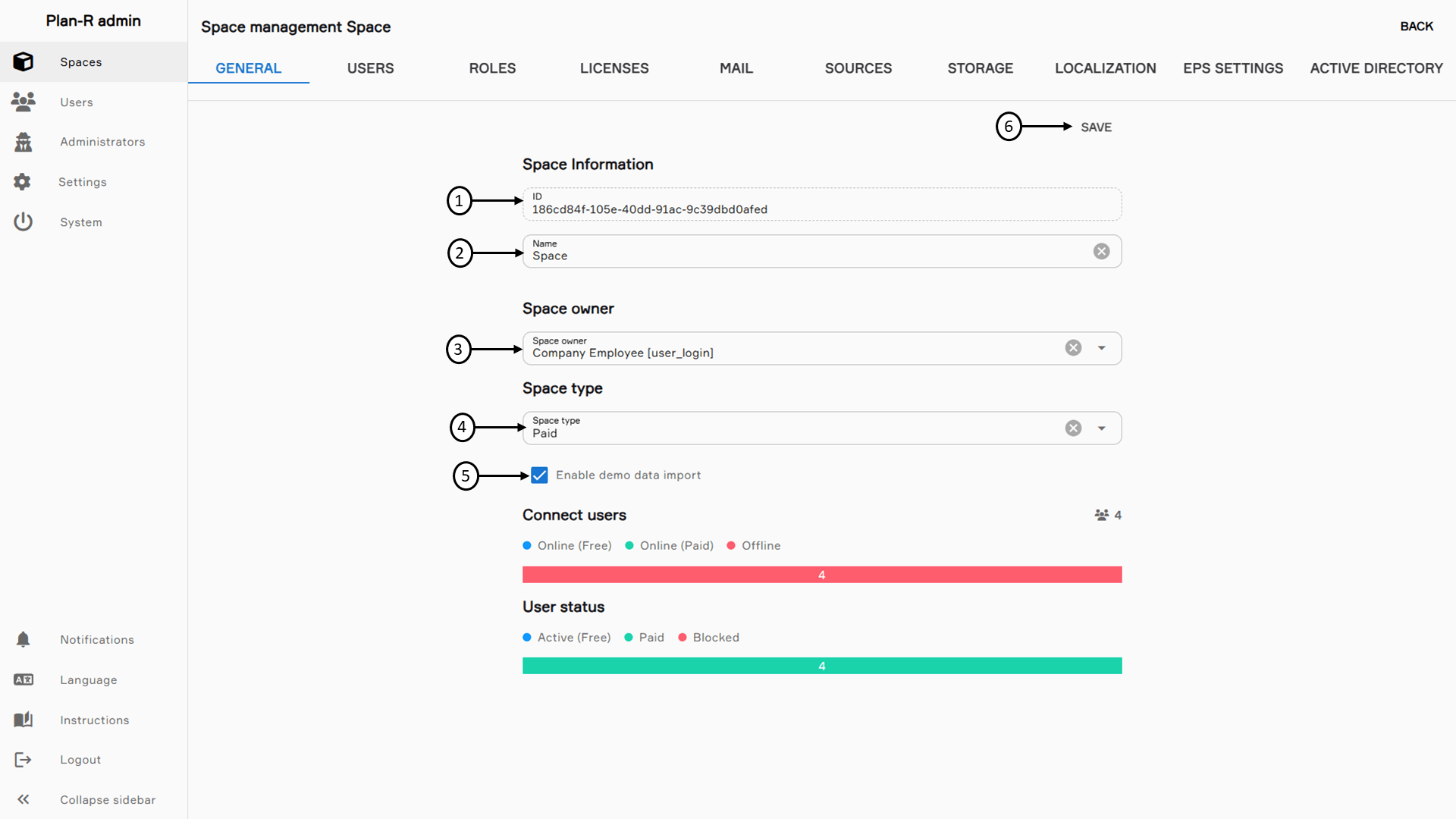 Editing a Space