USERS
The "Space management" page displays a list of users in the selected space. To find users, enter the required information in the search field (1). You can filter users by login (2), whether they are currently online (3), and whether their assigned role is paid or free (4).
You can also edit user information (5), remove a user from the space (6), and configure delegation of access rights to another user (7).
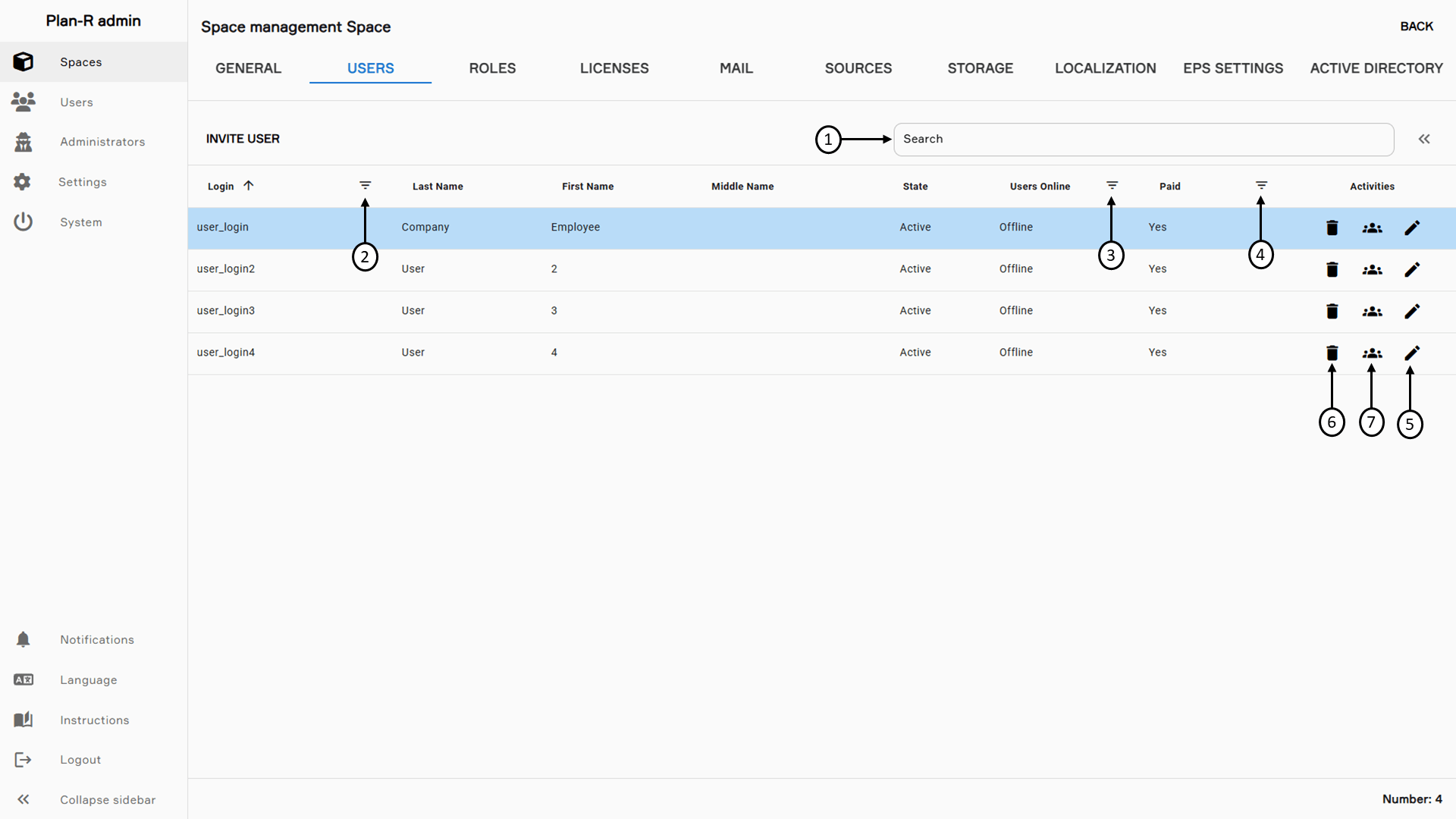 Viewing Space Users
Click "Invite user" (1) to open the user selection window. Select the required user from the list (2) and click "Invite" (3) to save your changes.
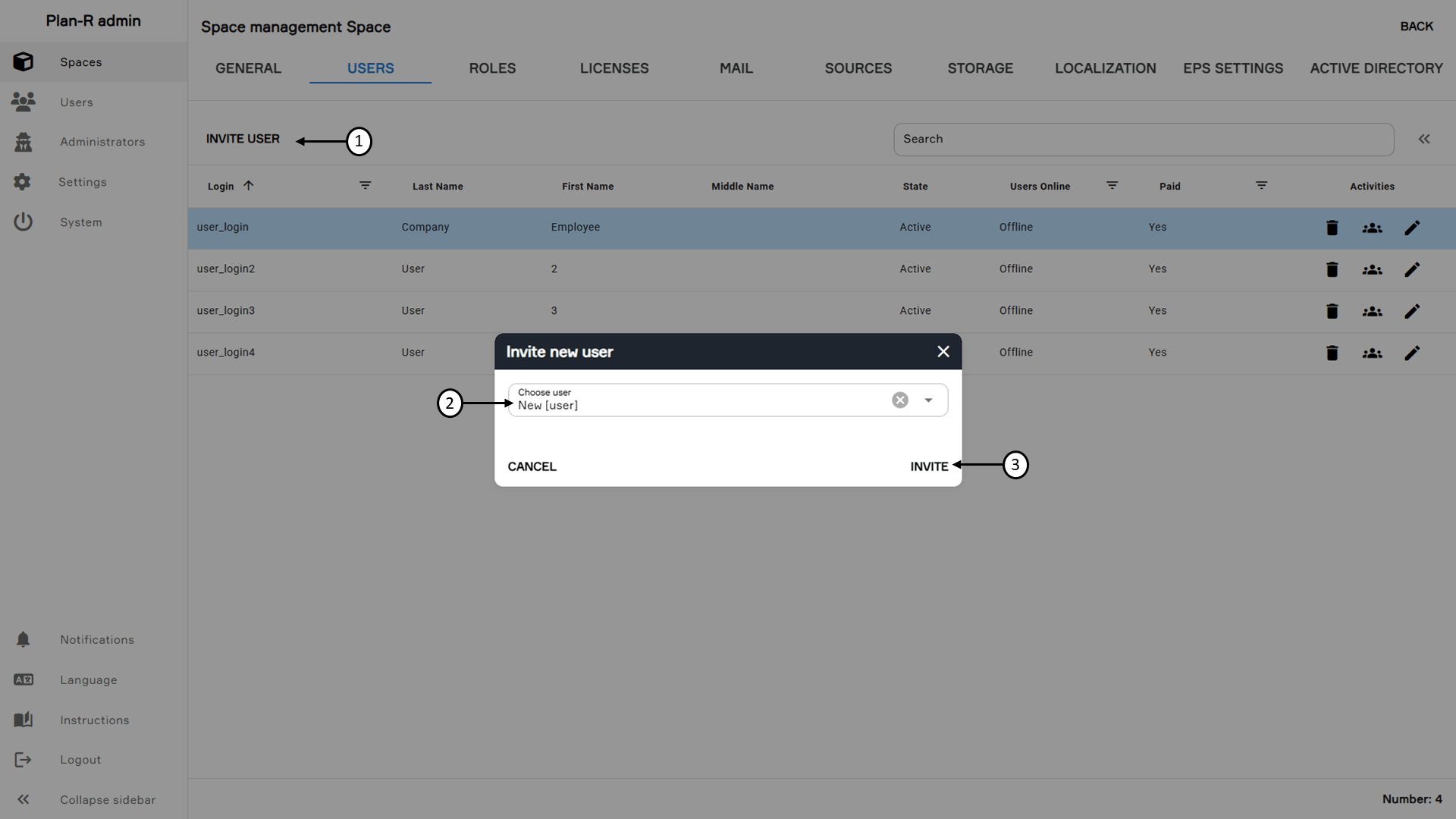 Space Users