SOURCES
The system supports data transfer between a local server and remote PLAN-R servers. To transfer data to spaces hosted on remote servers, add external data sources in the "Sources" section (1).
Click "Add" (2). In the "Retrieve spaces" window, enter:
- The URL of the PLAN-R server you want to synchronize with (3).
- The API_KEY (4) of the user whose account will be used for the connection. For details on obtaining an access token, see Managing API Tokens.
Click "Apply" (5).
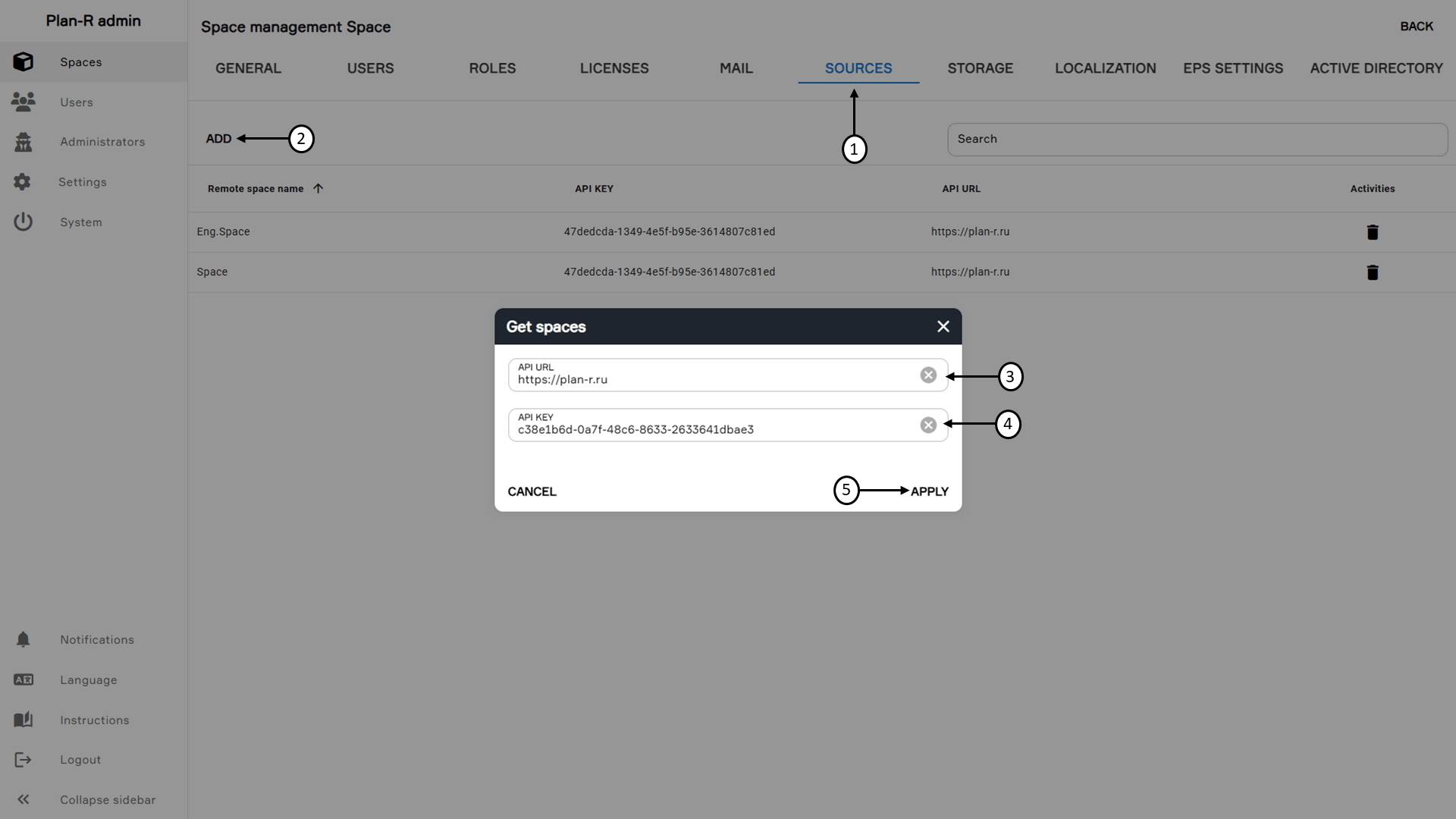 Adding a Source to a Space (1)
In the space selection window, select the checkbox next to the space you want to link to (1), then click "Create" (2).
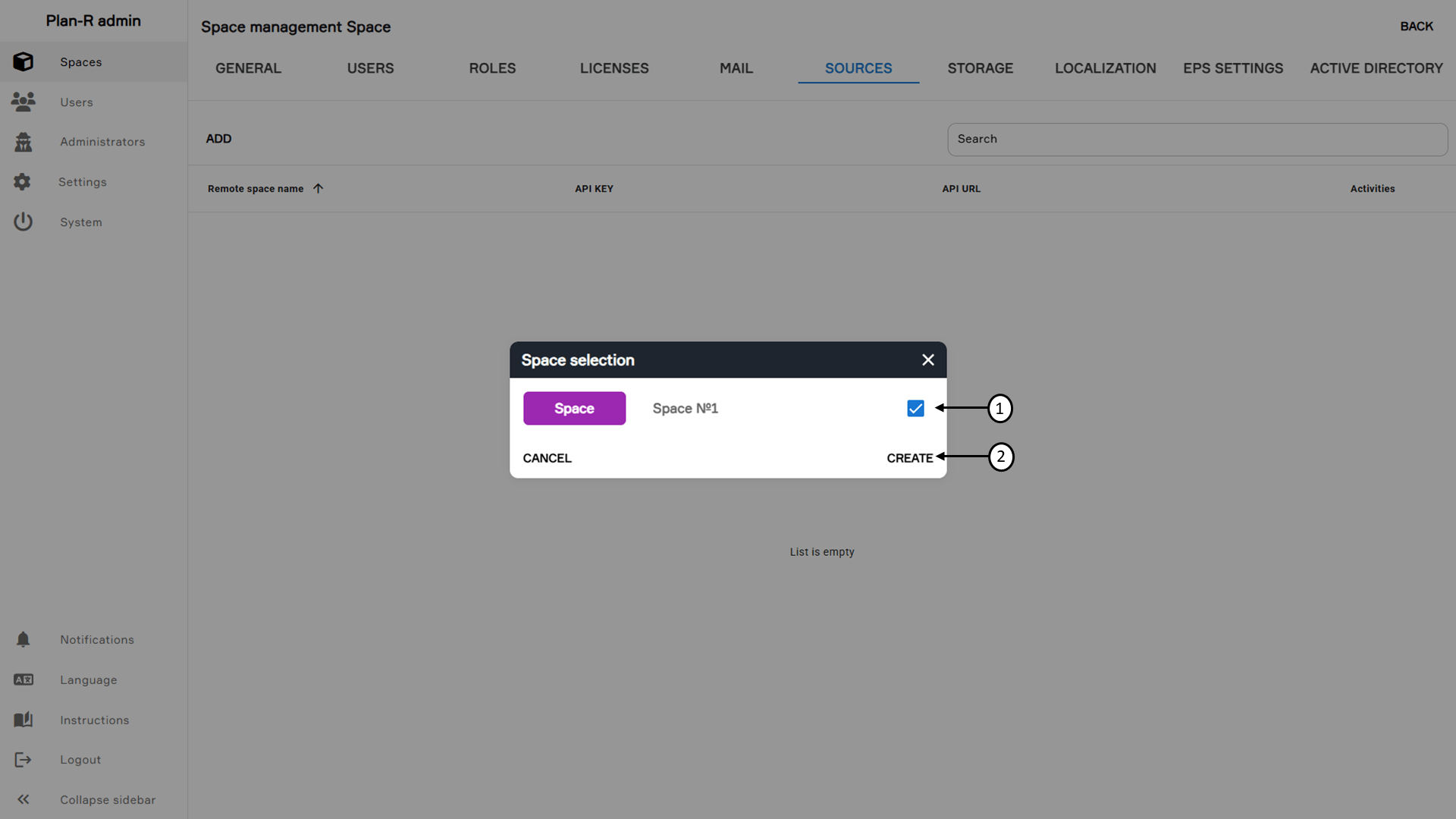 Adding a Source to a Space (2)