LICENSE MANAGEMENT
Licenses are managed on the "Licenses" tab, which displays all active licenses. The license key determines the number of users who can work in PLAN-R and the application features available to them. A license is provided as a text token containing all the required information in encoded form.
To add a license key, open the "Licenses" page (1) and click "Add" (2) in the upper-left corner of the screen. In the dialog that opens, enter the license token (3) and click "Add" (4). The license appears in the list.
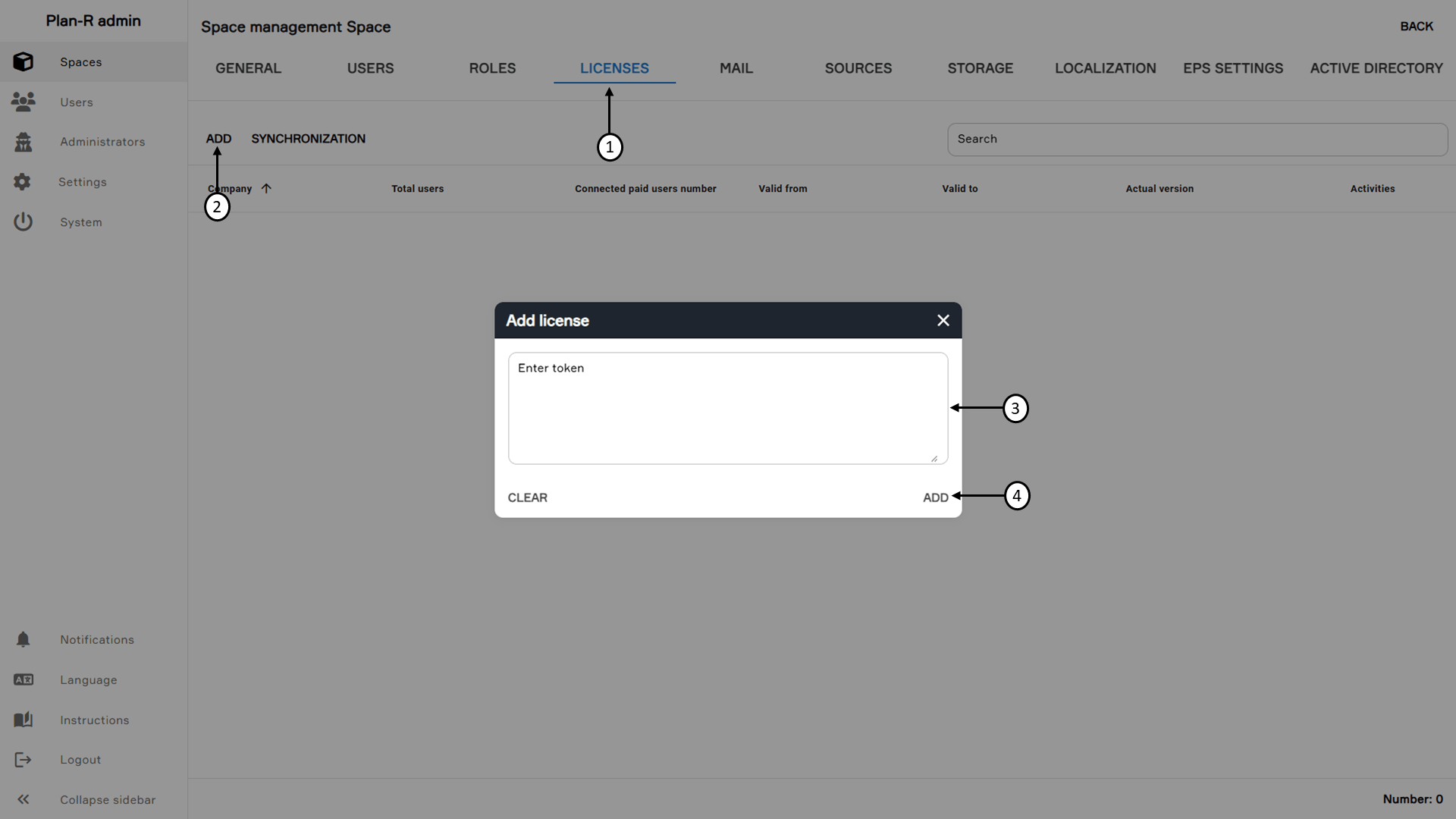 Adding a License
In the "Actions" column, you can activate or deactivate a license (1), or delete it (2).
You can also use the search field and sort licenses by an attribute.
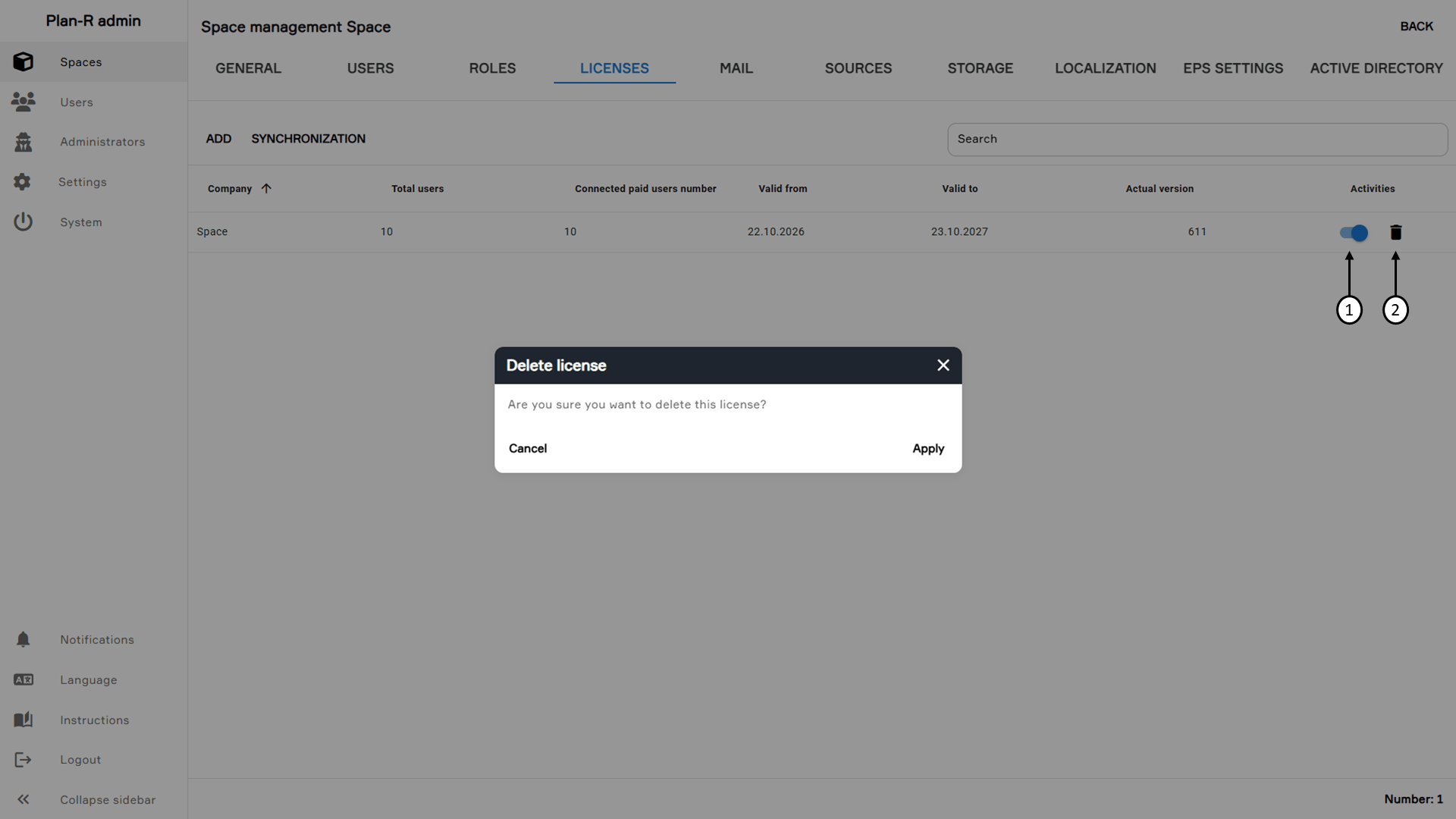 Deleting a License