SYSTEM DEPLOYMENT. PORTAINER
Installing PLAN-R (Portainer)
- Install Portainer or use an existing installation.
- Complete the installation preparation steps.
- In Portainer, open "Stacks" (1), click "Add stack" (2), and create a stack named
planr.
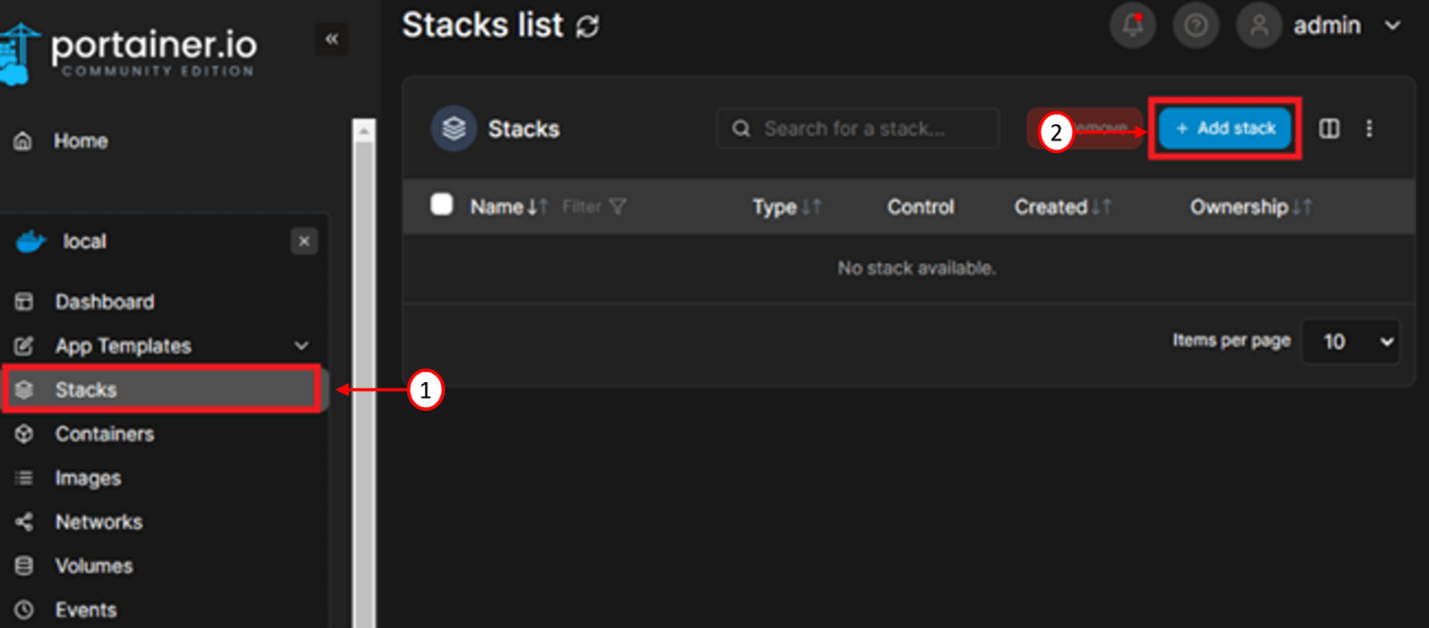 Creating a Stack
- Copy the entire configuration from /opt/dppm/planr/docker-compose.yml into "Web editor" (1), and the contents of /opt/dppm/planr/.env into "Environment variables" (2). Make sure to add
ENV_FILE=stack.envto the environment variables (3). This allows Portainer to read the variables specified in "Environment variables".
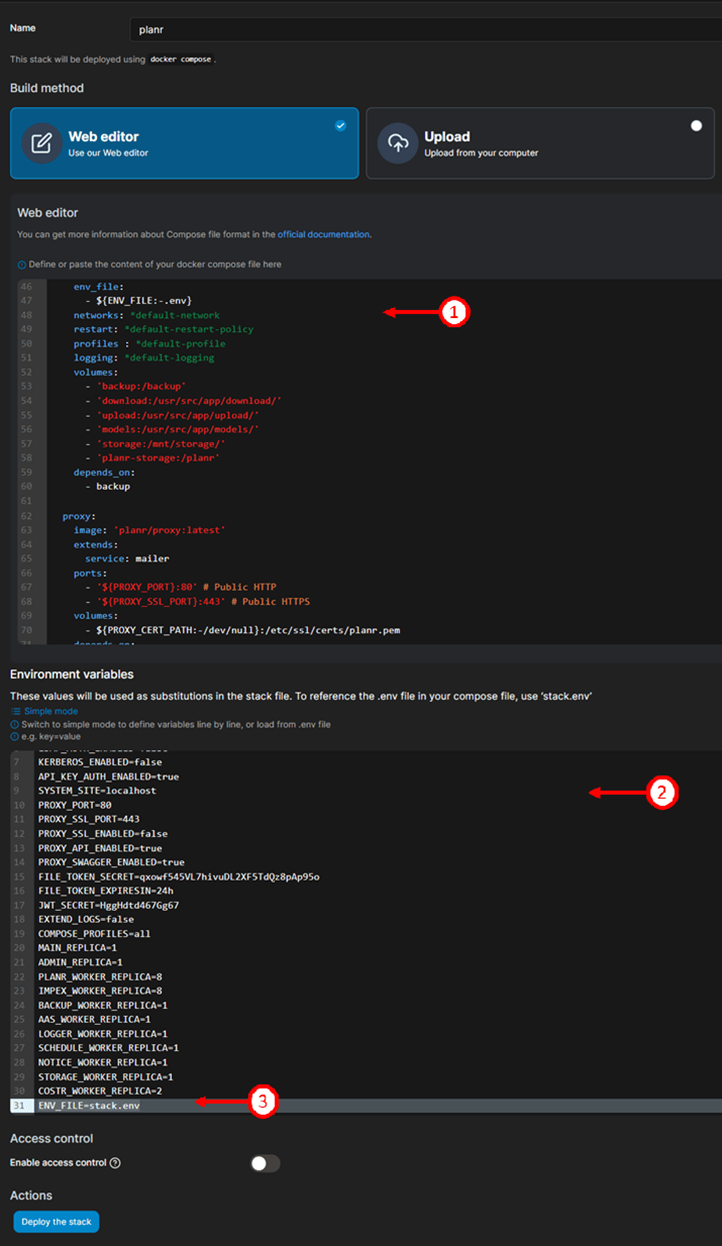 Configuring Files for Portainer
- If you plan to use the logging system, specify absolute paths to the configuration files on the server hosting Portainer. Find the Grafana, Loki, and Fluent Bit service definitions and set the absolute paths to their configuration files.
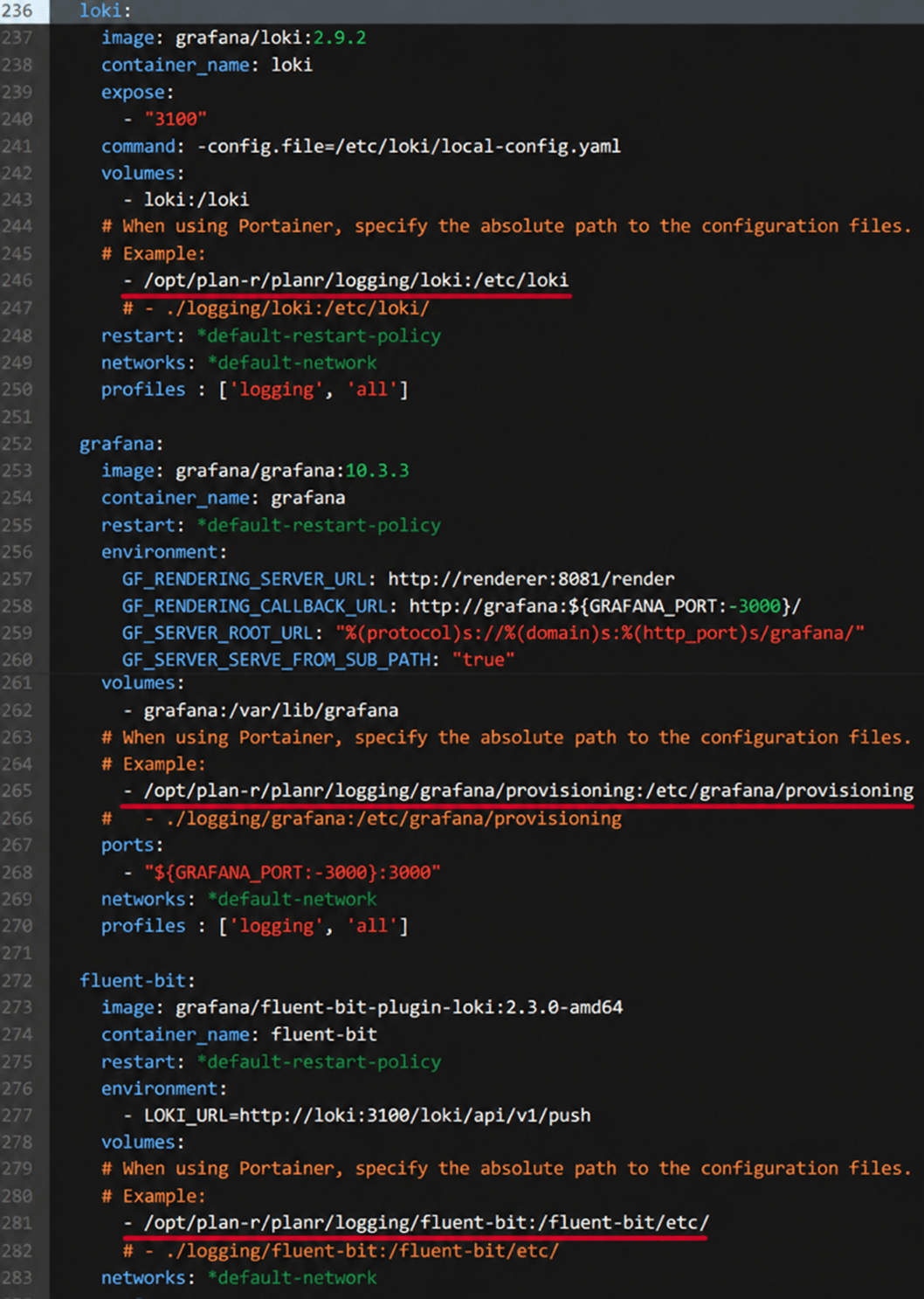 Specifying Absolute Paths to Configuration Files
- Configure the system by updating the environment variables in "Environment variables".
- Click "Deploy the stack" and verify that the containers have started.
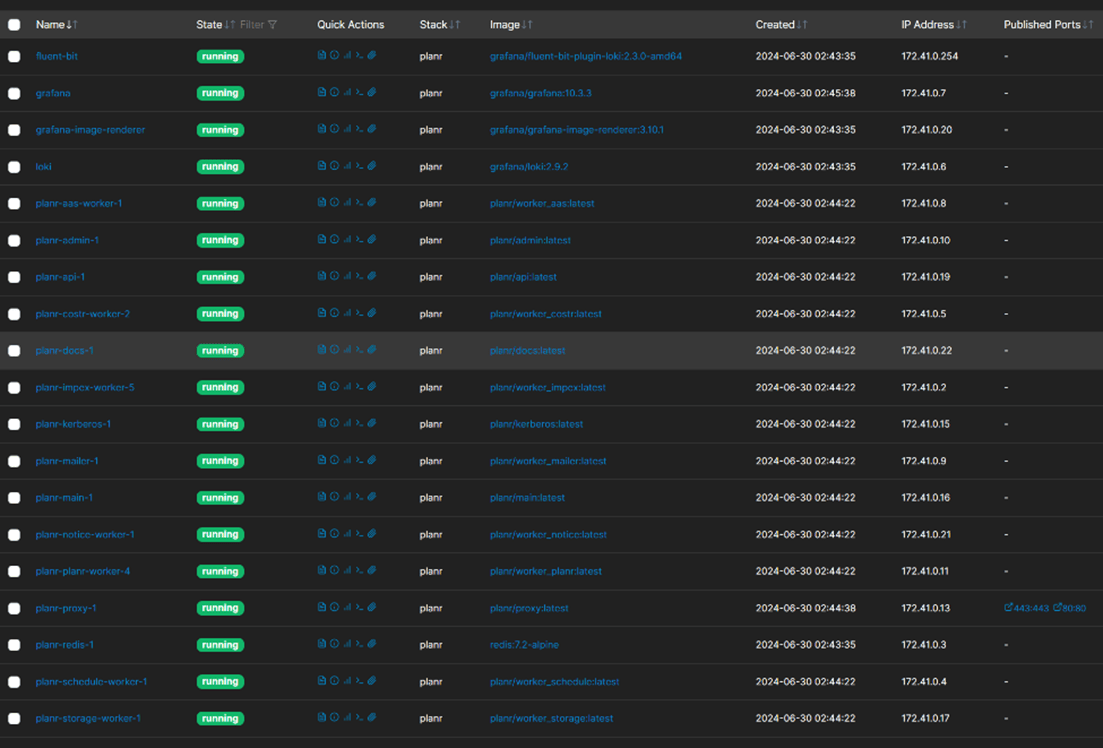 PLAN-R Running in Portainer