Updating PLAN-R Version 509 or Later (Linux)
Attention! When updating to PLAN-R 509.0 from an earlier version, such as PLAN-R 507.8, follow Preparing for a System Update and Updating PLAN-R (Linux). Use ./start.sh for updates only when the installed version is 509.0 or later.
Attention! Before updating the system, create a backup.
Starting with PLAN-R 509, you can update the system using ./start.sh.
Script Options
The start.sh script accepts the following command-line options:
- -p — Pull images from the repository. This flag takes no arguments.
- -t — Specify the image tag to use, such as
-t 509.X. - -h — Display help.
To update, run ./start.sh from /opt/dppm/planr with -p and use -t to specify the target PLAN-R version tag. For example:
./start.sh -p -t 509.X
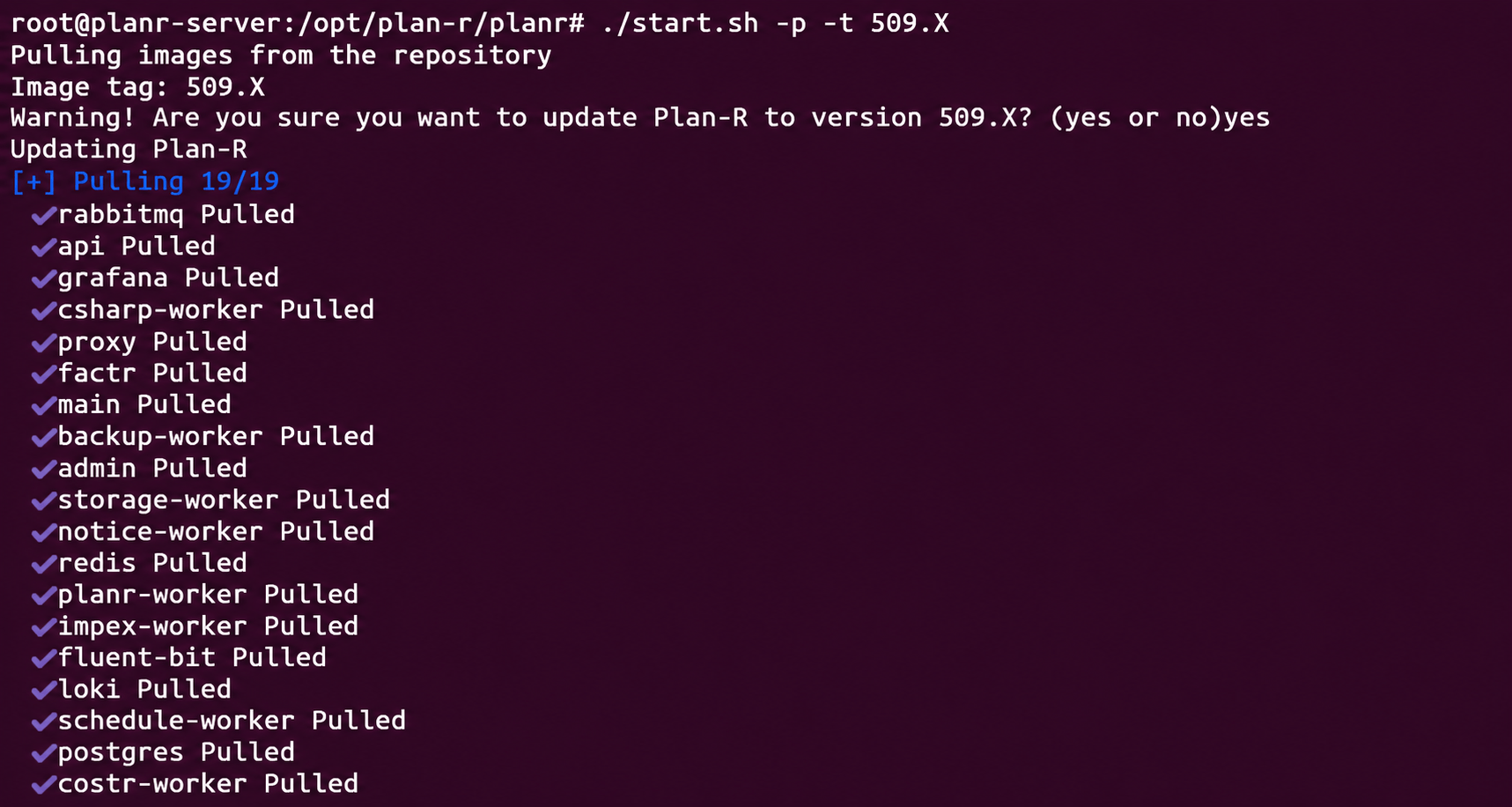
Updating with start.sh
You can also specify the target version tag in .env by setting the TAG environment variable.
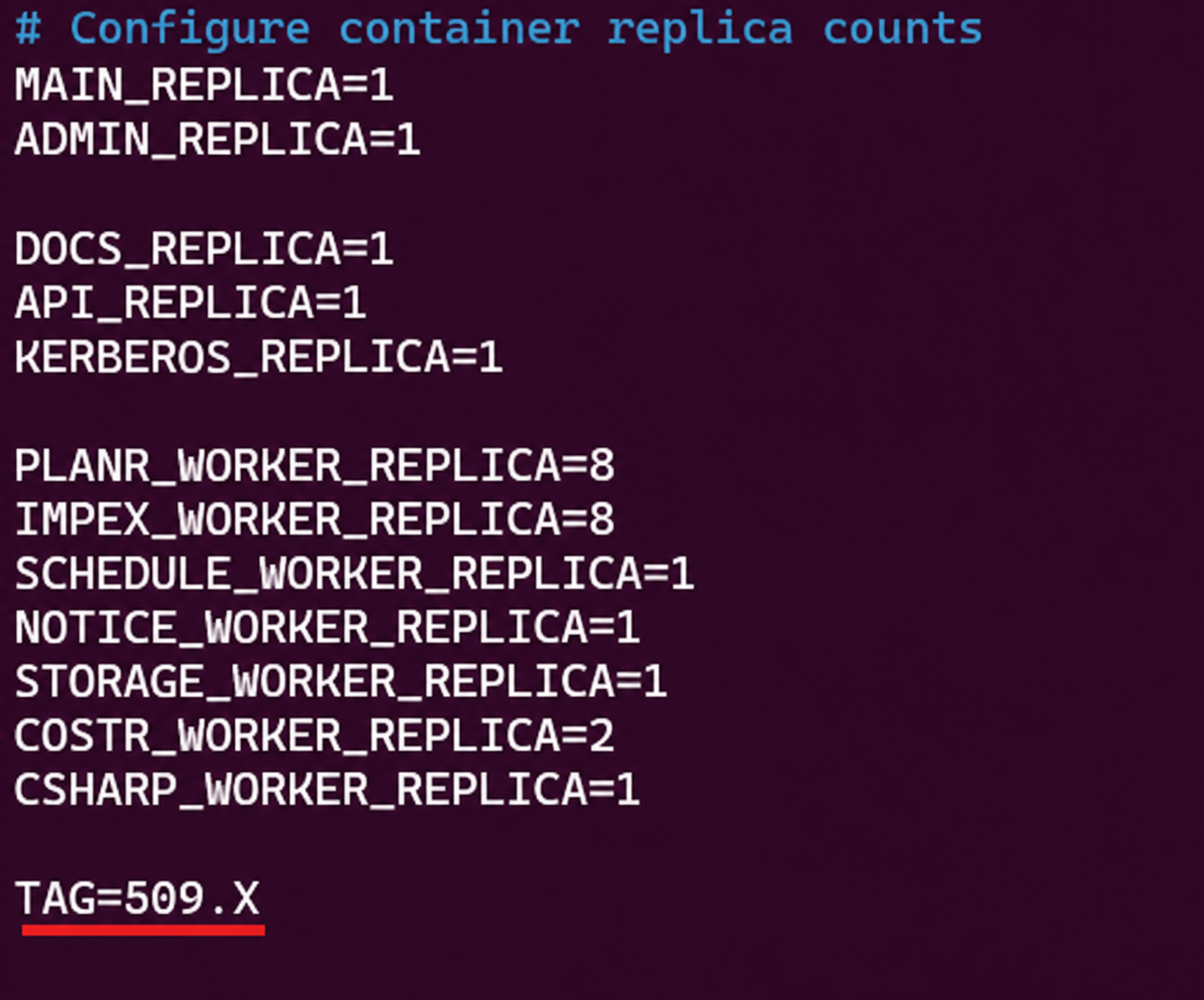
Editing TAG in .env
If the target version tag is set in .env, you can omit -t when running ./start.sh in update mode:
./start.sh -p