ASSIGNING SUBSTITUTE USERS
Substitute users (hereinafter referred to as "substitutes") are assigned to temporarily delegate responsibilities for working with schedules while the primary responsible user is absent.
Substitutes can be assigned by a user in PLAN-R or by a PLAN-R administrator through the administration console.
To view, assign, or change substitutes in the user interface, open the "Information" section (1) and select "Delegation" (2).
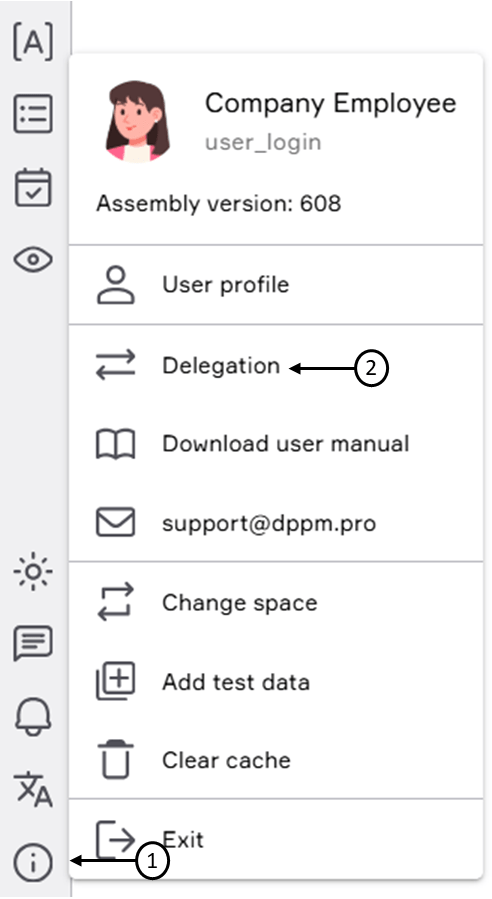 Delegating Access Rights in the PLAN-R Interface
In the window that opens, select the user to whom you want to delegate access rights from the drop-down list of all users added to the space (1). Then specify the delegation start date (2) and end date (3), and click "Delegate" (4).
If you do not specify an end date and click "Delegate", PLAN-R sets the delegation period to "Indefinitely". In this case, delegation continues until it is revoked by the user who delegated the rights or by a PLAN-R administrator through the administration console.
The lower part of the screen displays the "Substitutes" (5) and "Substituted users" (6) tables. The "Substitutes" table lists the users to whom the current account's rights have been delegated. The "Substituted users" table lists the users whose rights have been delegated to the current account. In the "Substitutes" table, click "Cancel" (7) to revoke delegation for the selected account.
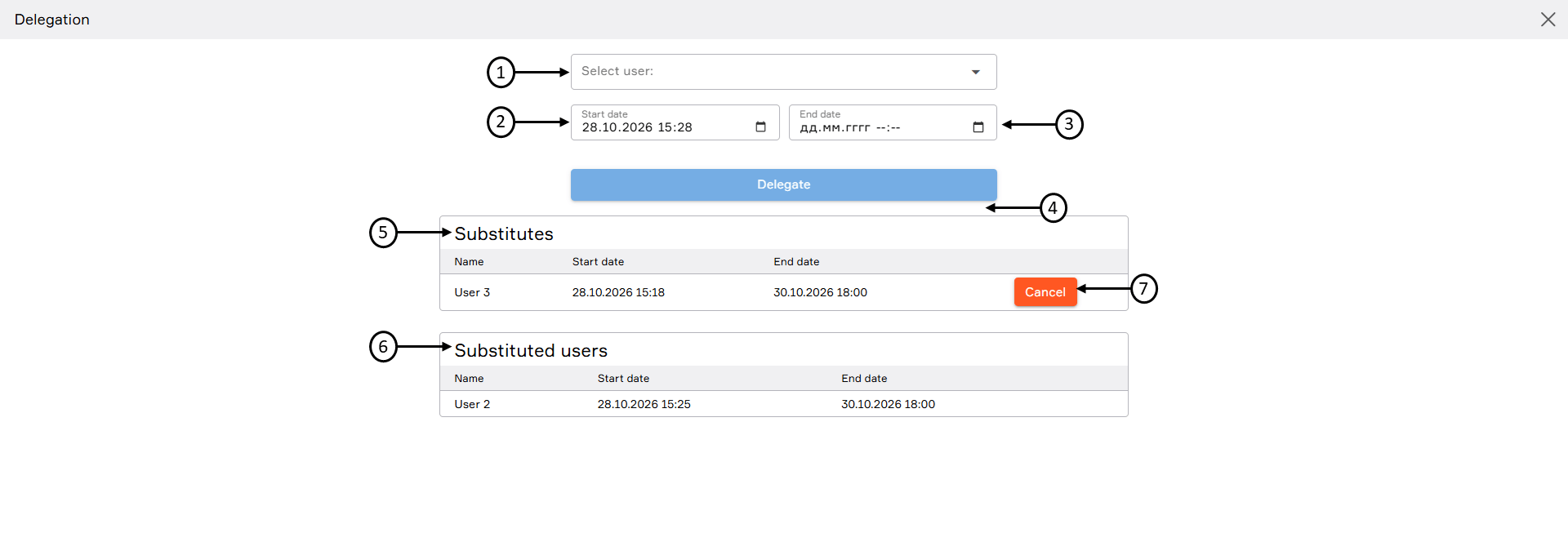 The "Delegation" Window Interface