ASSIGNING AN ACTIVITY ASSIGNEE
PLAN-R user settings allow you to limit the activities displayed to a user to those for which they are designated as the assignee in the schedule attributes. To designate the selected user as an assignee, click their cell in the "Responsible" column and enter the assignee name (1). Then click "Assign" (2) to save the changes or "Cancel" (3) to discard them.
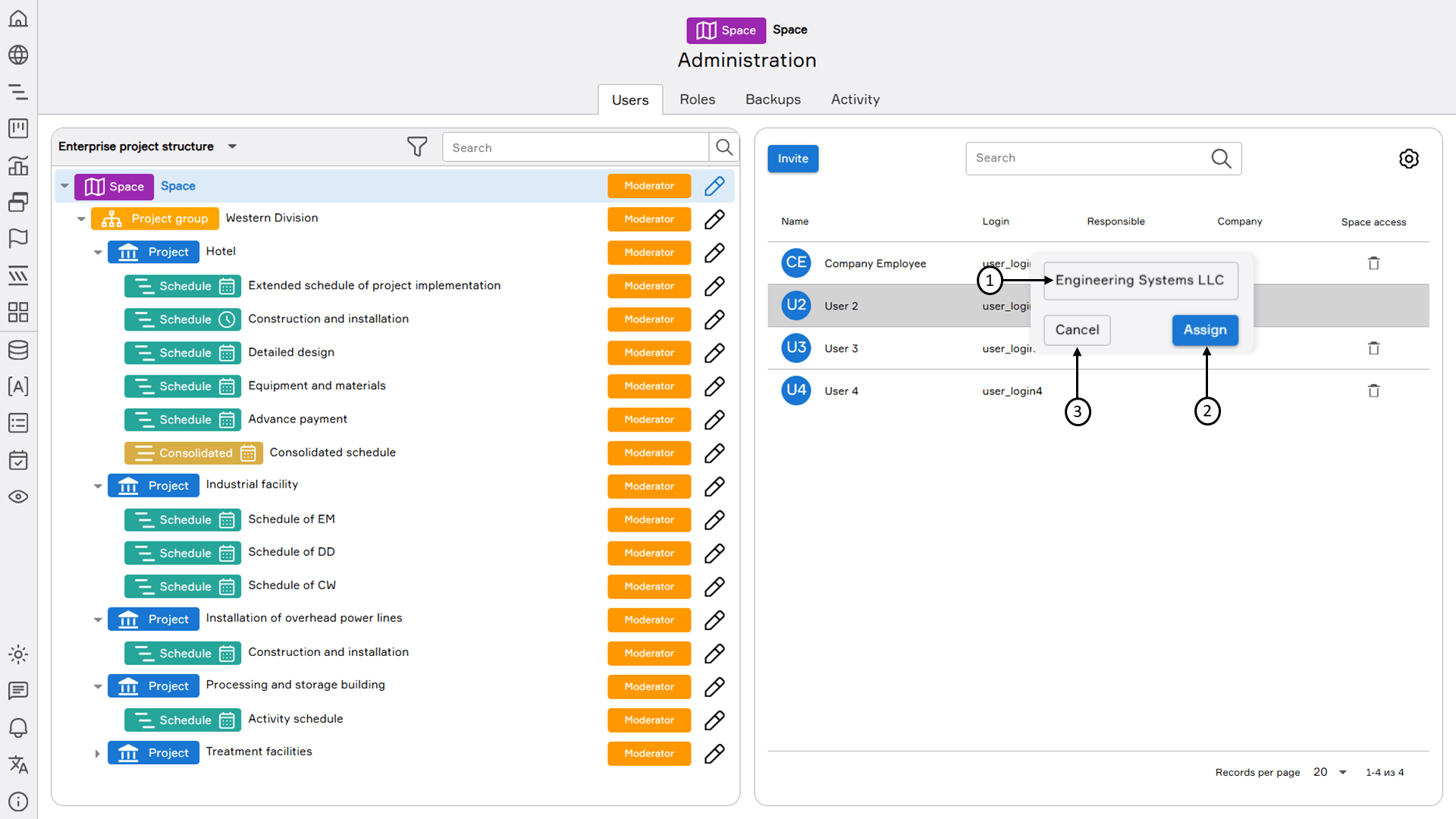 Designating a User as an Assignee
After you complete the "Assign Assignee" field in the "Administration" section and specify the assignee in the corresponding schedule attribute, the user gains access to activities with no assigned assignee and activities where the specified assignee matches the one associated with that user (1).
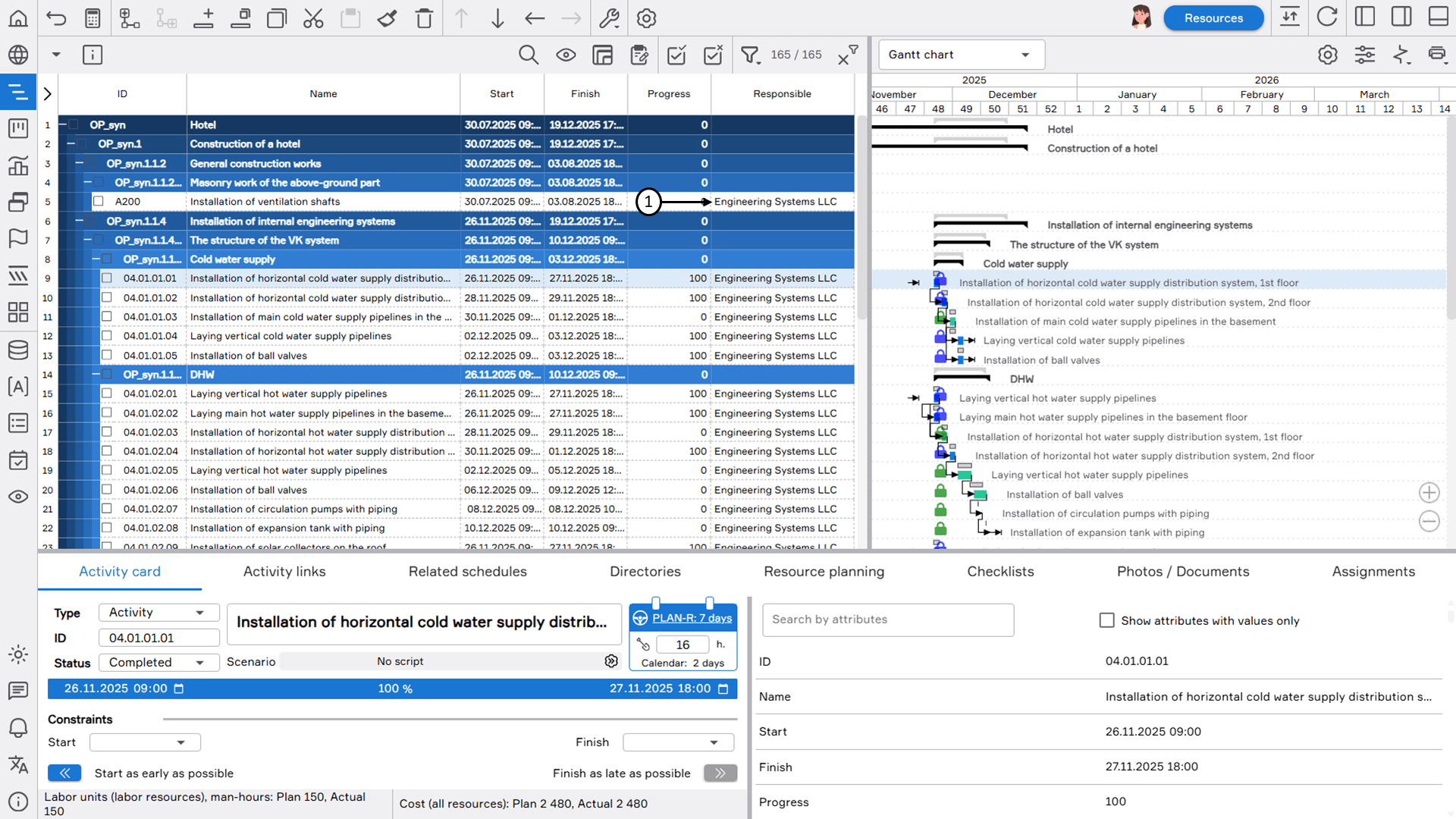 Displaying Activities with an Assigned Assignee