IMPORTING IFC AND IMC INFORMATION MODELS
PLAN-R allows you to work with information models in .ifc and .imc file formats. To import a model, select a node of the "Project" type (1) in the Enterprise Project Structure and open "Node settings" (2).
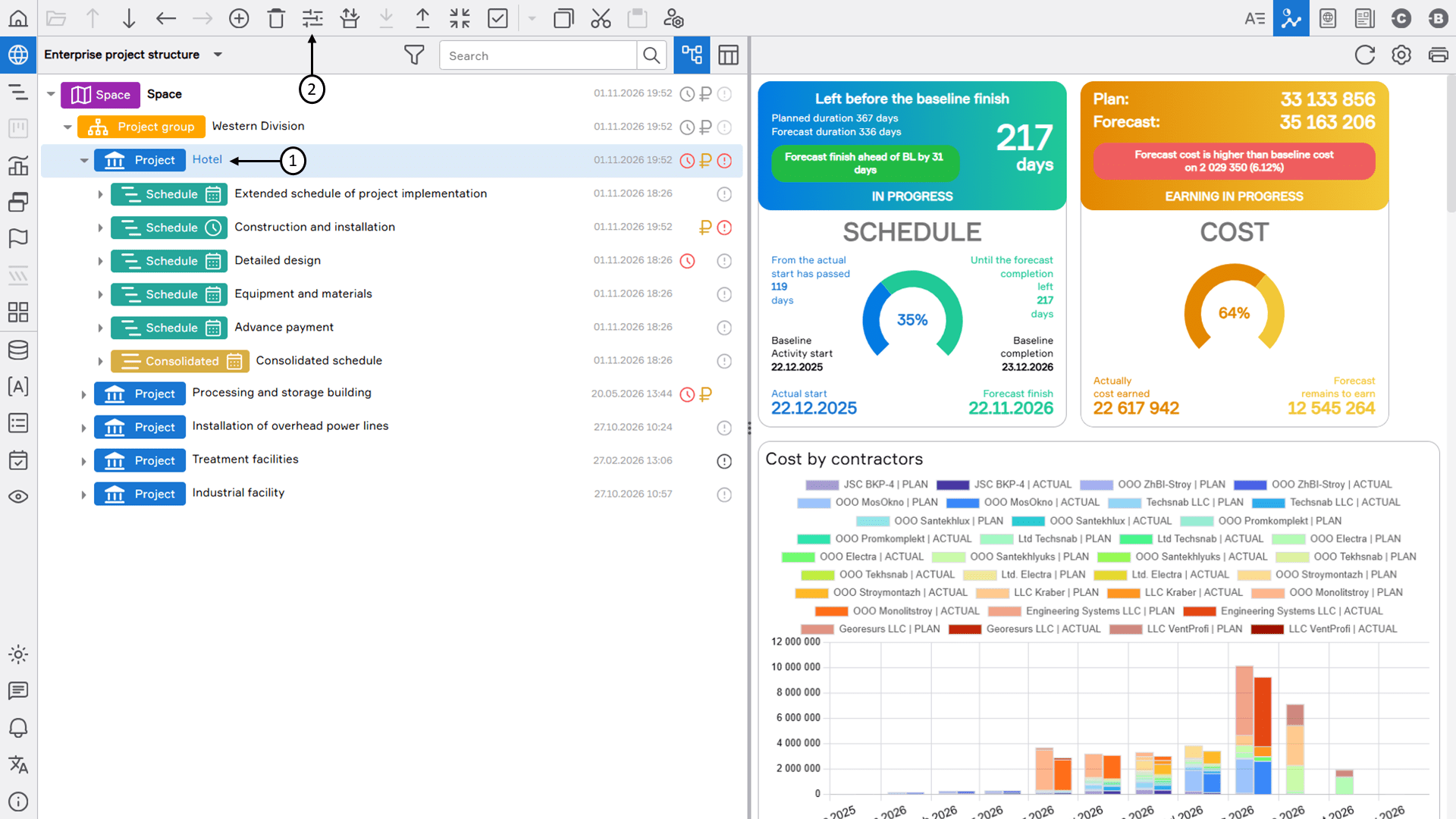 Opening the Project Settings Window
Next, open the "BIM" settings section (1) and click "Add" (2). In the window that opens, select the model file (3) and enter the model name to display in PLAN-R (4). Then click "Upload" (5).
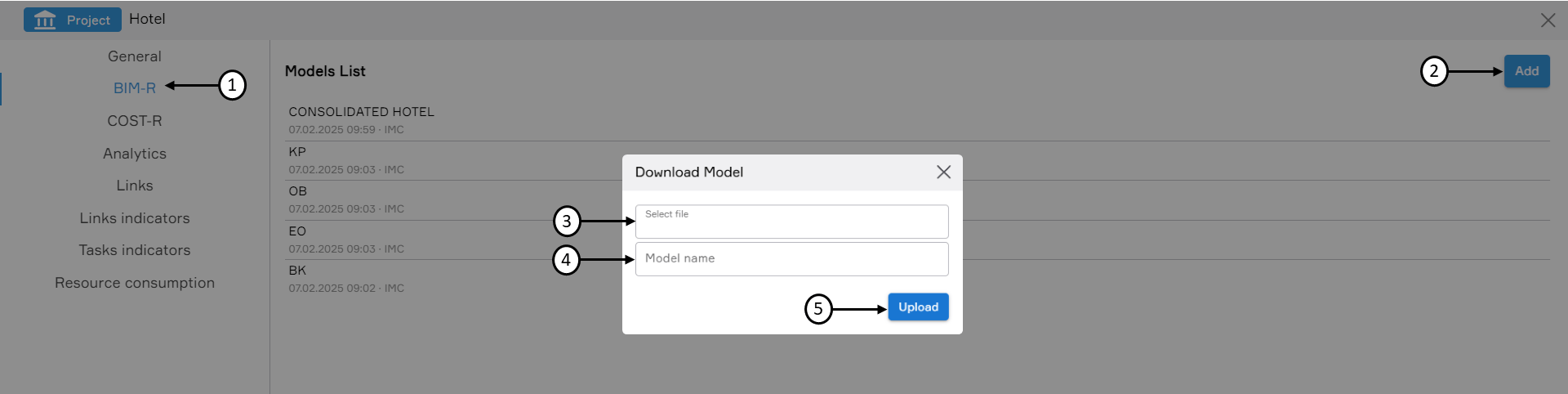 Importing Models
After processing and saving, the model will appear in the model list with its upload time.