IMPORTING PROJECTS
To import a project from a .zip archive, select the project group (1) into which you want to import it and click "Import project" (2) on the enterprise configuration toolbar.
In the dialog, select the required archive (3) and enter the project name in the corresponding field (4). If you leave the project name empty, PLAN-R uses the name specified when the project was exported. Click "Add" (5) to complete the import.
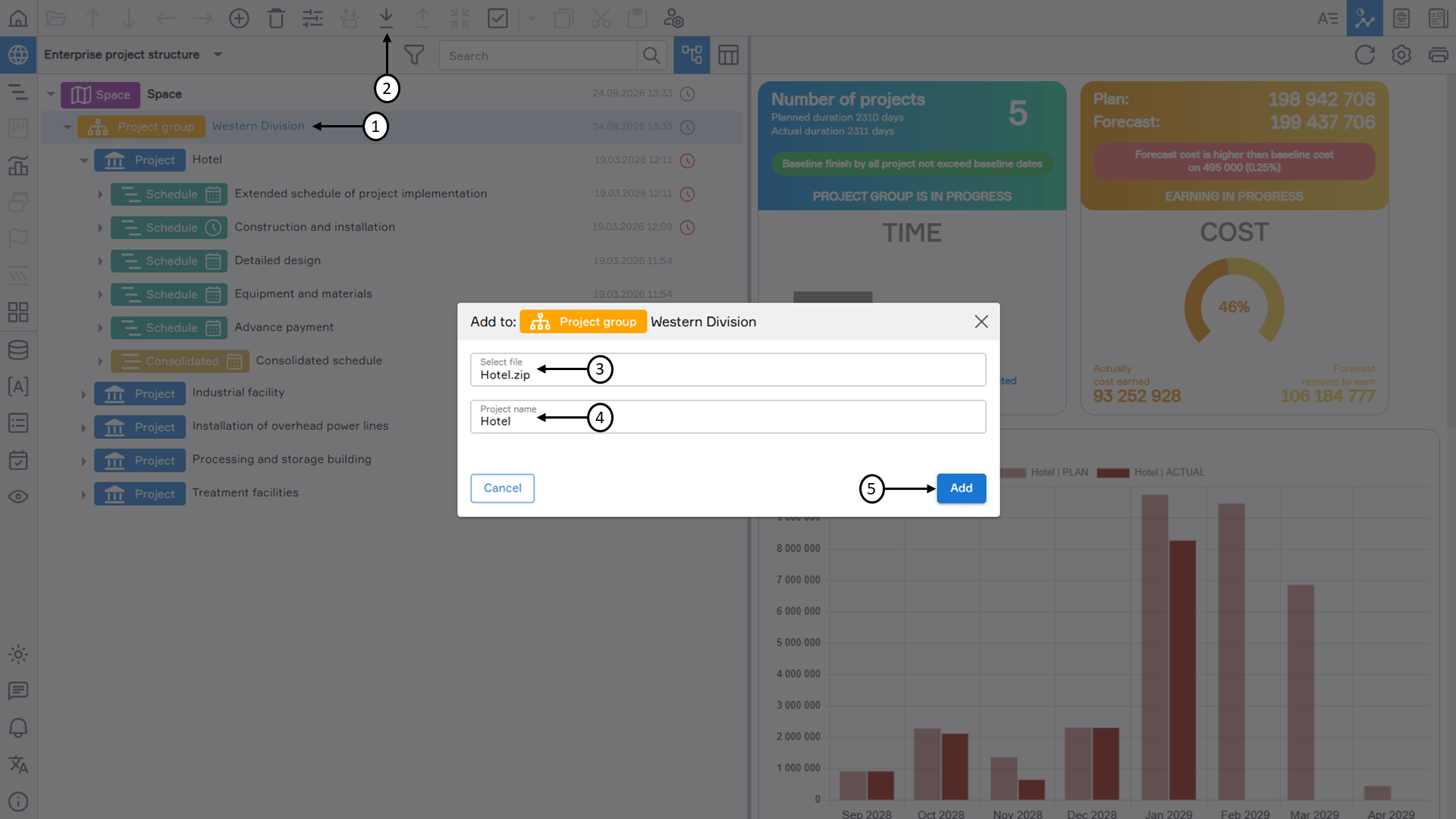 Importing a Project into the Enterprise Project Structure