EXPORTING PROJECTS
PLAN-R allows you to export a project as a .zip archive. Select the project in the Enterprise Project Structure (1) and click "Export project" (2) on the enterprise configuration toolbar.
In the dialog, enter a name for the file (3). If needed, select the checkboxes to include media files (4) and the 3D model (5). Click "Save" (6) to complete the export.
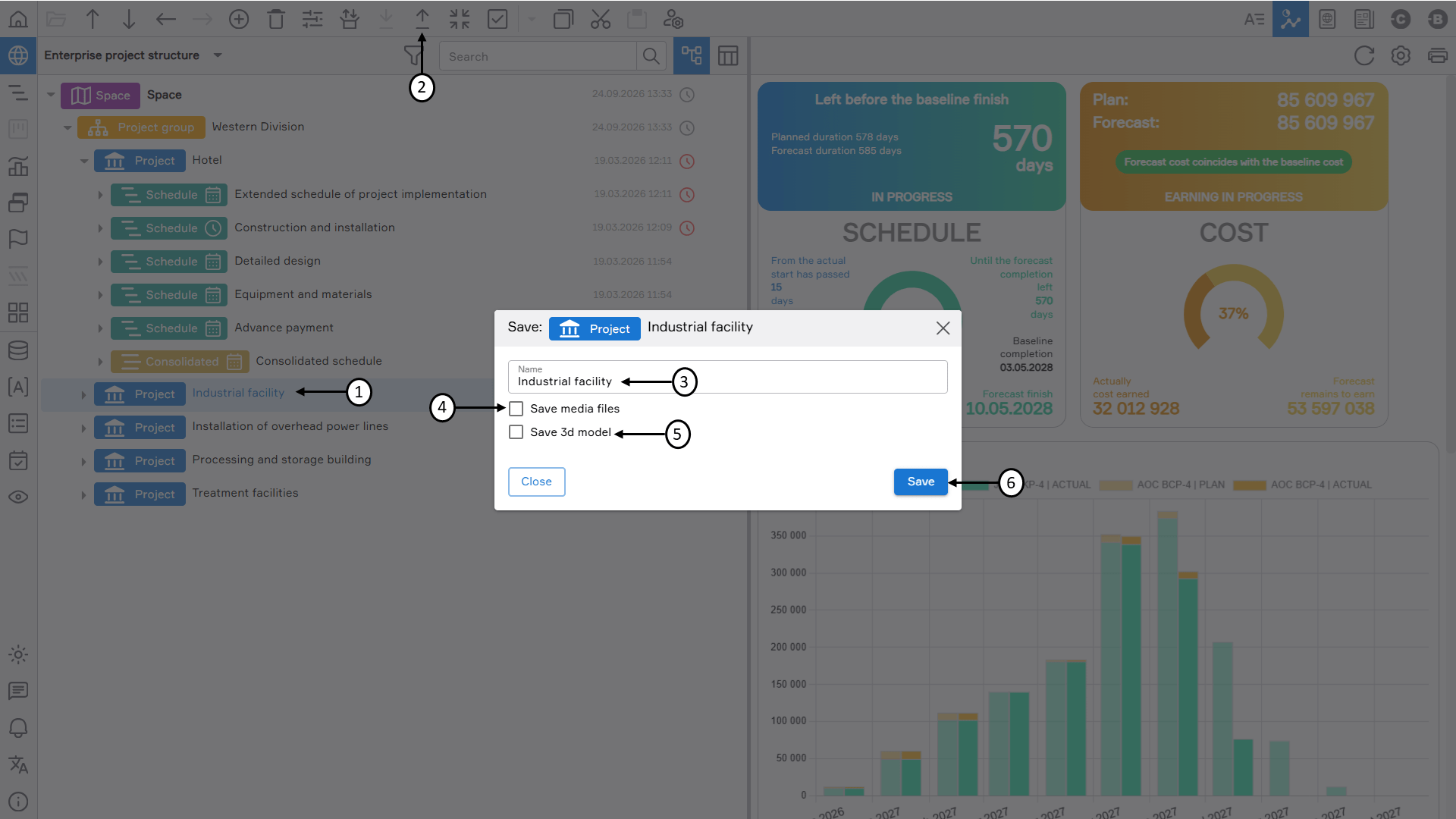 Exporting a Project