REPORT ON IMPORTED AND EXPORTED NETWORK SCHEDULE EXCHANGE FORMS
To export an Excel report on daily plan/actual forms received or sent by email during a specified period, click "Select using checkboxes" (1), select the required Enterprise Project Structure node using its checkbox (2), and select "Report on imported/exported exchange forms of network schedules" (3) from the drop-down list.
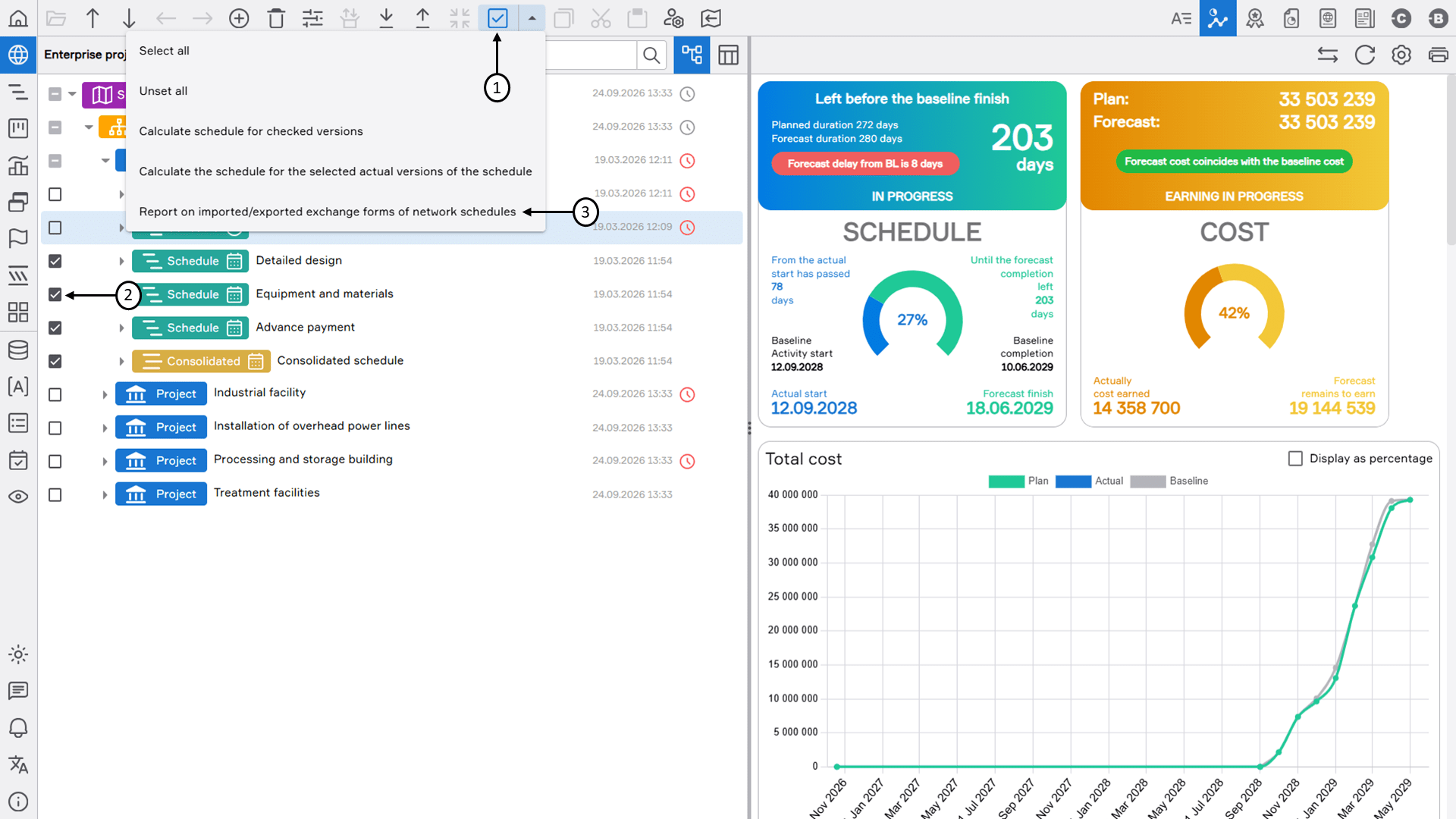 Report on Imported and Exported Network Schedule Exchange Forms
In the "Report settings" dialog, select the checkboxes for the exchange forms to include in the report (1), (2), specify the reporting period (3), and click "Form" (4).
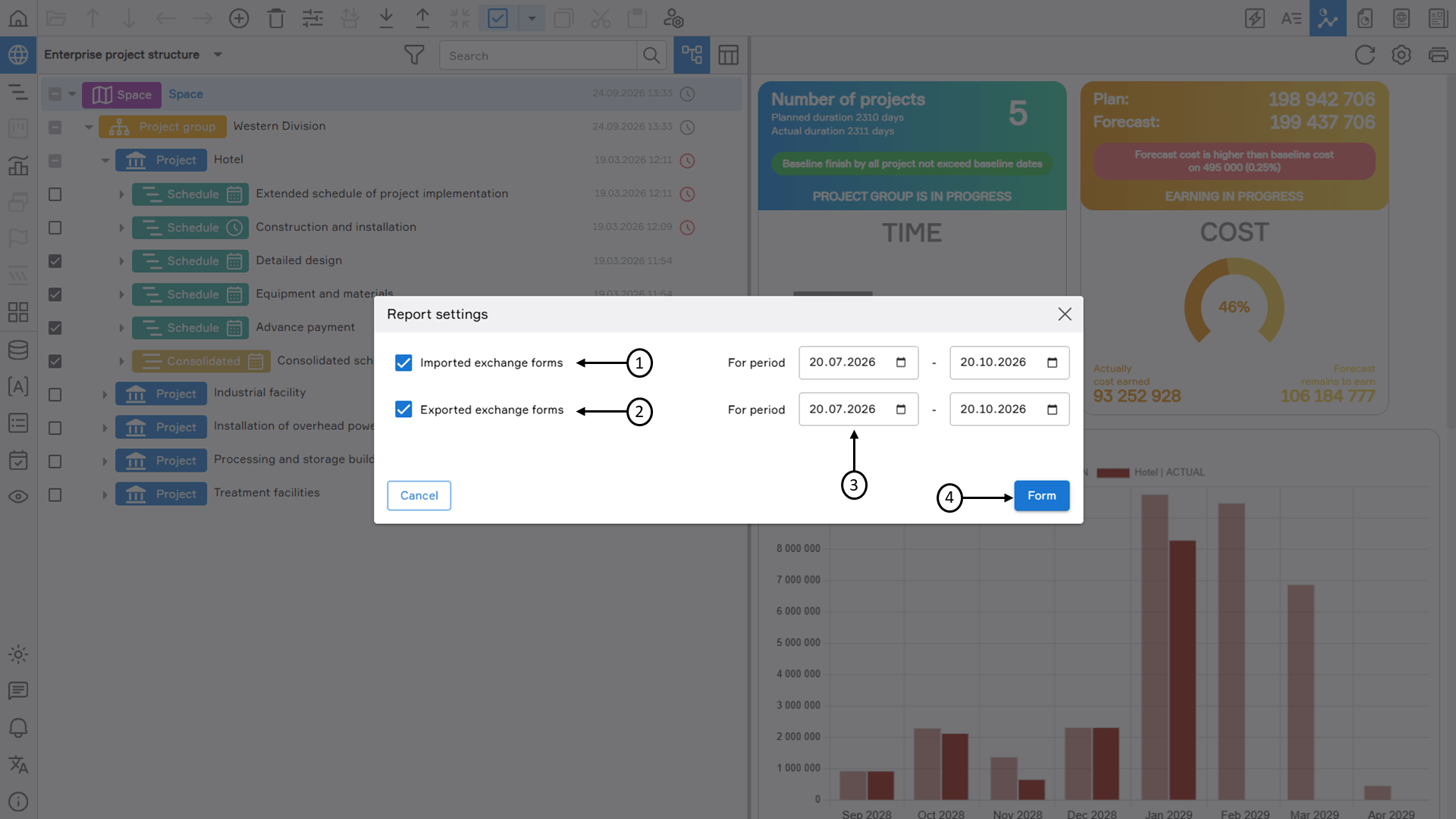 Report Settings
The generated report contains the following fields: "Version name", "Schedule name", "Project name", "Project group name", "Number of activities in the exchange form", "Exchange form resource type", "Form period", "Name", "Login", "Status", "Error reason", "Import/export date", and "Exchange form name".
 Generated Report on Imported and Exported Network Schedule Exchange Forms
To use the functionality for sending reports by email, make sure the SMTP and IMAP settings for your mail server are configured correctly (see Administration → User Activity Audit).