EXPORTING SCHEDULE VERSIONS FROM THE ENTERPRISE PROJECT STRUCTURE
PLAN-R supports both exporting an individual schedule version and exporting all schedule versions in a space in bulk.
To export a schedule version from the Enterprise Project Structure, select the version (1) and click "Export version" (2). The file is saved to your device in .xlsx format.
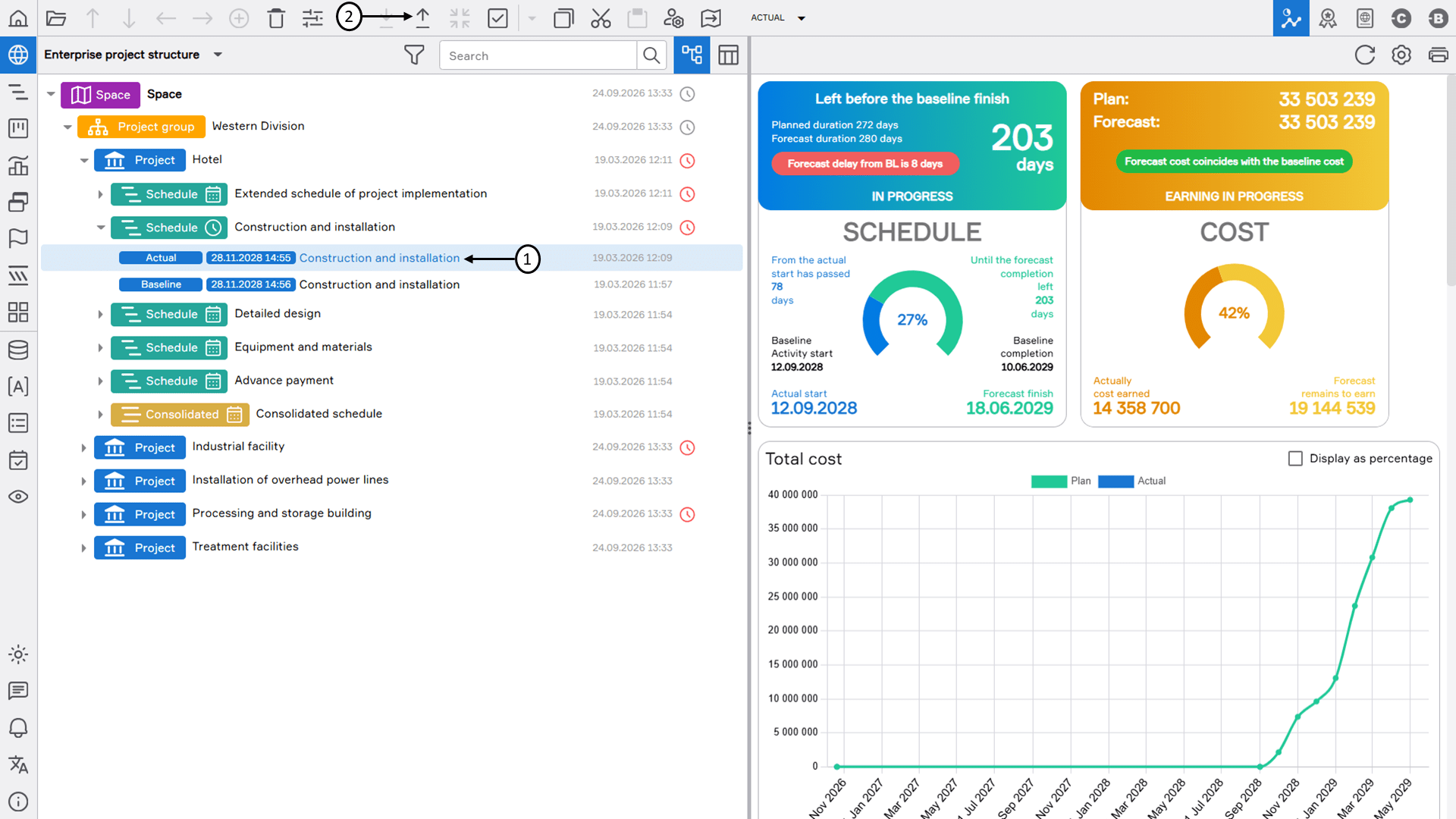 Exporting a Schedule Version from the Enterprise Project Structure
When exporting a schedule version in "Resource planning" mode (see Planning in PLAN-R), you can include information about RBS assignments to activities. In the dialog, select "Export RBS directories assignments on activities" (1) and click "Export" (2).
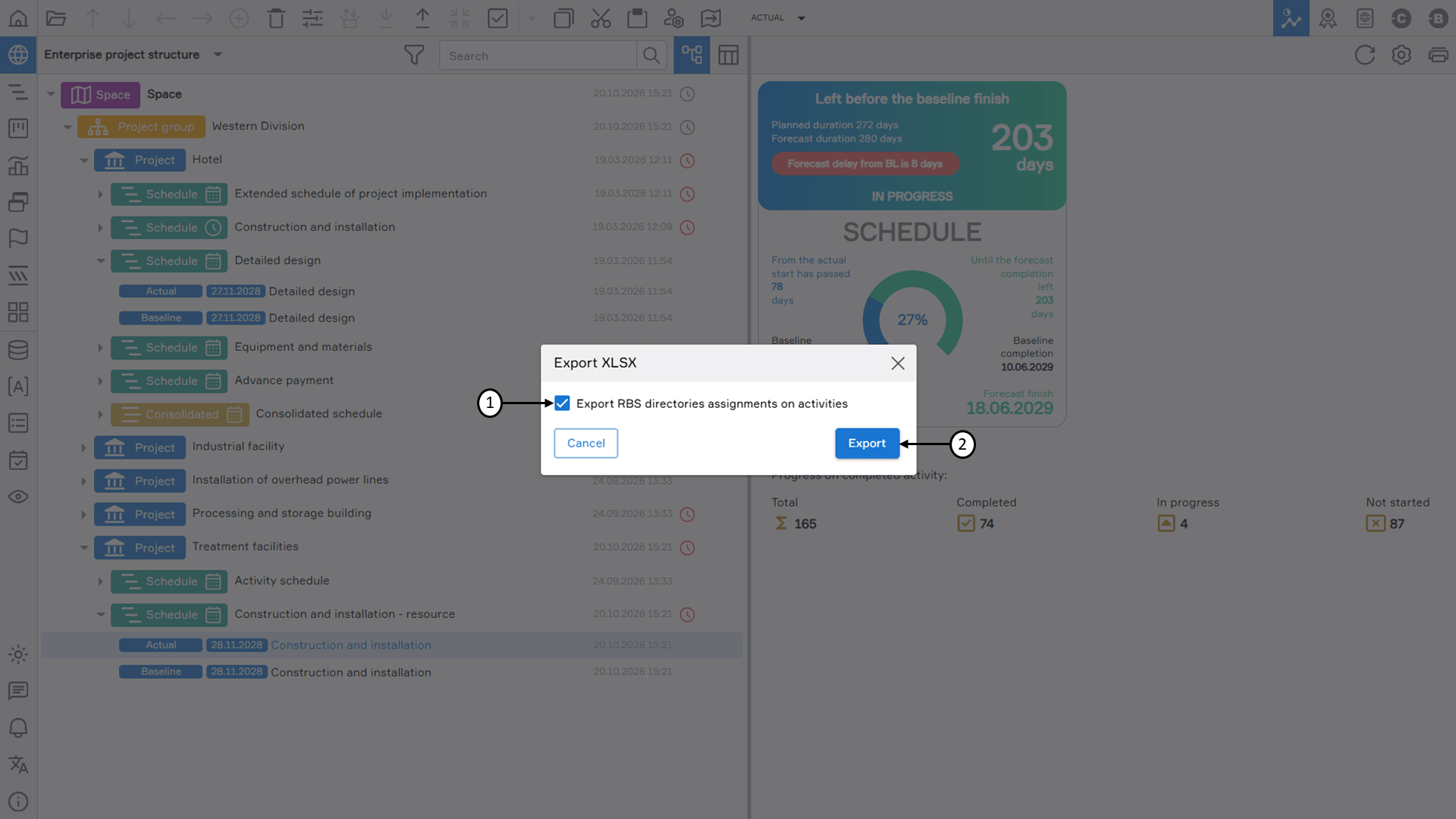 Exporting a Schedule Version in Resource Planning Mode
To export schedule versions in bulk, select Enterprise Project Structure nodes using the checkboxes (1). Click "Select using checkboxes" (2) to display them. Open the drop-down menu using button (3) to select all structure nodes (4) or clear all checkboxes (5). Once you have selected the required nodes, click "Export checked versions" (6).
Versions are exported sequentially, following the order of schedules in the Enterprise Project Structure. If an export fails for one schedule, the operation proceeds to the next without interrupting the entire process. When the bulk export is complete, PLAN-R downloads a .zip archive containing .xlsx files and a report on the export status of the schedule versions (see Figure 45, Bulk Schedule Version Export Report).
Attention! All users can access the checkbox menu, but only schedules for which the user has the required permissions are exported.
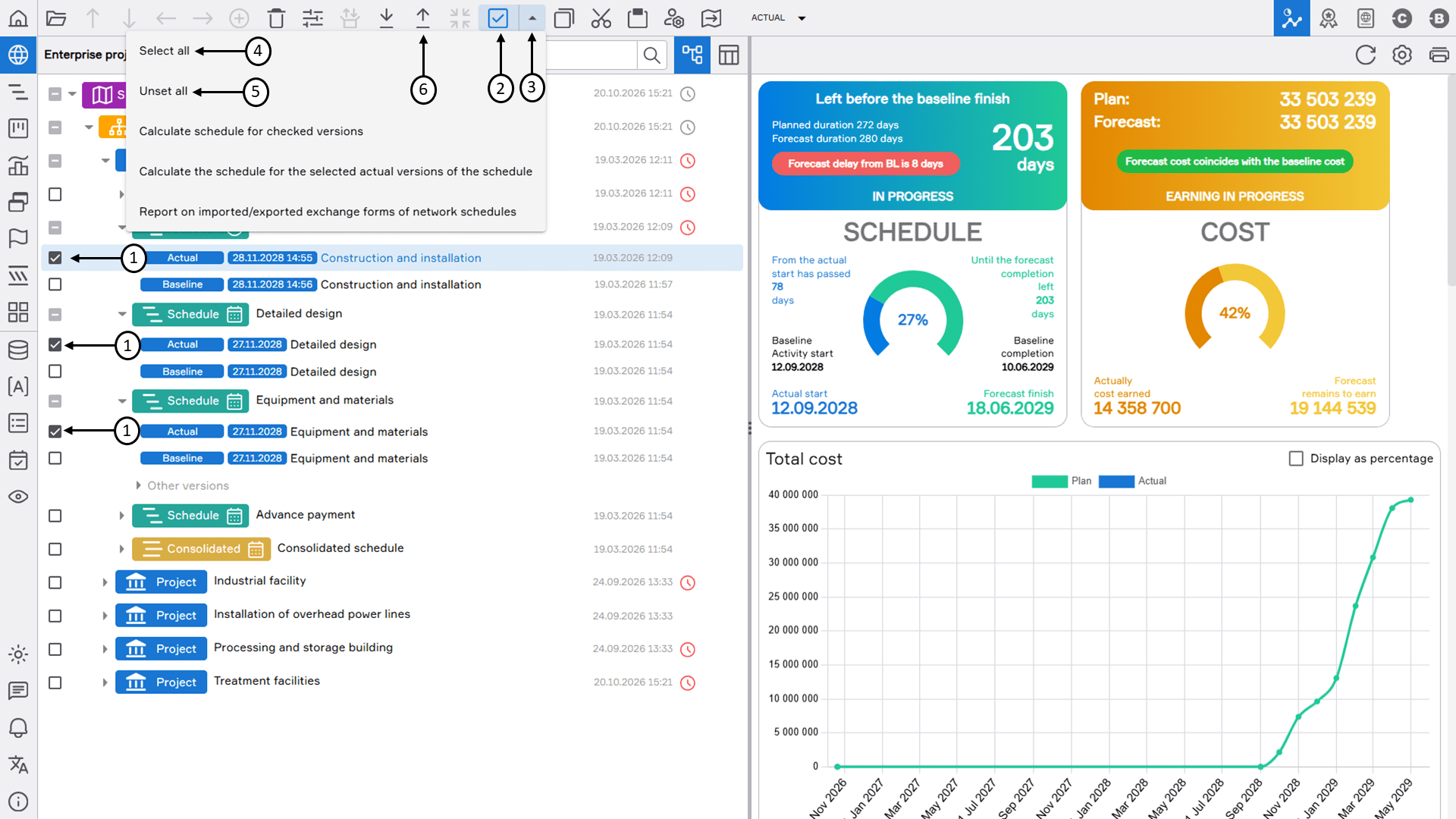 Bulk Export of Schedule Versions
 Bulk Schedule Version Export Report
You can view the result of a schedule version export in "Notifications" (1). Click "Click here to view details" (2) to view the operation's step-by-step progress (3). If needed, click the download button (4) to download the file to your device again.
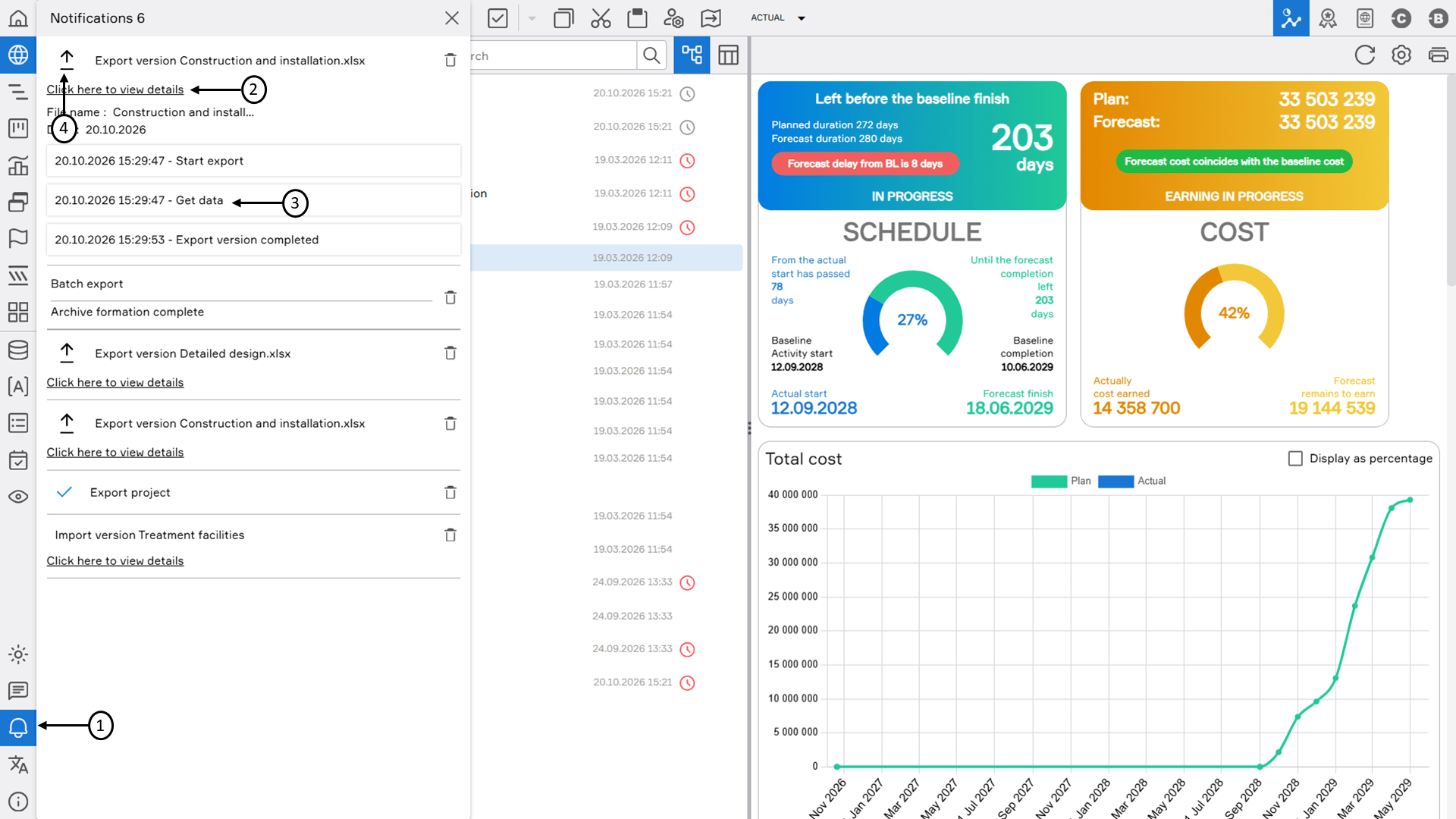 Schedule Version Export Notification