TRANSFERRING DIRECTORY ASSIGNMENT ATTRIBUTES TO SCHEDULE ACTIVITY ATTRIBUTES
To transfer directory row assignment attributes to schedule activity attributes, click “Services” (1) and select “Assign directory attributes to activities” (2). In the dialog that opens, select the required directory (3), specify the attributes to transfer (4), and click “Apply” (5).
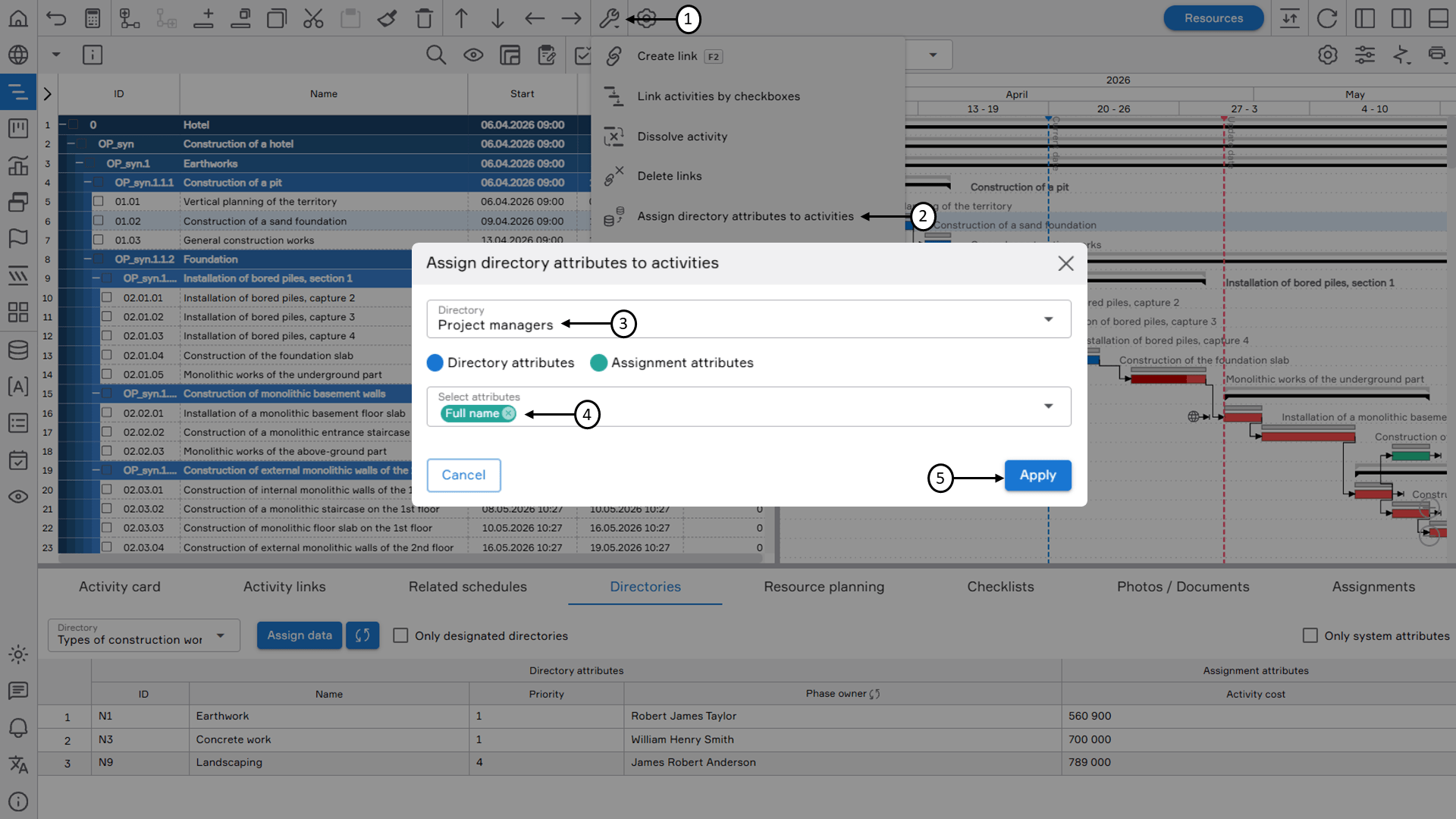 Transferring directory row assignment attributes to schedule activity attributes
The resulting schedule attributes use the following naming format:
“Directory name” | “Attribute name” #“Sequential number of the directory row assignment to the activity”
Example:
“Materials | Quantity #1”