COPYING DIRECTORY ASSIGNMENTS TO ANOTHER SCHEDULE VERSION
To copy all assignments from one or more directories from the open schedule version to another version of the same schedule, click “Services” (1) and select “Export directory attributes to another version” (2).
In the window that opens, specify:
- The directories whose row assignments you want to copy to another schedule version (3);
- “Update data according to the current directory” (4) for the schedule’s own attributes, if needed;
- “Pass linked attributes from current version” (5), if needed;
- The schedule version to which the assignments will be copied (6).
Then click “Apply” (7). The assignments are copied to the specified schedule version.
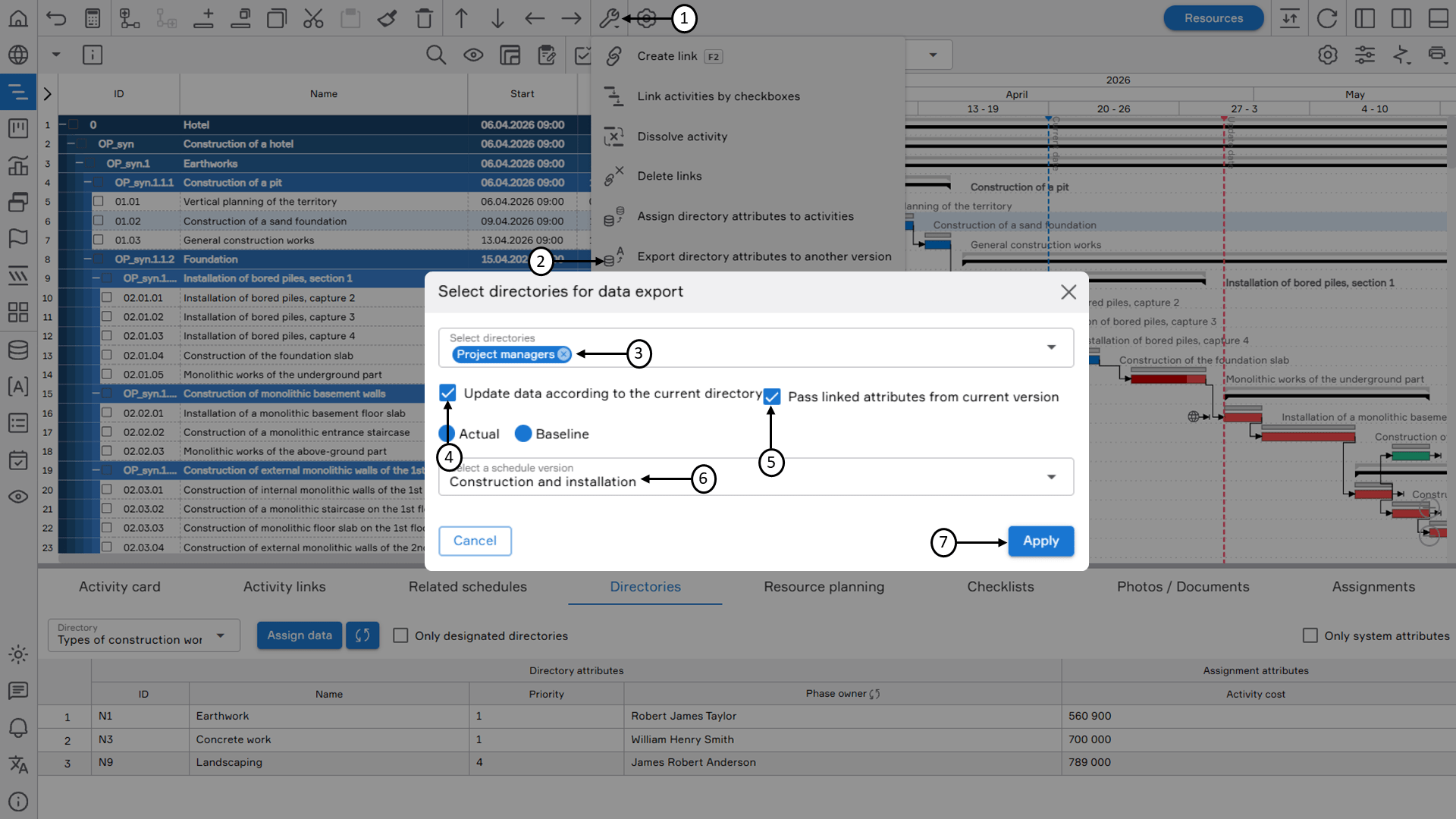 Copying directory row assignments to another schedule version