USER PASSWORD RESET SERVICE
The user password reset service allows users to restore access to PLAN-R themselves if they forget their password.
The service is available when "Local authentication" is enabled through the LOCAL_AUTH_ENABLED environment variable. It uses the mail service to send notifications.
To reset a password, the system sends the user an email containing a generated link with an encoded password reset token. Opening the link takes the user to the password reset form.
The system stores the token for a specified period—30 minutes by default. If the user does not use it within that period, the token expires, and the user must restart the password reset process. If no email address is specified for the user, they can reset their password only with assistance from a PLAN-R administrator.
To configure the user password reset service, open "Settings", then select "Password reset".
Set the password reset token lifetime (1).
A cleanup process runs periodically to remove expired tokens. In field (2), specify the token cleanup schedule as a crontab expression.
To update the settings, edit the required field and click "Save" (3).
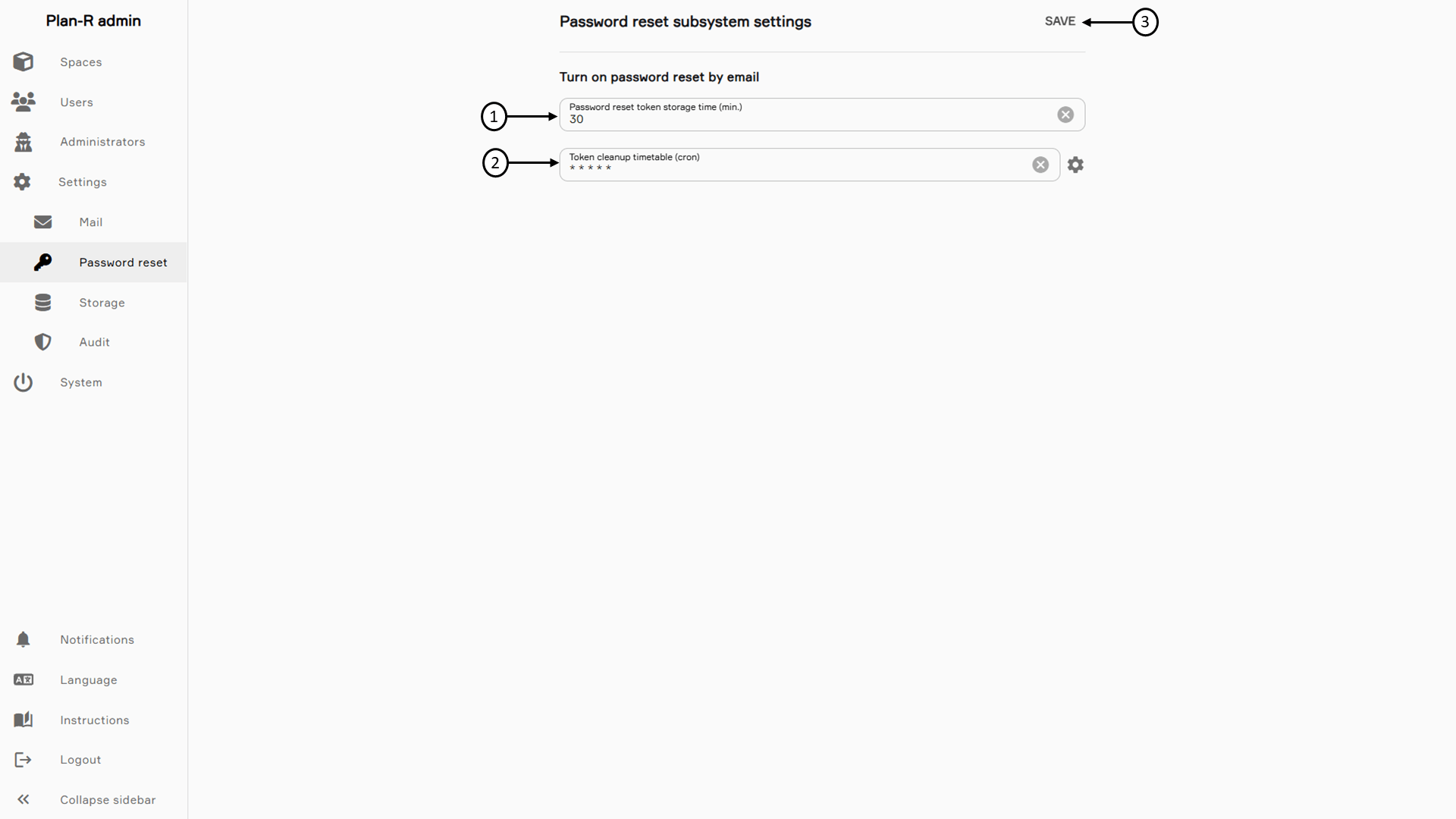 Password Reset Service Settings