UNIQUE NODE KEY
PLAN-R provides a unique node key to identify each node in the Enterprise Project Structure.
To assign a key, select the required node in the Enterprise Project Structure and open "Node settings". On the "General" tab (1), fill in the "Unique EPS node key" field (2). The key must not contain spaces or any of the following characters: <, >, ”, /, \, |, ?, *.
You can also configure a rule for generating unique keys for child nodes in the Enterprise Project Structure (3). Specify a prefix (4), postfix (5), and increment (6). Selecting "Use the key of the parent node in the prefix" (7) adds the parent node's key to the beginning of the prefix. The resulting unique key for a child node follows this pattern: [Parent key][Prefix][Increment][Postfix].
To apply the configured rules and generate a unique node key, click the generate button (8).
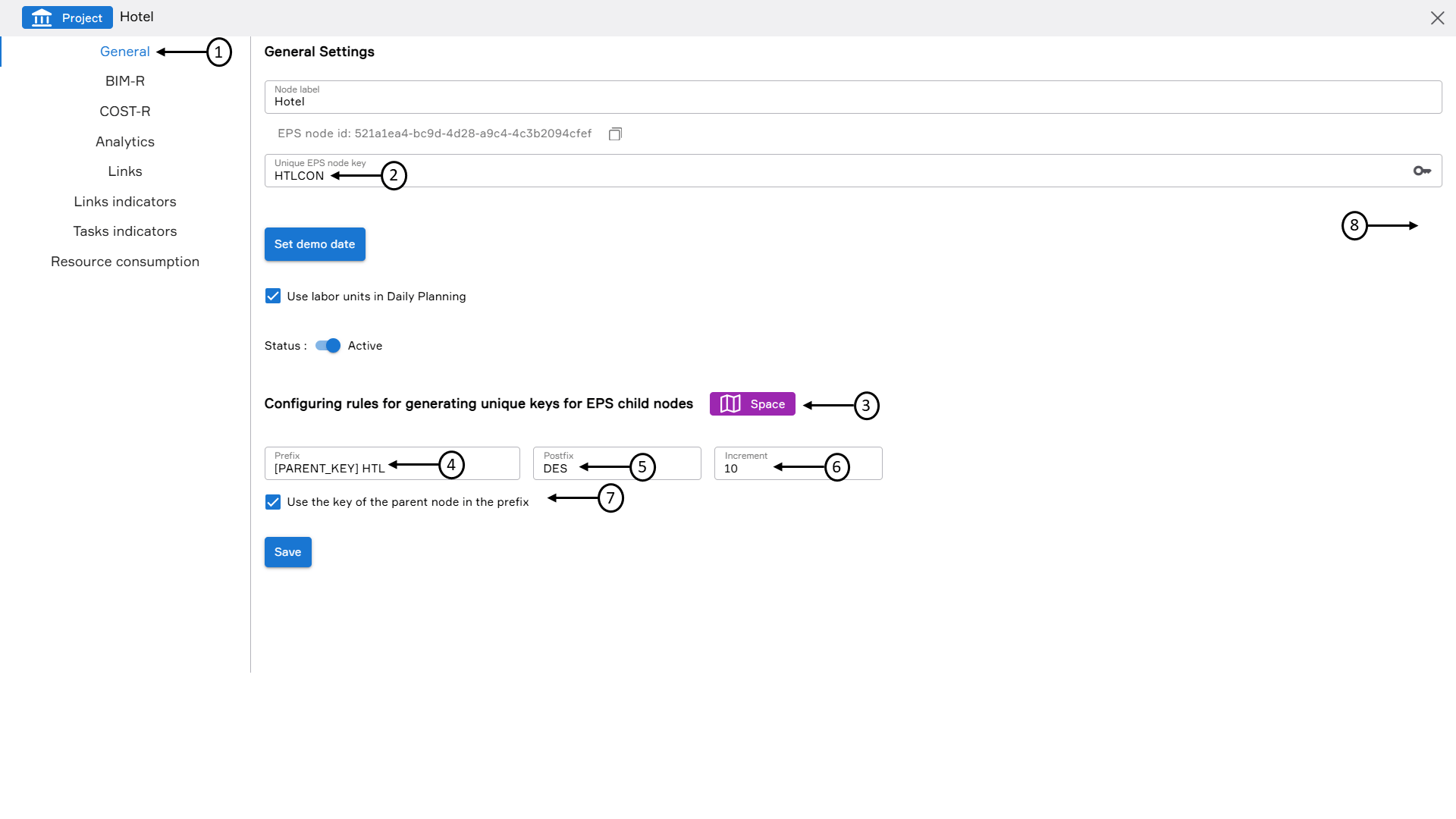 Creating a Unique EPS Node Key
When adding a new node to the Enterprise Project Structure, you can generate its unique key automatically using the parent node's rules (1), enter it manually (2), or leave the field empty if no key is required (3).
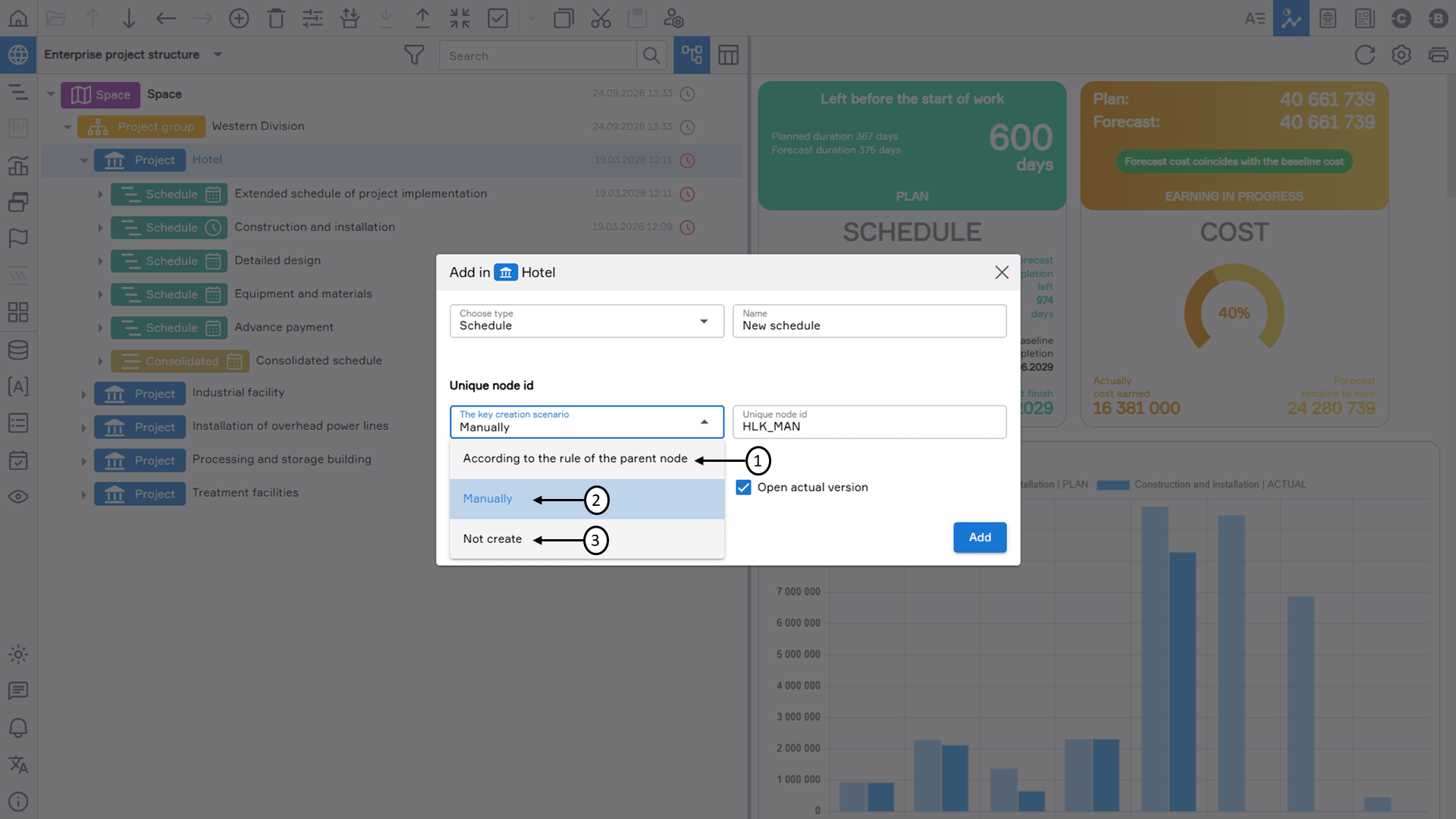 Adding a Unique Key When Creating an EPS Node
The unique EPS node key is displayed in the Enterprise Project Structure table view (1) and in the node's details card (2).
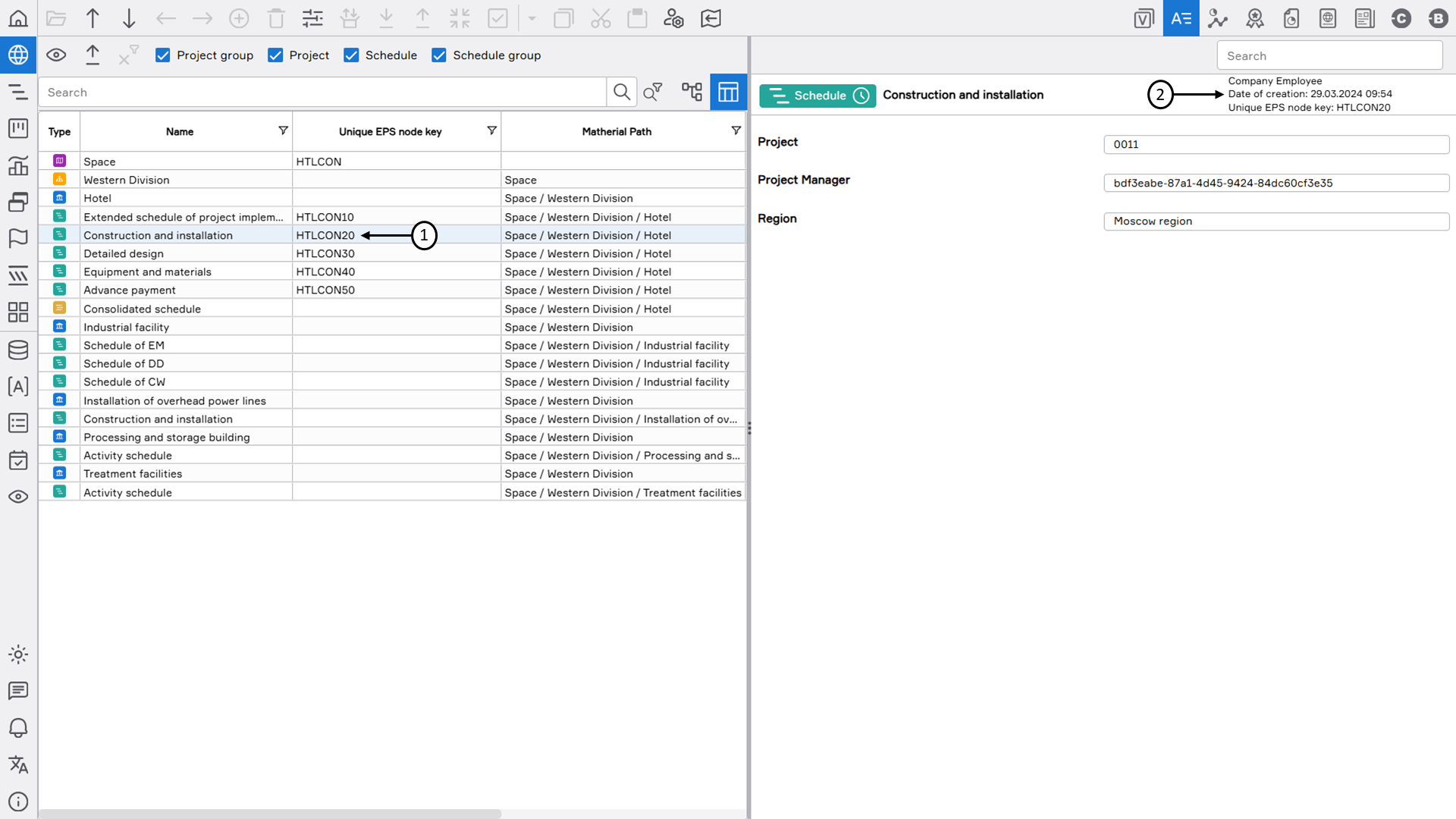 Displaying the Unique EPS Node Key