ENTERPRISE PROJECT STRUCTURE NODE PASSPORT
PLAN-R allows you to maintain passports for all Enterprise Project Structure nodes, storing images, text, and links to external files and resources. To view a passport, select the required node in the Enterprise Project Structure and open the "Passport" tab (1). The passport editing toolbar is located at the top of the section (2). To edit the passport, click the input area (3). Changes are saved automatically. Click "Expand" (4) to open the node passport in full-screen mode.
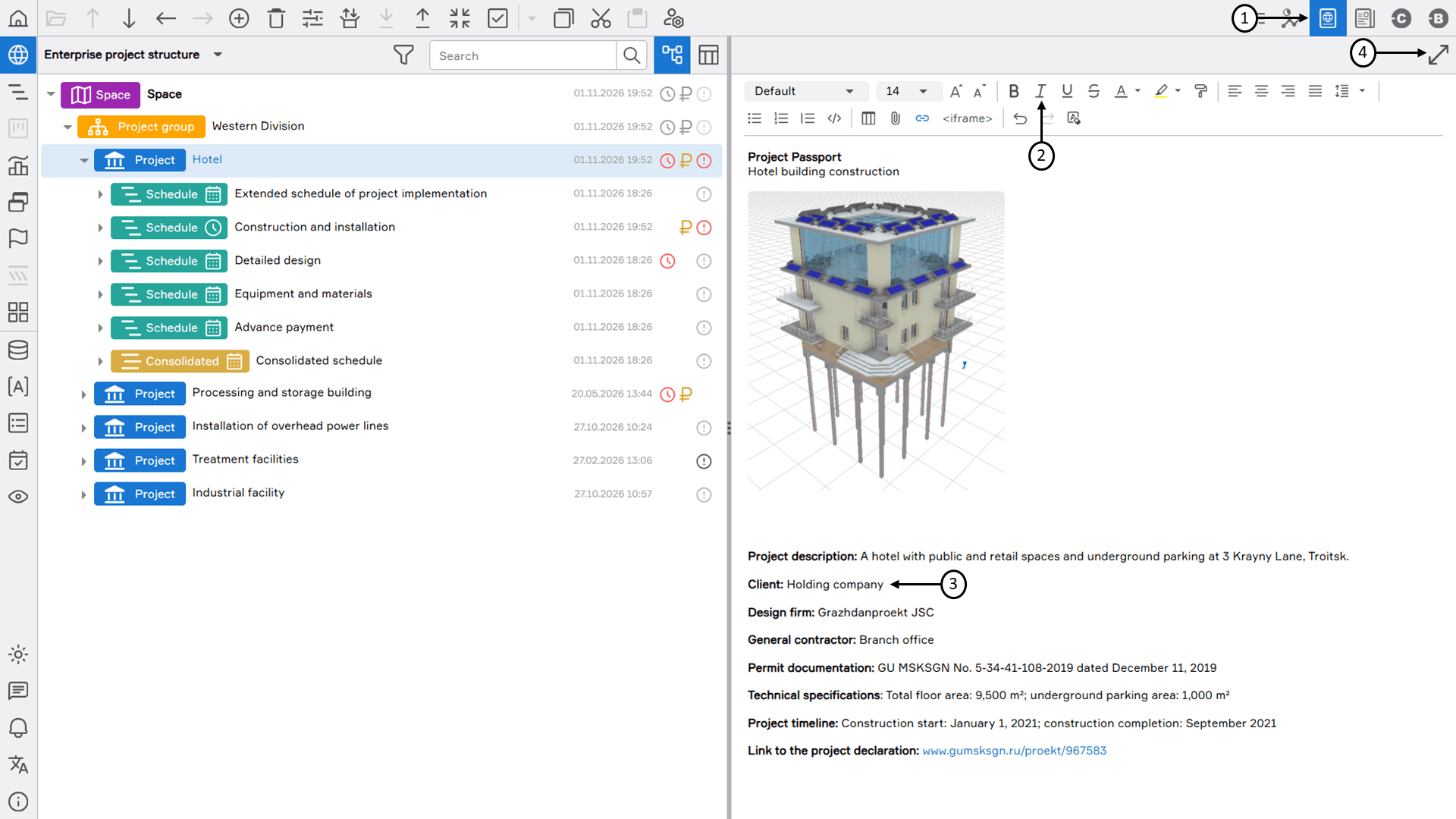 Viewing and Editing an Enterprise Project Structure Node Passport
To configure the passport for a specific activity (1), select "Passport" (2) on the right side of the "Schedule" view. Activity passports (3) are edited in the same way as Enterprise Project Structure node passports.
An activity passport is a single record shared across all schedule versions, identified by the activity's unique code. The same passport is used across all versions, so any changes are automatically synchronized across every version containing that activity. When data are transferred, the passport from the Actual schedule version is used as the source. If no Actual version exists, data from the most recently created version are used.
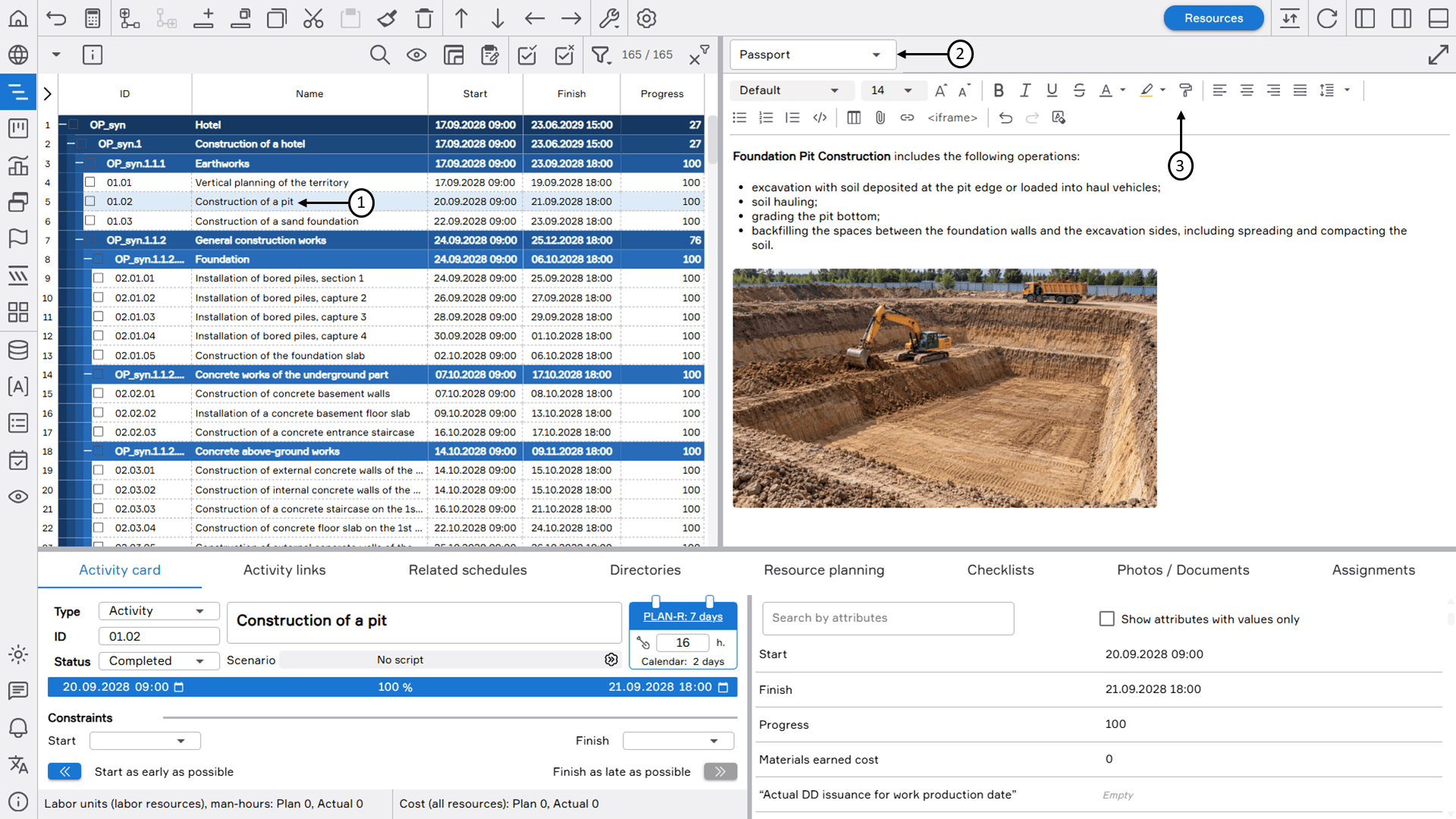 Activity Passport