PROJECT SCOREBOARD
To open the "Scoreboard" section, click "Scoreboard" (1) on the navigation bar. The window displays schedule analytics for all projects in the space that you have permission to view. To switch to cost analytics, click "Cost" in the upper-right corner of the section (2). The scoreboard containing schedule and cost widgets can be accessed from any node in the Enterprise Project Structure.
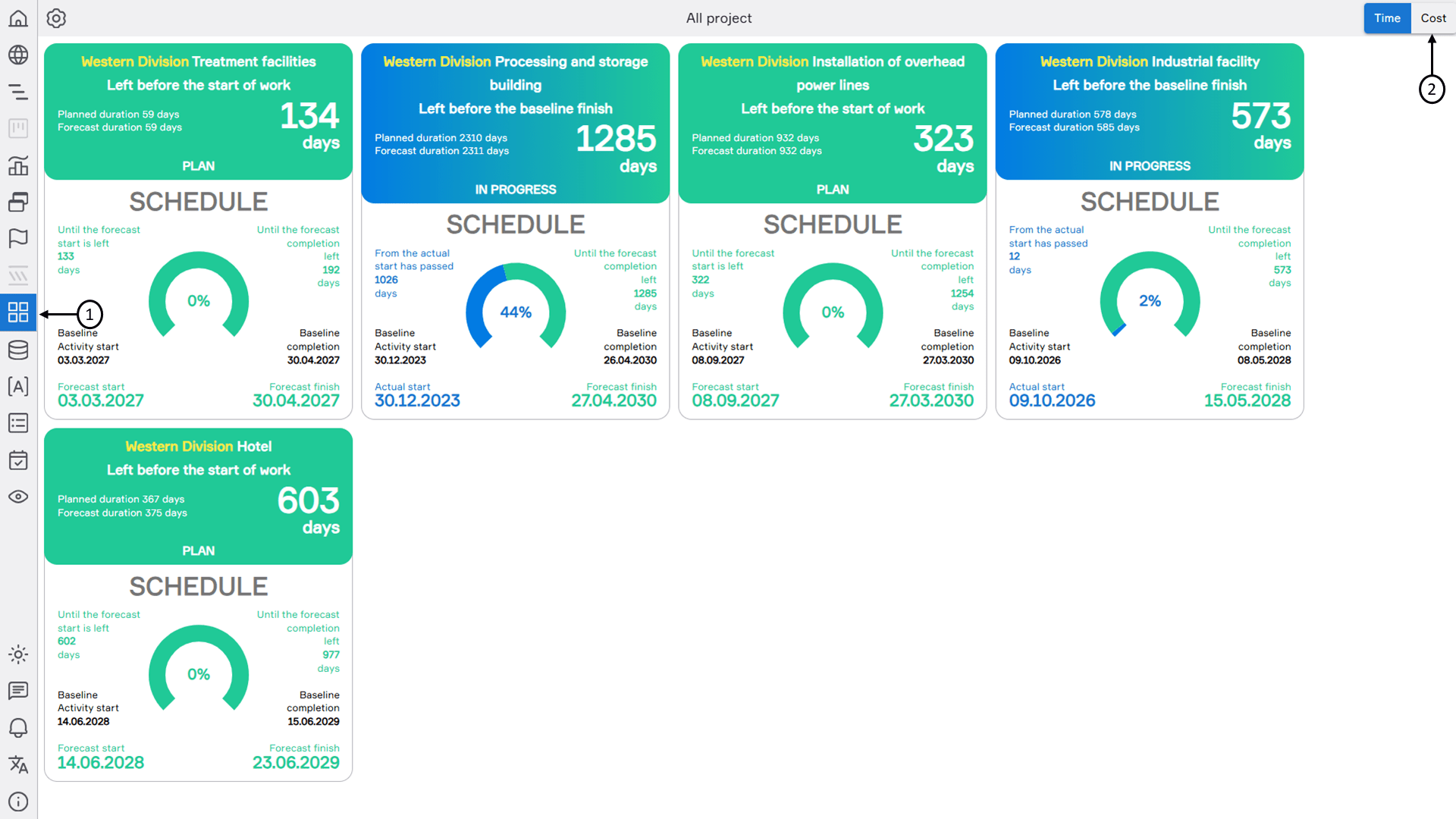 Project Scoreboard
To create an additional project list, open the project scoreboard settings menu (1) and click "Add" (2) to create a configuration. To edit an existing configuration, select it from the list (3).
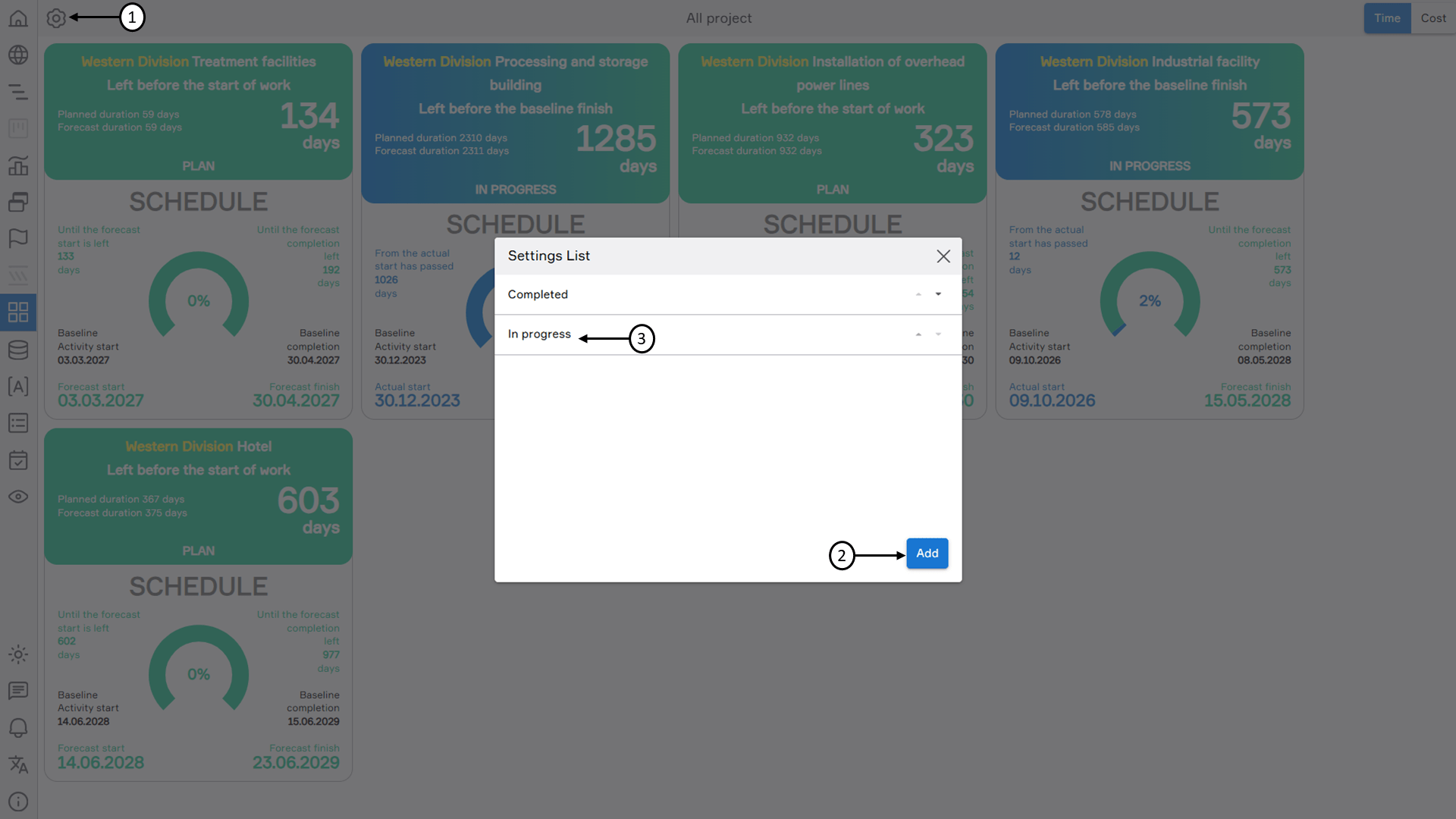 Project Scoreboard Configuration List
In the dialog, select the required projects using the checkboxes (4), enter a name for the list (5), and click "Save" (6). To display the scoreboard for a saved project list, select its name at the top of the "Scoreboard" section (7).
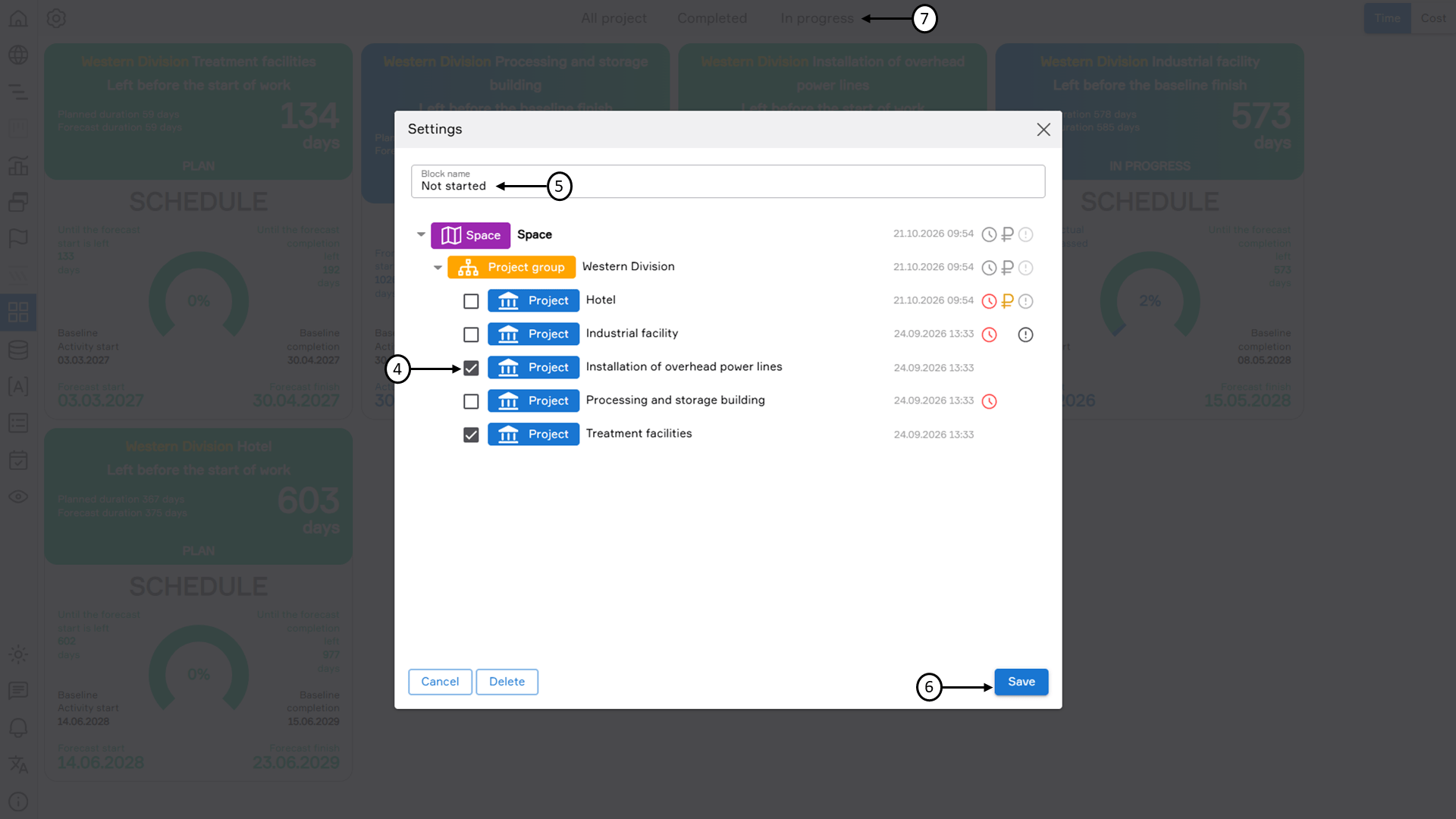 Creating a Project List