DISPLAYING ATTRIBUTE VALUES FROM THE BASELINE SCHEDULE VERSION
In PLAN-R, the “Baseline start” and “Baseline finish” attributes in the Actual version are synchronized with the “Start” and “Finish” dates in the Baseline version.
To display other attribute values from the Baseline schedule version in the Actual version, go to the “Attributes” section (1), open the “Reference” tab, and create a new reference attribute (2). In the window that opens, enter a name (3) for the attribute and select its data type (4).
PLAN-R provides 3 data types for creating an attribute that automatically retrieves and synchronizes data from a specified attribute in the Baseline version:
- String — displays a list of attributes with the “String” data type;
- Number — displays a list of attributes with the “Number” data type;
- Date — displays a list of attributes with the “Date” data type.
Select the attribute to link to from the “Donor attribute from the baseline version” drop-down list (5). This list displays all available attributes of the corresponding type from the Baseline version. After selecting an attribute, click “Add” (6).
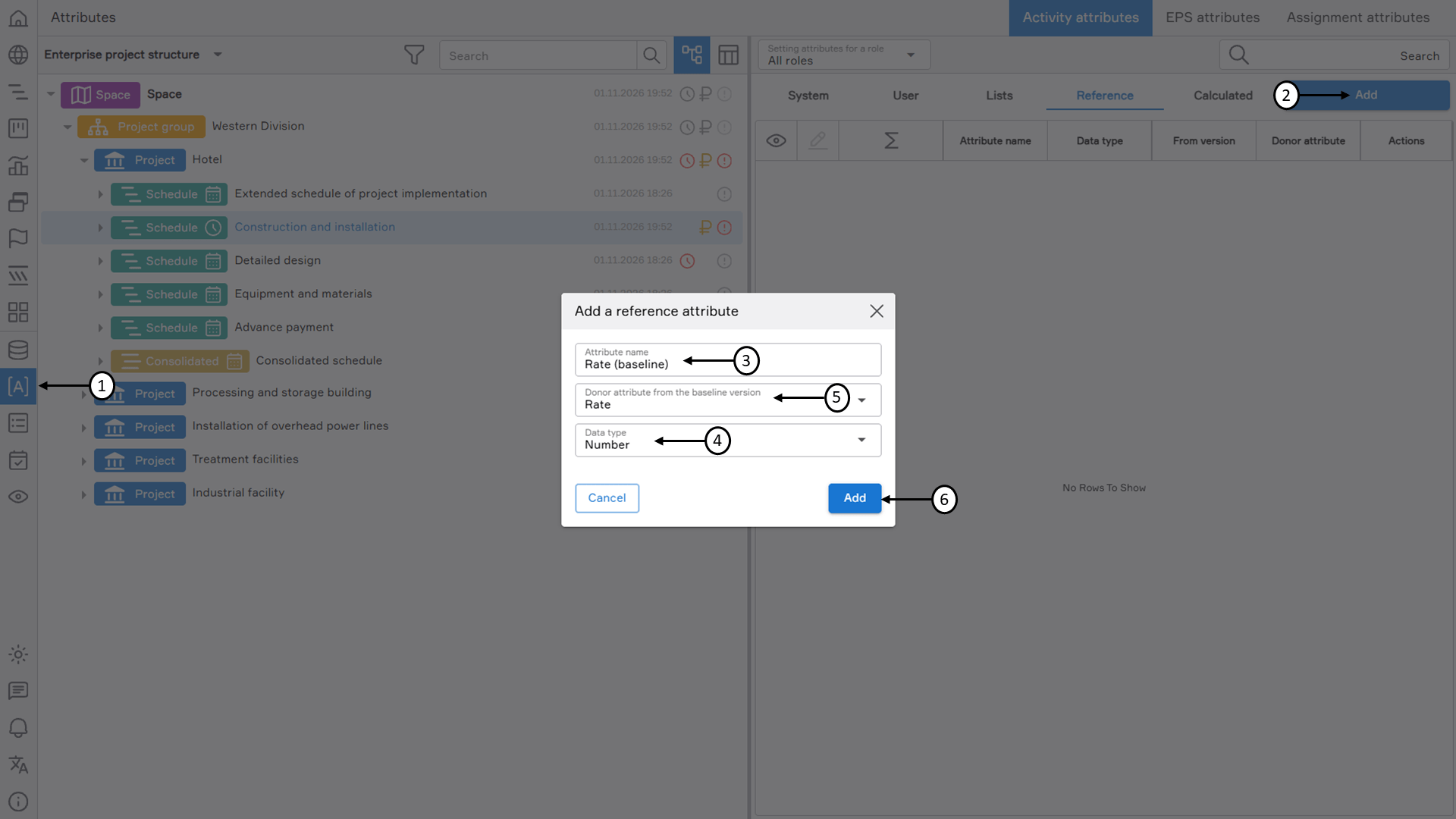 Adding an attribute to display data from the Baseline schedule version
The new attribute will be available for display in the schedule view settings (1) and will automatically synchronize data from the Baseline version (2).
Attention! Attribute values are synchronized between the Actual and Baseline schedule versions by matching activity codes.
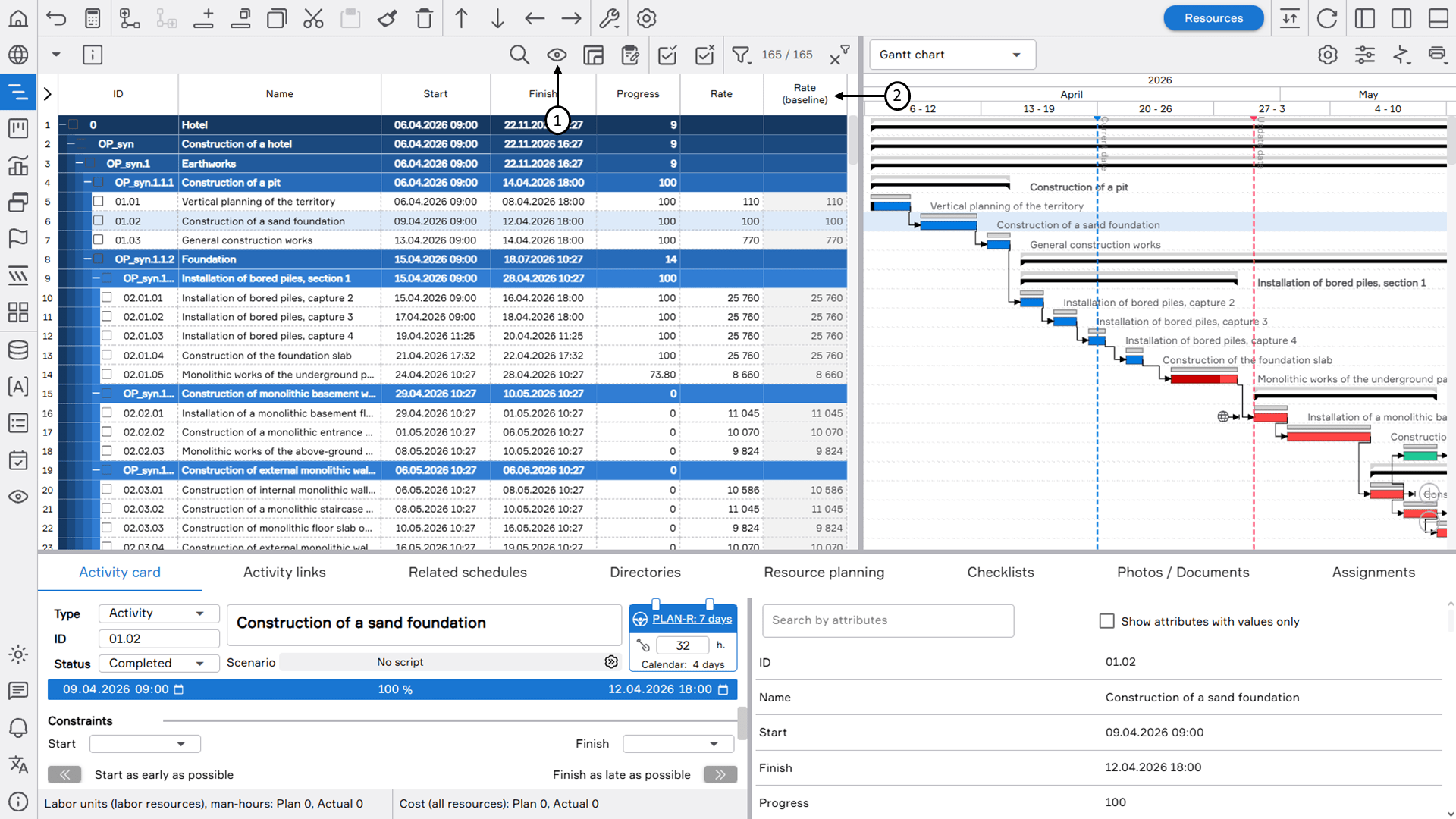 Synchronizing attribute values from the Baseline schedule version