ACTIVITY DECOMPOSITION
PLAN-R allows you to decompose activities using artificial intelligence (AI). Activity decomposition is a planning method that breaks a large, complex task into smaller, manageable, and clearly defined subtasks.
To decompose an activity, open a Schedule node in the Enterprise Project Structure, select the required activity in the WBS (1), and open "AI activity decomposition" on the right side of the screen (2). Select an AI model from the drop-down list (3) and specify the number of activities into which the selected activity should be divided (4). The "Constraints" field (5) is optional. It allows you to provide additional instructions for the AI, such as "Focus on design stages" or "Break down into installation operations", which may be taken into account during decomposition. Click "Decompose" (6). The resulting subtask hierarchy appears as a Gantt chart (7) and a detailed table (8), which you can edit (9). To add the subtasks to the WBS, click "Accept and add to schedule" (10).
If the result is unsatisfactory, refine the task parameters and run the operation again. You can also click "Decompose" (6) without changing the settings to generate an alternative breakdown.
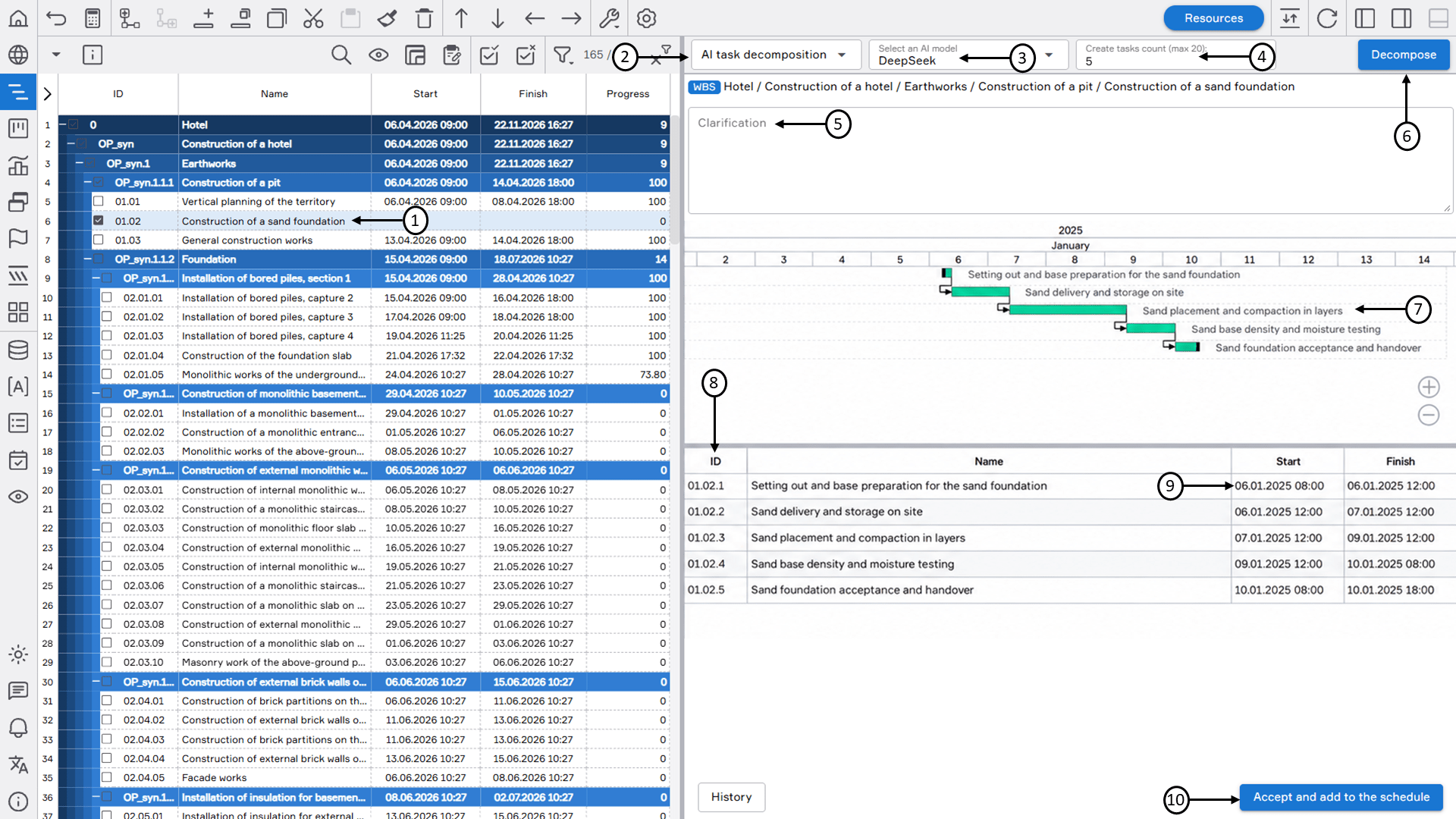 Activity Decomposition (1)
After you confirm the decomposition, the original activity's type changes to WBS node (1). It contains the new AI-generated activities, which are available for further editing in the schedule (2).
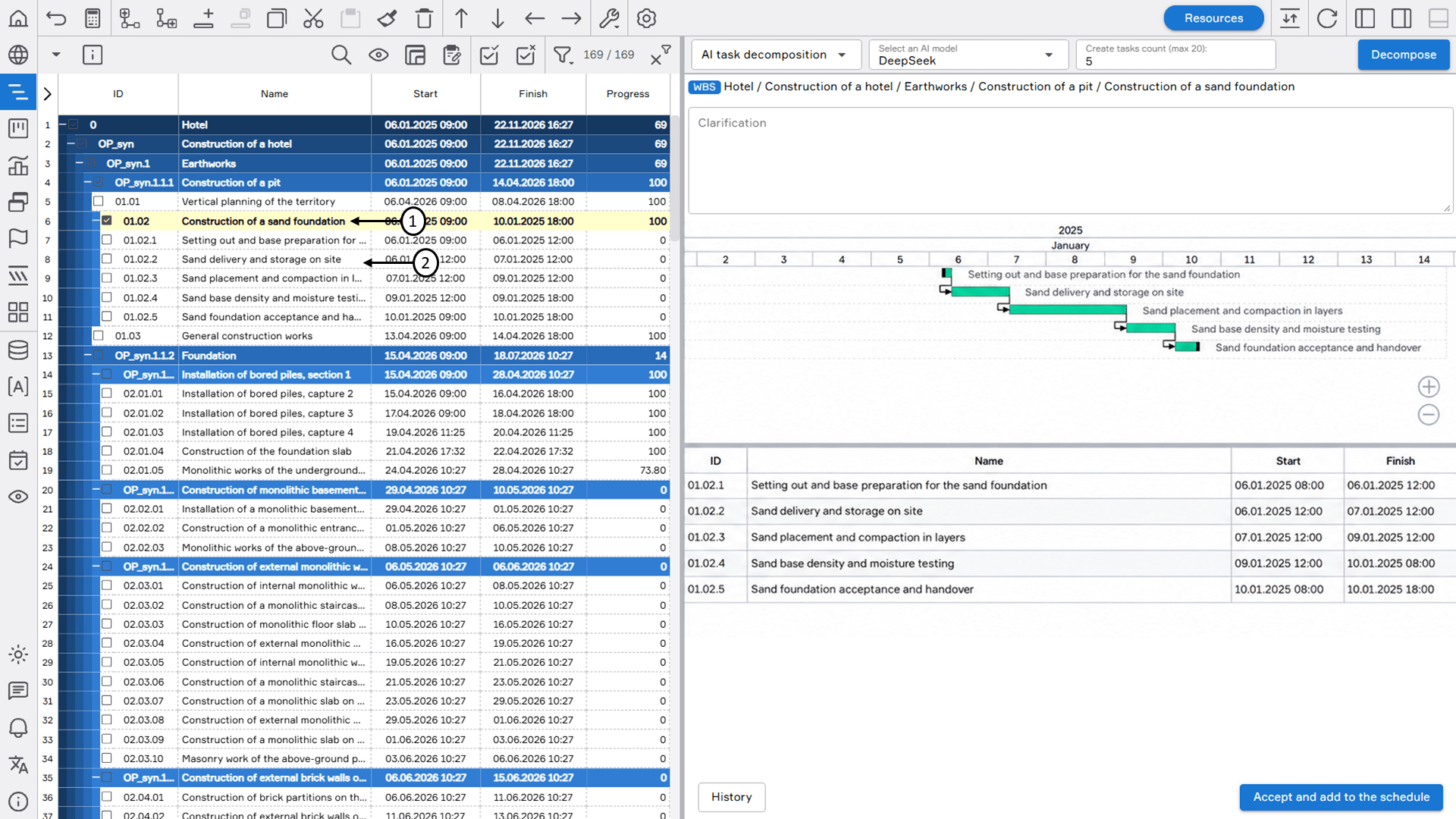 Activity Decomposition Results