SUMMARY ACTIVITIES
A summary activity is an activity type used to combine multiple activities from one or more schedules. It can represent a level 2 schedule, simplify activity management, or aggregate data.
To create a summary activity, open a Schedule node in the Enterprise Project Structure. Create an activity (1) or select an existing one (2) in the WBS table, then change its Type on the "Activity card" tab (3).
The schedule will contain an activity of the Summary activity type (4).
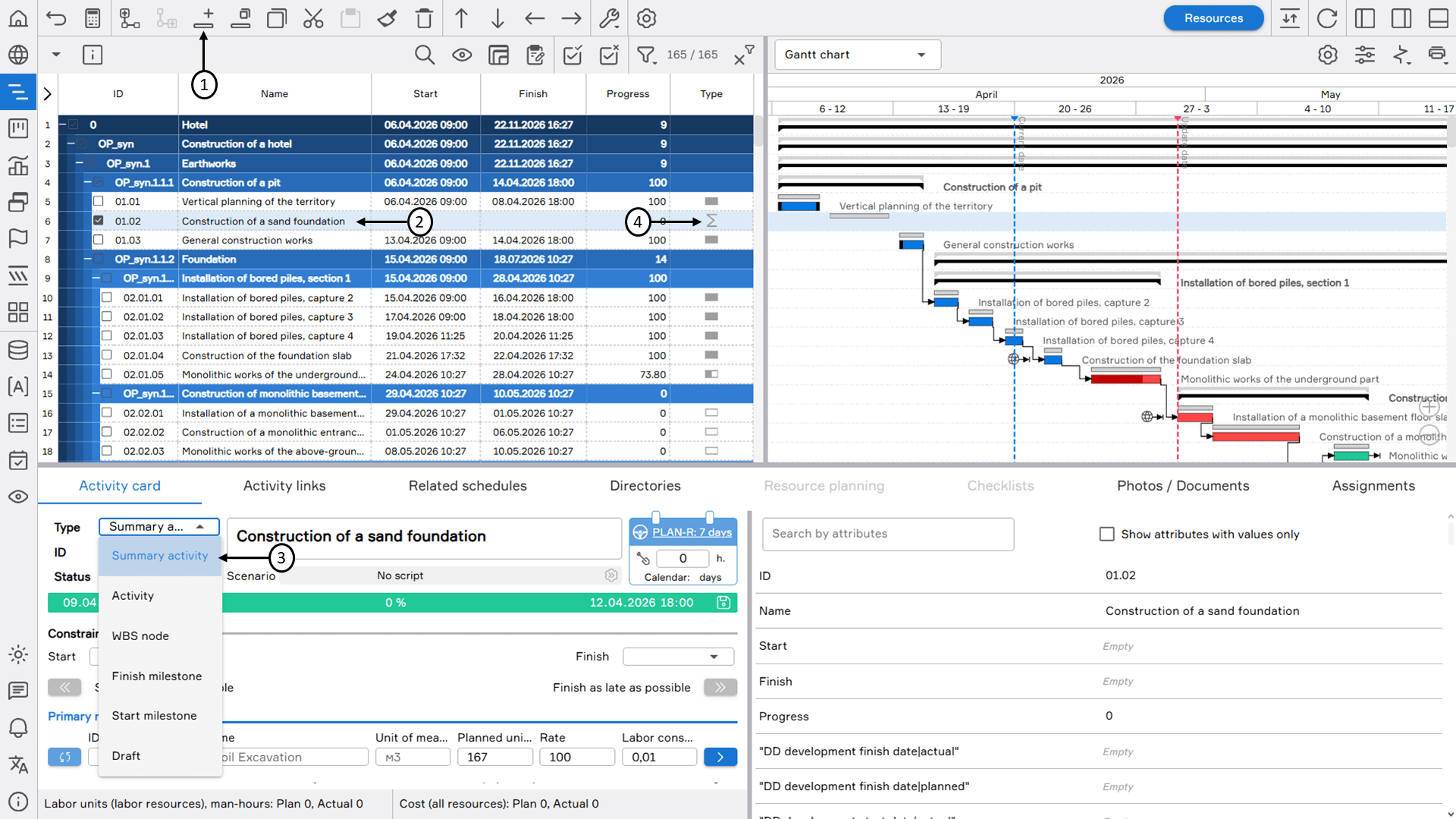 Creating a Summary Activity (1)
To aggregate activities, select a Summary activity, open "Activity links" (5), and select the aggregation attribute from the drop-down list (6).
The aggregation attribute can be:
- A custom String attribute;
- A List attribute;
- A system attribute with the String data type.
To display the aggregated activities, select the Summary activity (3), enter the matching value in the required attribute (7), and click "Accept" (8) on "Activity links".
You can also configure aggregation through the Aggregation attribute field in the schedule. Select the attribute (10) from the drop-down list in Aggregation attribute (9). The aggregated activities for the selected attribute appear on "Activity links" (5).
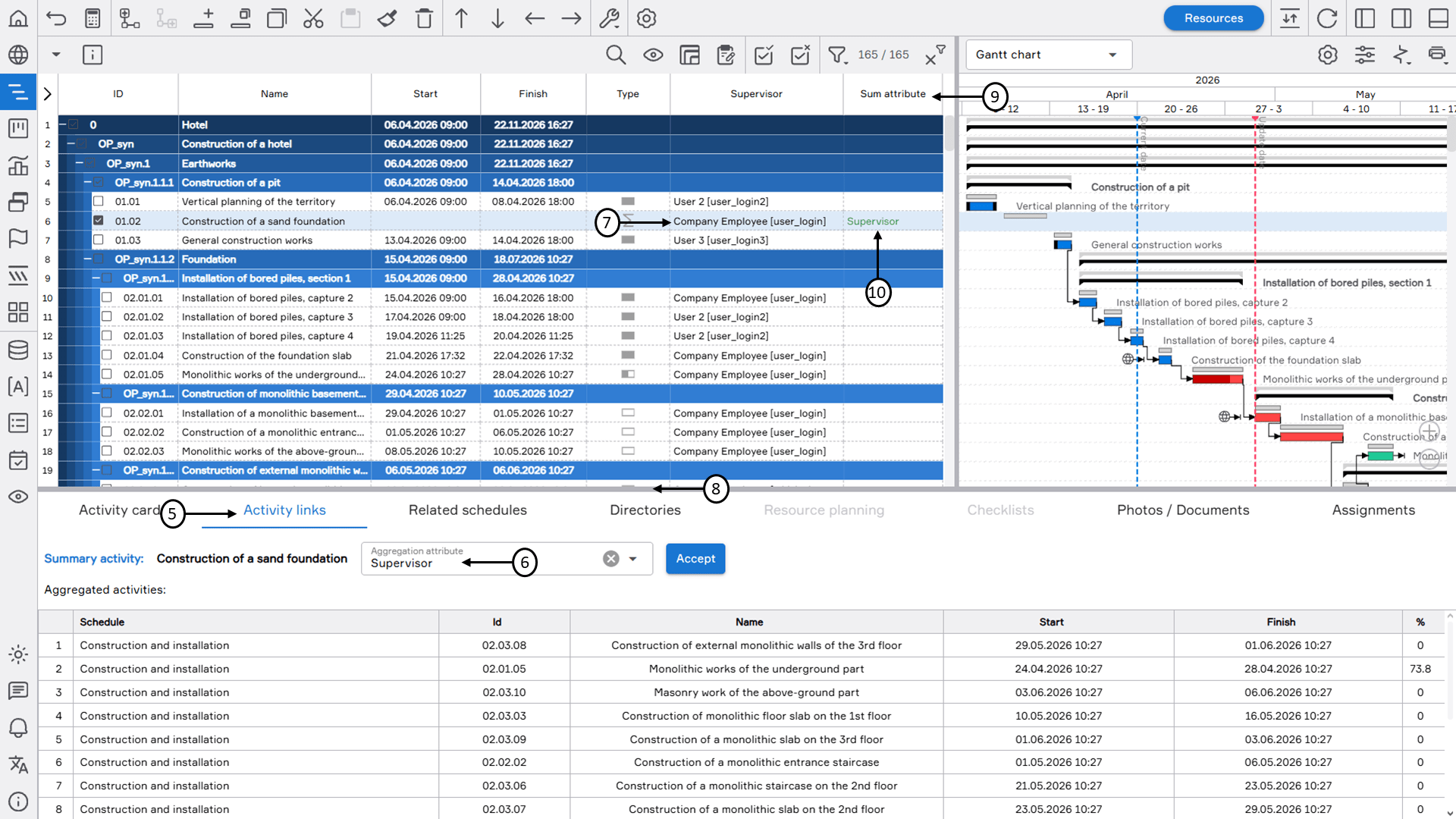 Creating a Summary Activity (2)
The summary activity's start is the earliest start date, and its finish is the latest finish date, among all activities whose aggregation attribute value matches that of the summary activity. Activity, Start milestone, and Finish milestone types are included.
A summary activity can aggregate activities from other schedules within the project if the aggregation attribute was created at the project level. During schedule calculation, the versions used to update the summary activity depend on the version being calculated:
- Calculation in the Actual version
- Activities from the current schedule are taken from its Actual version.
- Activities from other project schedules are taken from their Actual versions.
- Calculation in the Baseline version
- Activities from the current schedule are taken from its Baseline version.
- Activities from other project schedules are taken from their Baseline versions.
- Calculation in another version
- Activities from the current schedule are taken from the version currently open.
- Activities from other project schedules are taken from their Actual versions.
A summary activity cannot be used as a predecessor or successor when creating activity links.
Labor units and Cost values are summed on the summary activity and excluded from Project and Schedule node analytics.
Summary activities are calculated at the end of schedule calculation, after all other calculations are complete, because their dates do not affect other schedule activities.
When importing summary activities from XLSX, populate Aggregation attribute sum_code with the system identifier of the attribute used to group child activities. If the identifier is missing or incorrect, the summary activity is imported as a regular activity.