EXPORTING A SCHEDULE VERSION FROM THE WORK BREAKDOWN STRUCTURE
Schedule versions can be exported from the WBS in several formats. Click "Import/Export" (1) and select an option from the drop-down menu: "Export XML" (2), "Export XER" (3), "Export XLSX" (4), "Master report" (5), or "XLSX report" (6). The schedule version is saved to your device in the selected format.
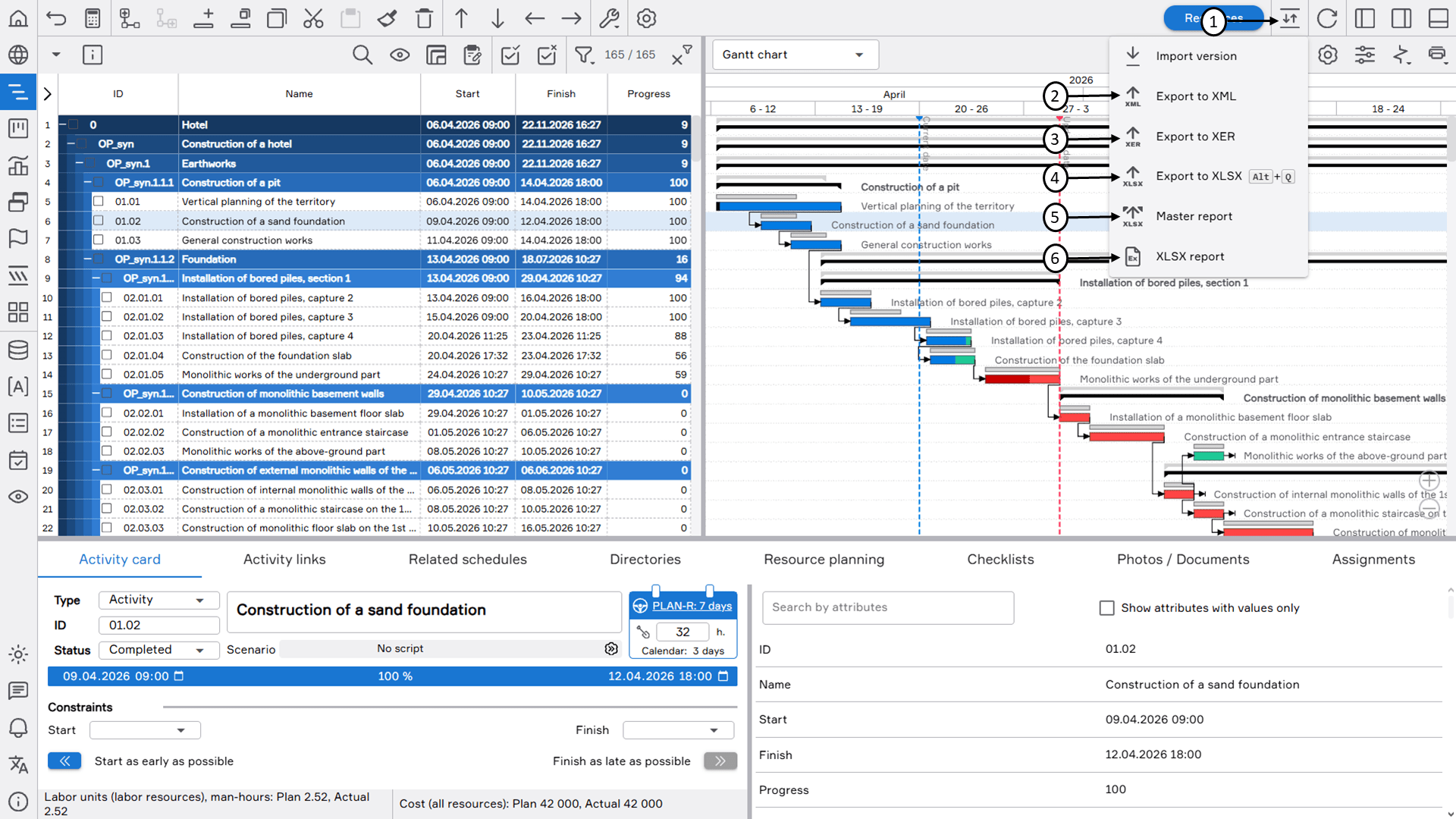 Exporting a Schedule Version from the Work Breakdown Structure
Click "Export XML" (1) to open the export menu and select a structure: "Primavera P6 structure" (2) or "MS Project structure" (3).
If the schedule uses simplified planning, selecting MS Project structure makes the "Export Labor units as resource" checkbox available (4). When selected, labor units are exported as a generic work resource named "PLAN-R Labor units" in the Resource Sheet.
Select how daily plan/actual distributions should be exported:
- Export by evenly (5) — Distributes planned and actual values evenly across the activity's overall period.
- Export by schedule (6) — Preserves the daily plan/actual distribution used in the current schedule.
You can also select the source cell for exporting the version's Current plan: Accepted plan or Operational plan (7). When "Export the daily distribution to the base plan" (8) is selected and schedule versioning is enabled, choose the source version, Current or Baseline (9), and the source cell, Accepted plan or Operational plan (10), for the Baseline plan export.
After configuring the export, click "Export" (11). The schedule version is saved to your device as an .xml file.
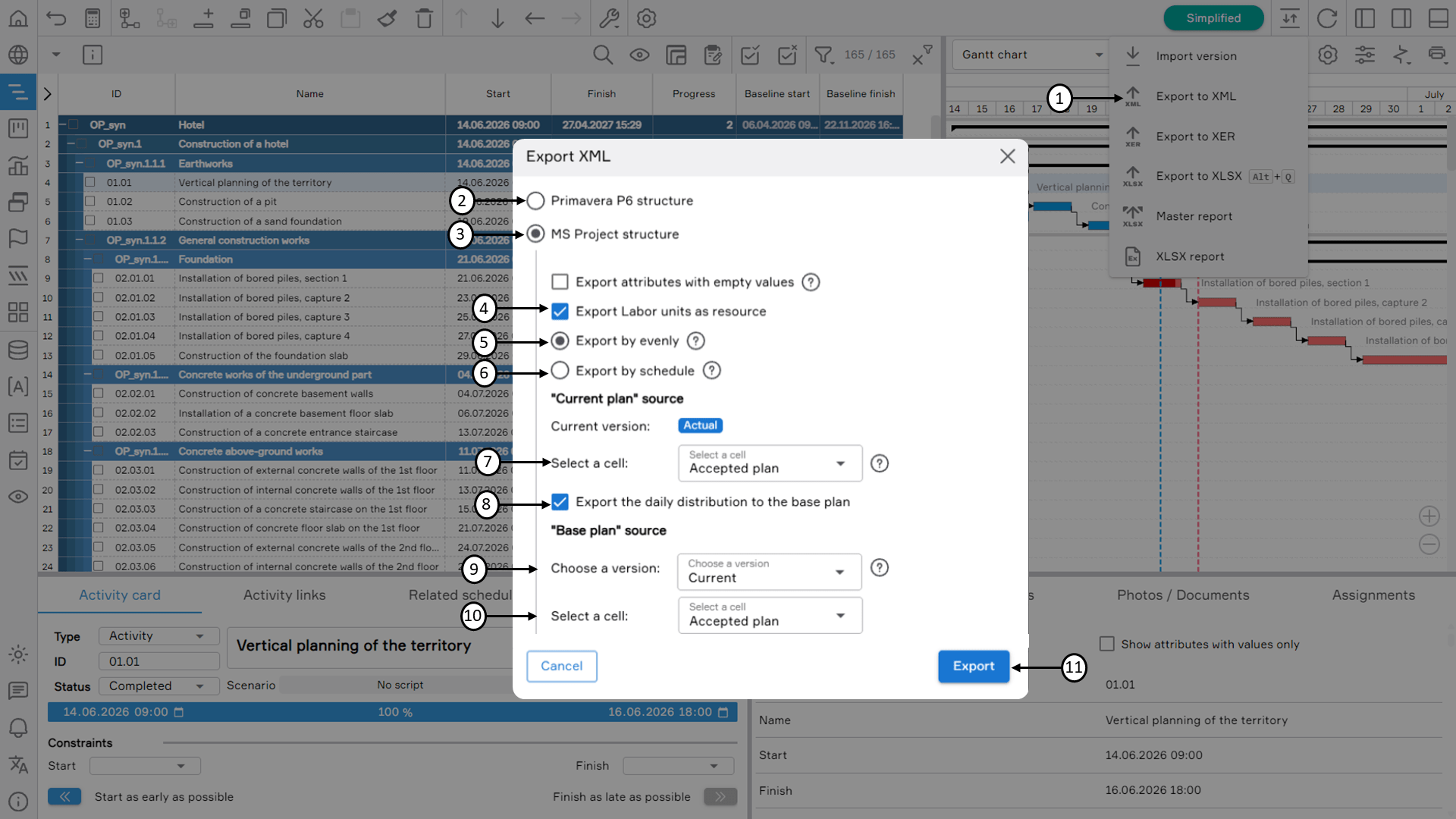 Exporting a Schedule Version in .xml Format
In Resource planning mode (1), click "Export XLSX" (2) and select "Export RBS directories assignments on activities" (3) to export the Work Breakdown Structure and Resource Breakdown Structure.
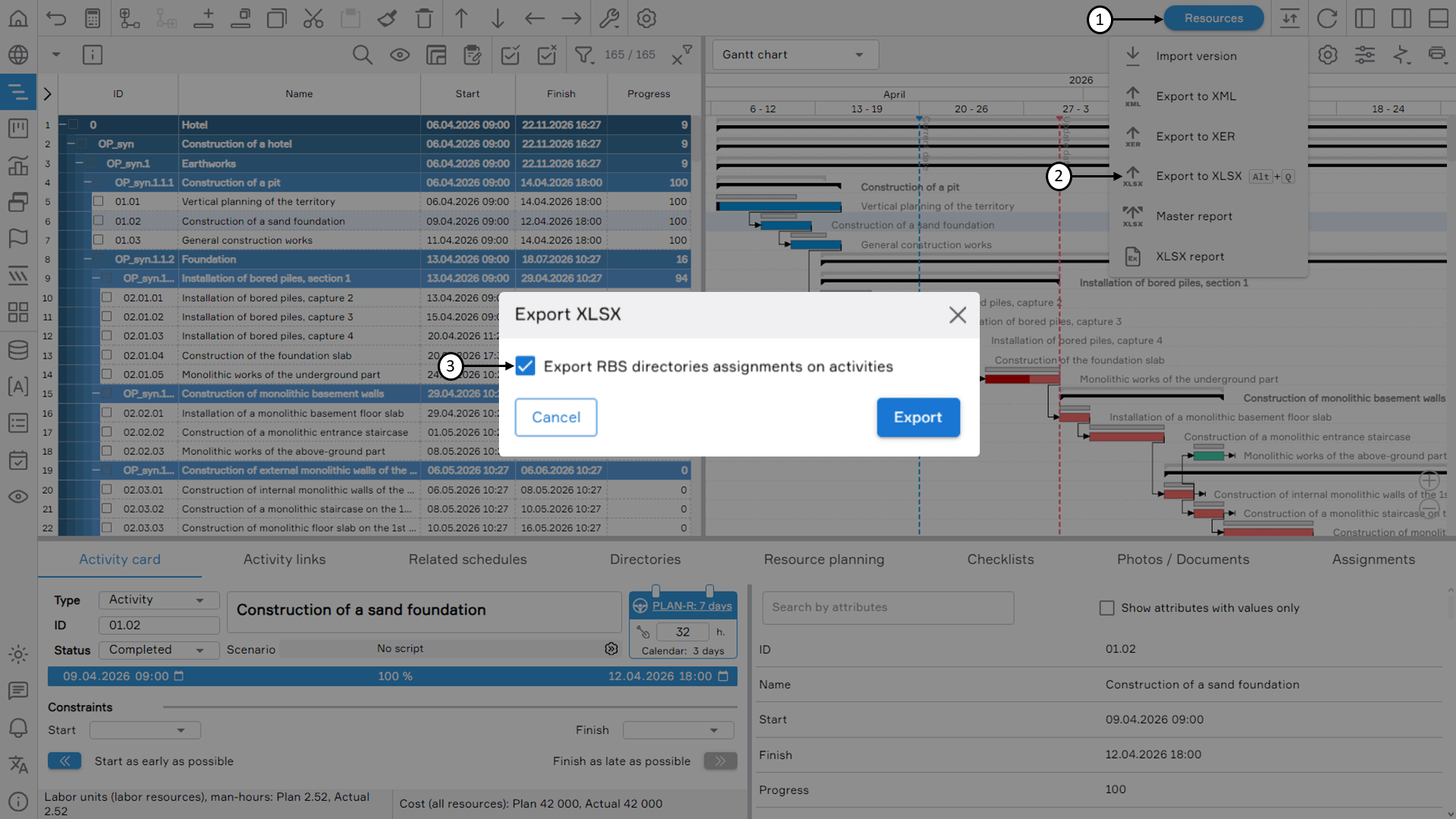 Exporting a Schedule Version in .xlsx Format in Resource Planning Mode
Click "Master report" to export the list and contents of directory records, their assignments to activities, and daily accepted plan, operational plan, and actual values for physical volumes, labor units, cost, and resources.
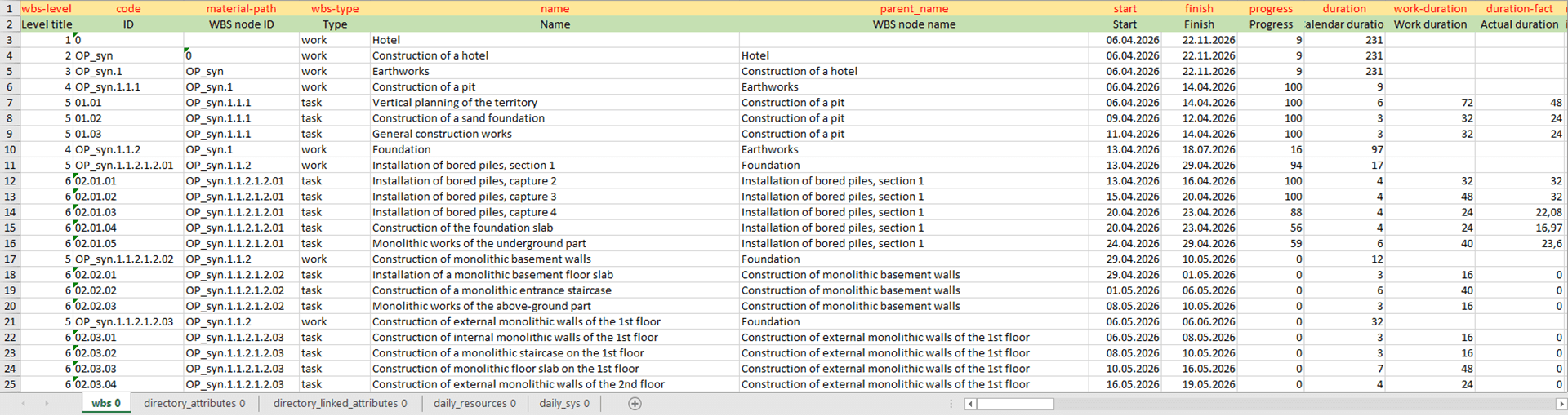 Exporting a Schedule Using Master Report
Click "XLSX report" to generate a document containing only activities included by the current view's filters and only attributes displayed through schedule view settings. Configured and calculated indicators are also included in the report.
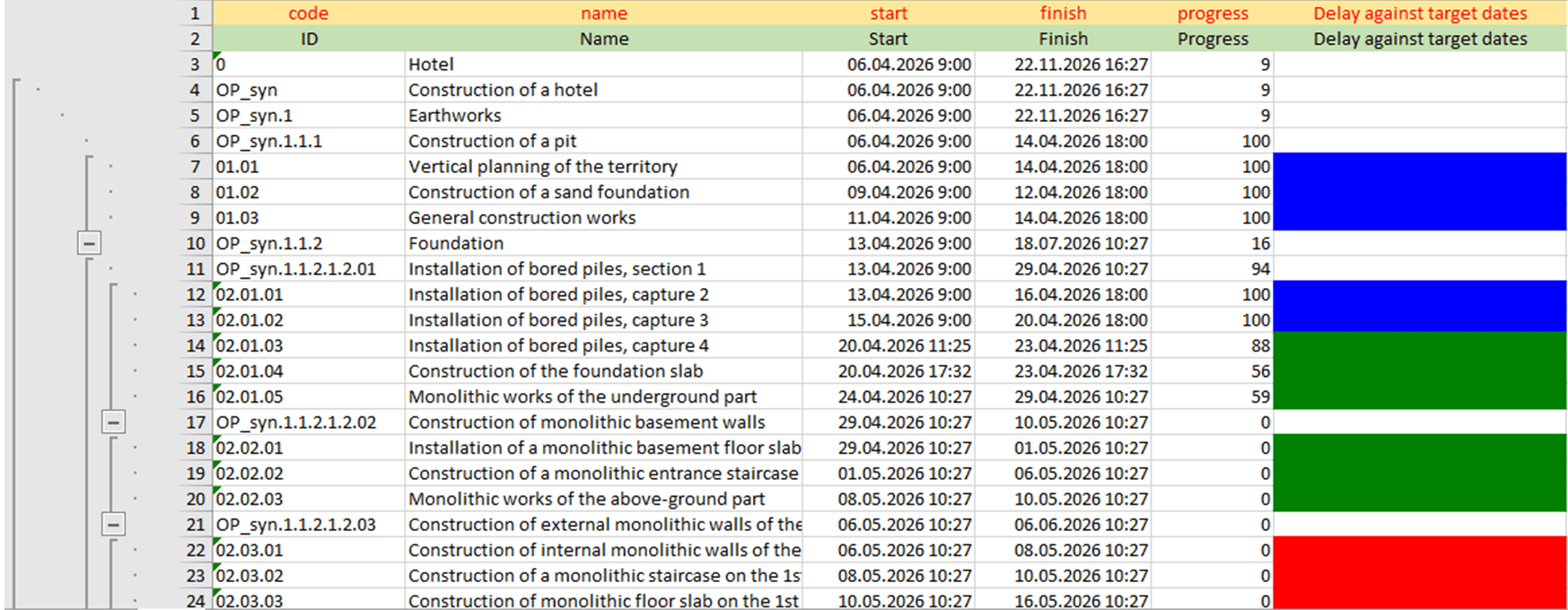 Exporting a Schedule Using XLSX Report
You can view the export result in "Notifications" (1). Click "Click here to view details" (2) to view the operation's step-by-step progress (3). If needed, click the download button (4) to download the file again.
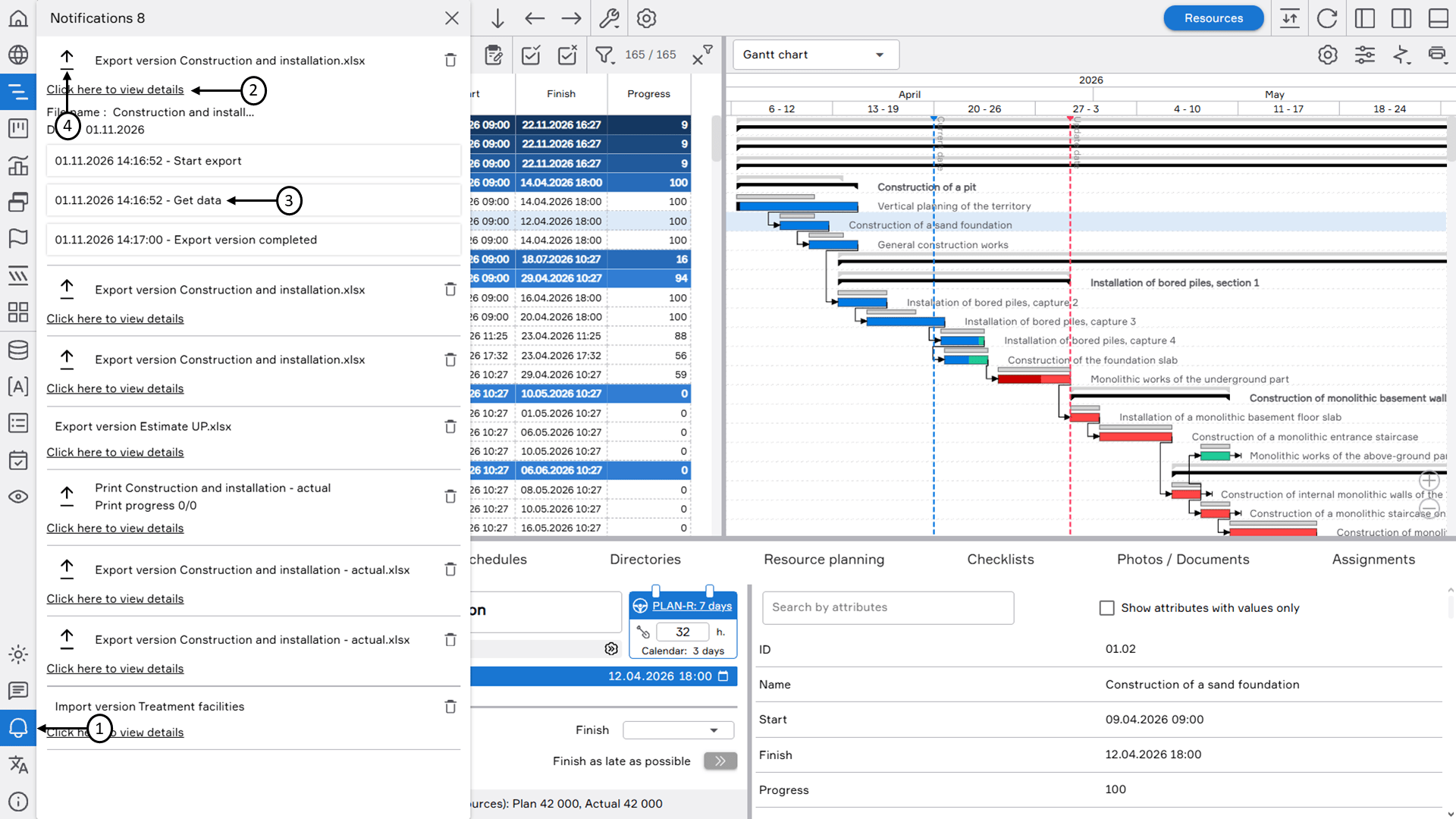 Schedule Version Export Notification