ENTERING ACTUAL DATA FOR PLAN DISTRIBUTION
Actual resource values can be entered in the following ways:
- In the PLAN-R interface, using the same procedure as for planned values;
- In the FACT-R interface (see “FACT-R Mobile Application”);
- By uploading completed daily plan/actual forms;
- By automatically importing reporting forms received through the mail service, available to users of the corporate version of PLAN-R.
To upload a completed plan distribution form to PLAN-R, click “Import/Export” (1) and select “Import daily plan/actual” (2). In the window that opens, select the required file (3) from your device and click “Add” (4). To update assignment attribute values, select the checkbox (5). Actual resource values are automatically distributed according to the completed file.
If the actual resource values for a day are lower than the corresponding planned values, they are displayed in red text.
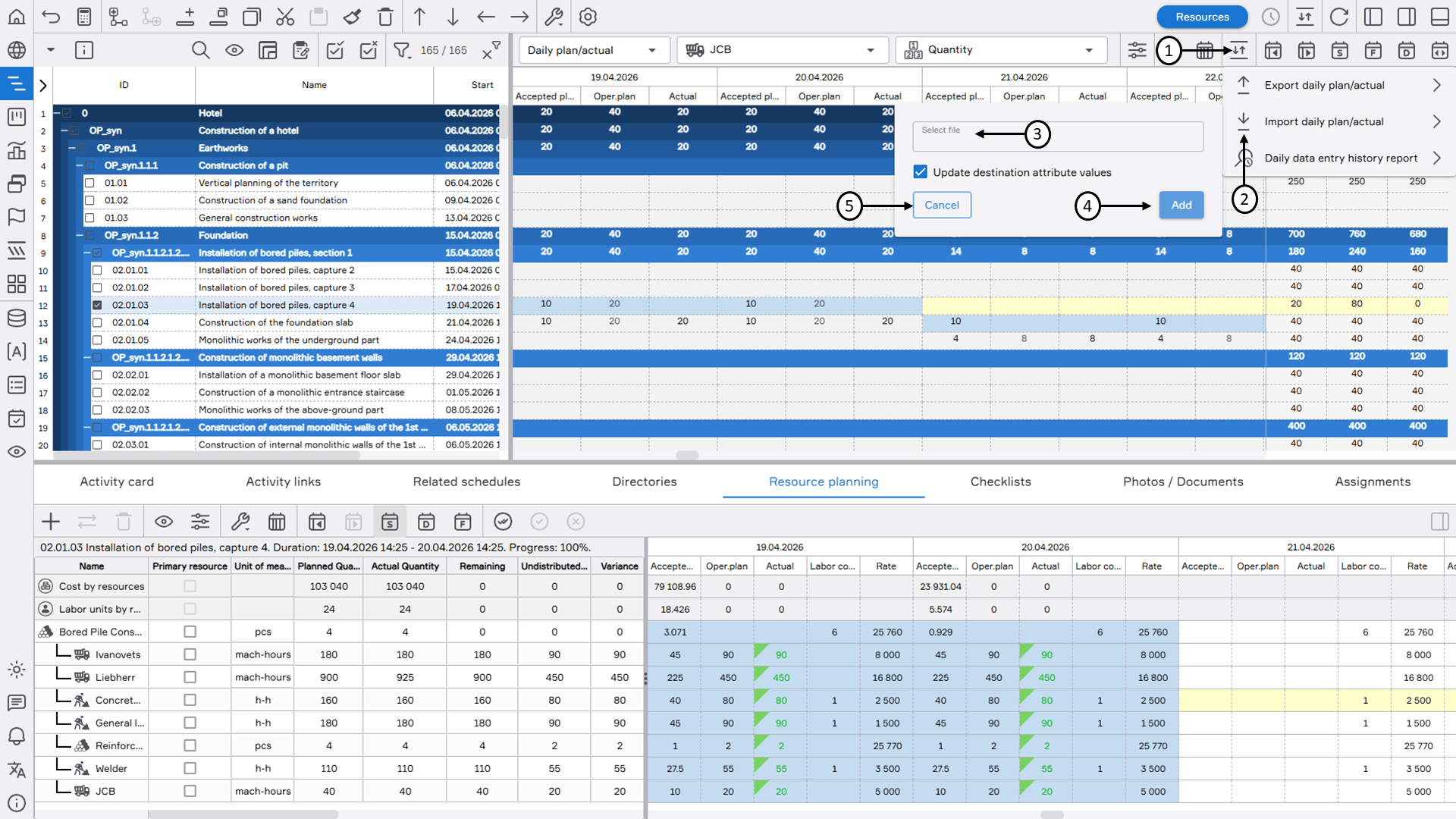 Importing a daily plan distribution form
PLAN-R allows you to restrict editing of resource operational planned, planned, and actual data for past dates. Select a Schedule node in the Enterprise Project Structure, click “Node settings”, and open the “General” tab.
Select either “Free editing” (1), which disables the settings described below, or “Limited Editing”.
To restrict editing of operational planned values, select the schedule data editing type (2). Choose the reference date (3) against which editing restrictions will apply: the current date or the schedule version update date.
Enter the number of days in the corresponding field (4) to specify the period during which PLAN-R allows activity data to be entered. A value of “0” allows editing only for the reference date. A value of “1” allows editing from the day before the reference date through the reference date, inclusive.
For example, if the reference date is 06.03.2023, actual data can be edited for the period 05.03.2023–06.03.2023.
Restrictions on editing actual values (5) are configured in the same way. Click “Save” (6) to save the settings.
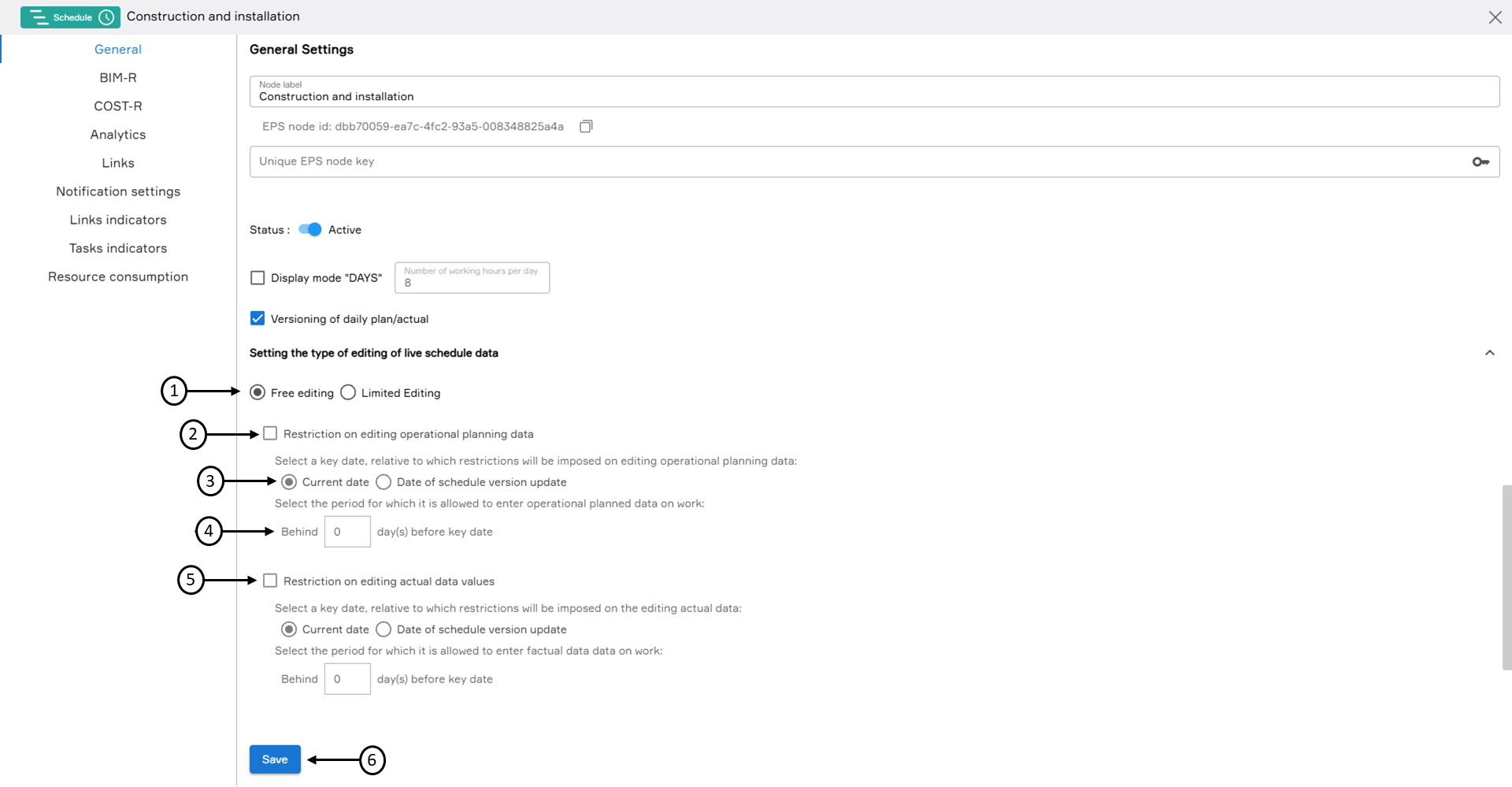 Configuring data entry restrictions