PLANNING IN PLAN-R
A company’s project portfolio often includes initiatives of different sizes. In construction, for example, these may range from a small facility to a large industrial complex. These projects require different management and planning approaches.
Schedule development approaches also vary. In some cases, aggregate tracking is sufficient. In others, resources must be broken down individually to account for their contributions to total cost, labor requirements, and activity duration.
PLAN-R lets you configure the planning mode to suit each project and schedule, offering two options:
- Simplified planning;
- Resource planning.
The mode is selected separately for each schedule. To configure it, select a schedule in the Enterprise Project Structure, open “Node settings”, and select the planning mode (1).
When you click “Save” (2), a confirmation window opens with the warning: “Changing the planning mode may result in data loss in the WBS table! The data cannot be restored. Continue?” Click “Yes” (3) to confirm the planning mode change.
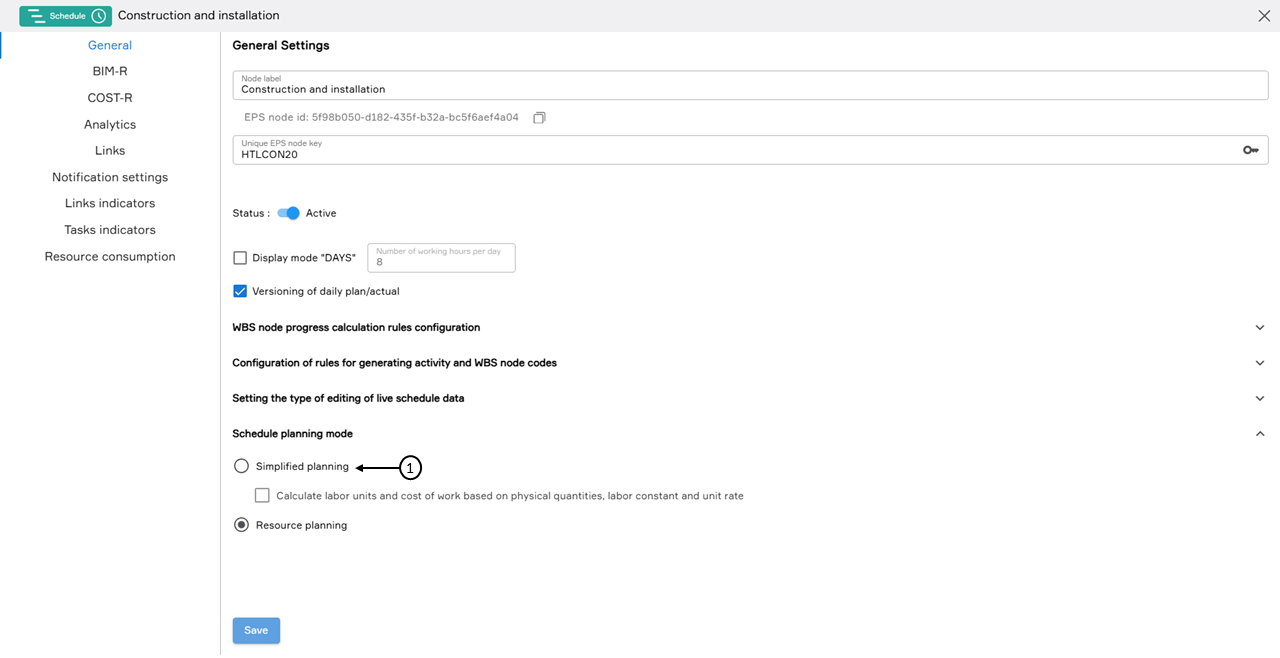 Selecting a planning mode in PLAN-R