VERSIONING OF DAILY PLAN/ACTUAL
Versioning allows you to store different daily planned and actual values in different schedule versions. Its behavior depends on the schedule’s planning mode: “Resource planning” or “Simplified planning”.
- The schedule uses “Resource planning” mode:
- Resources assigned to schedule activities are always version-specific. Resources assigned in one version are not added to other versions. Resources must be assigned separately in each version;
- When daily data versioning is disabled, daily data is linked to the activity and resource codes. Resources with matching codes assigned to the same activity in different versions therefore share the same daily values across all versions;
- When daily data versioning is enabled, resource daily data is unique to each version.
- The schedule uses “Simplified planning” mode:
- When versioning is disabled, daily physical volume, labor unit, and cost data is shared across all schedule versions;
- When versioning is enabled, physical volume, labor unit, and cost data is unique to each version.
To enable daily planned and actual data versioning, open the “General” tab (1) in the schedule node settings, select the “Versioning of daily plan/actual” checkbox (2), click “Confirm” (3), and save the changes. After versioning is enabled, the distributed daily planned and actual data remains in the Actual version. The Baseline and draft versions contain no daily data.
When daily planned and actual data versioning is disabled, daily planning data is overwritten with data from the Actual version. Data from other versions cannot be restored.
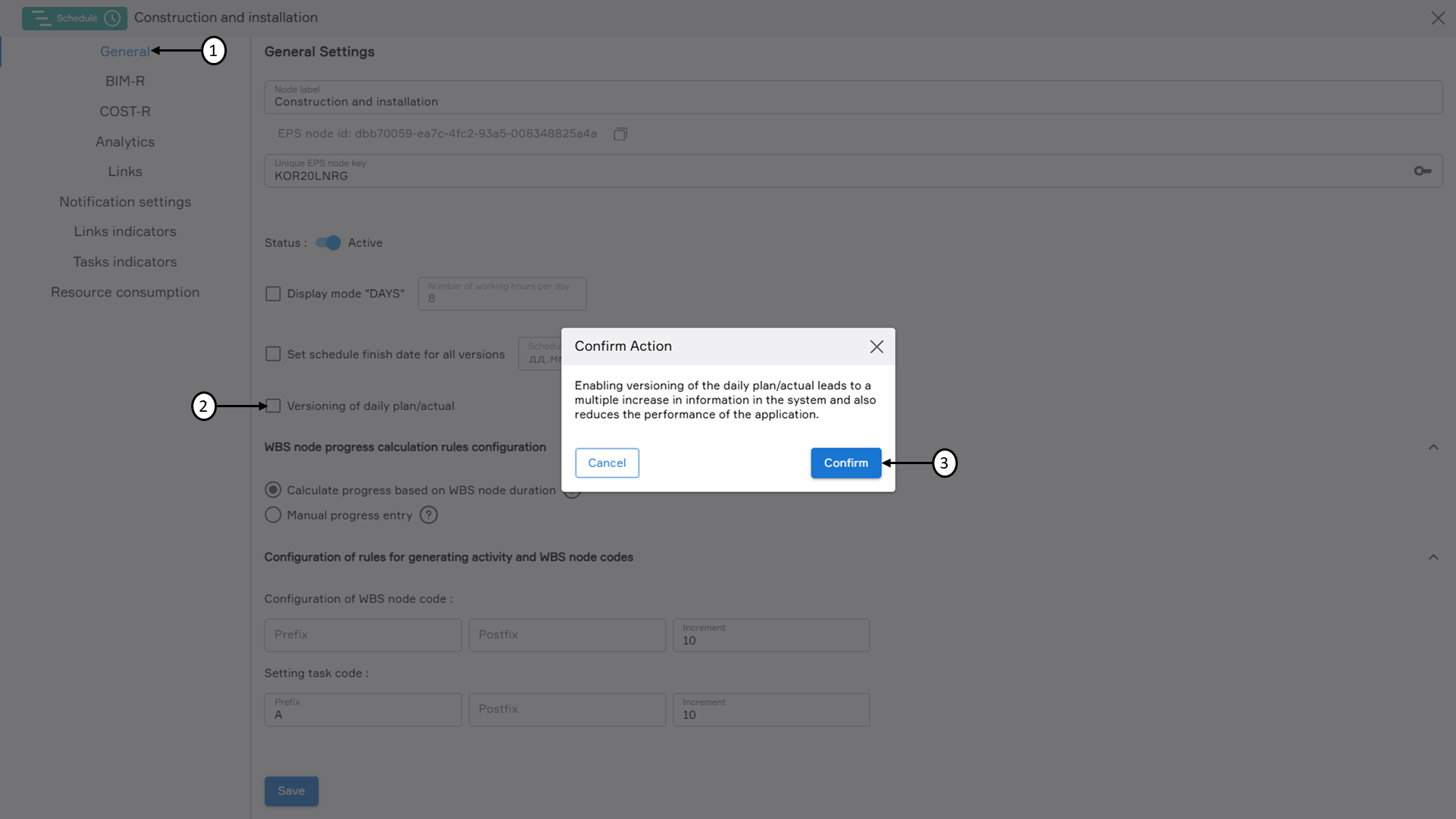 Versioning of daily plan/actual